About Reactive Graph
What is a Graph?
A graph organizes highly interconnected data. The state of an Entity Component System can be ideally represented with the help of the graph.
graph TD;
    A(Entity A)===>|Relation A|B(Entity B);
    A(Entity A)===>|Relation B|C(Entity C);
    B(Entity B)===>|Relation C|D(Entity D);
    C(Entity C)===>|Relation D|D(Entity D);
Why do we need a graph?
The main benefits of a graph are:
- A universal data structure for everything
- Relations are first class citizens
- Benefit from types and instances which makes things intuitive
- Benefit from navigation which is fast and intuitive
- Benefit from the semantics of highly connected, intuitive data
- Properties can store not only certain primitive data but complete documents
What type of graph does Reactive Graph implement?
Internally, Reactive Graph is an in-memory graph database with the following characteristics:
| Characteristics | Description |
|---|---|
| Directed Graph | Each relation points from one entity to another entity |
| Typed Graph |
|
| Property Graph |
|
In addition, Reactive Graph takes up concepts from entity component systems. Types, i.e. entity types and relation types, are assembled using components. The type system itself is flat and supports composition rather than inheritance. Components can be added or removed from instances, i.e. entity instances or relation instances.
What is Reactive?
Now that we understand how data is stored, here’s how data interacts. The approach is that the data itself is “alive”. To do this, Reactive Graph adopts a concept from reactive programming.
In computing, reactive programming is a declarative programming paradigm concerned with data streams and the propagation of change.
It is the ingenious combination of a graph with reactive programming. The property instances are not static and only contain data. Rather, they are streams of data. If you change the value of a property instance, you fill the data stream of this property instance. Data streams are linked together. For example, if the stream of one property instance is linked to the stream of another property instance and you change the value of the first property instance, the value of the second property instance will automatically change as well. Data is thus propagated from one station to the next, triggering a cascade of propagations.
graph TD;
    A(Property Instance 1)-->|stream|B(Property Instance 2);
    A-->|stream|C(Property Instance 3);
    B-->|stream|D(Property Instance 4);
    C-->|stream|D;
    D-->|stream|E(Property Instance 5);
    B-->|stream|F(Property Instance 6);
In addition, Reactive Graph remembers the last value in each property instance. This is done by subscribing to your own data stream and caching it. This allows subsequent querying of the value of a property instance.
Remember this basic concept:
- Every property is a stream not only data
- Property streams can be subscribed and published
- The streams of two properties can be connected and changes will be propagated (cascade)
Behaviour driven design
The data flow is therefore automatic. Building on this, Reactive Graph applies the concept of behaviour-driven design. The goal is to use these data streams to simulate behaviour.
Behaviors can be implemented on components, entities and relations. To do this, one or more incoming data streams are combined, calculations are performed and written to one or more outgoing data streams.
For example, the entity type “AND gate” implements a behavior by subscribing to the two input properties, combining them into a combination data stream and performing an AND operation on the incoming pairs of values. The result of the AND operation is itself a data stream and this is linked to the output property.
This example shows how an entity type is wired internally. They are all data streams that are cleverly combined with one another and thus depict behavior.
It is interesting that this behavior also works for relations. For example, connectors are also implemented behaviors of streams. It is interesting that connectors connect the data stream from a property instance of the outgoing entity instance with the data stream from a property instance of the incoming entity instance.
graph TD;
    subgraph key_ctrl ["Entity Instance (Input Key)"]
    direction RL
    CTRL_KEY(Property<br><br>key_name=CTRL);
    CTRL_KD(Output Property<br><br>key_down);
    end

    subgraph key_f10 ["Entity Instance (Input Key)"]
    F10_KD(Output Property<br><br>key_down);
    F10_KEY(Property<br><br>key_name=F10);
    end

    CTRL_KD--->|connector|LHS;
    F10_KD--->|connector|RHS;

    subgraph logicalgate ["Entity Instance (Logical Gate)"]
    LHS(Input Property<br><br>LHS)o-->ZIP;
    RHS(Input Property<br><br>RHS)o-->ZIP;
    ZIP(Zipped stream of LHS and RHS)-->COMBINATOR;
    COMBINATOR(Combinator Function<br><br>AND)-->RESULT;
    RESULT(Output Property<br><br>Result);
    end

    RESULT--->|connector|CMD_EXIT;

    subgraph system_command_exit ["Entity Instance (System Command)"]
    CMD_COMMAND(Property<br><br>Command);
    CMD_EXIT(Input Property<br><br>trigger)
    end
For example the AND-Gate accepts inputs at the properties lhs and rhs. Both streams are
subscribed and zipped. The zipped stream is calculated with a function - in this case the
AND-Operator. This results in another (invisible) stream which is connected with the property
result. The entity type AND-Gate defines that the properties lhs, rhs and result
have to exist. Furthermore, the socket types are defined: lhs and rhs are Input-Sockets
and result is a Output-Socket. The behaviour is like the internal wiring of entity
instances and of relation instances. A behaviour can be added to entity instances and removed
from entity/relation instances.
In the Reactive Graph Flow there are ComponentBehaviours, EntityBehaviours and
RelationBehaviours.
| Type | Behaviour |
|---|---|
| Entity Type “and” | Entity Behaviour Logical Gate with AND-combinator |
| Relation Type “default_connector” | Relation Behaviour Default Connector |
Behaviours are provided by plugins.
What is a flow?
Control flows can be implemented based on the graph, the data streams and the behavior-driven design. It is important here that the available modules that implement the behavior are linked with connectors.
For example, a flow can consist of a logic that links several AND gates with each other using connectors. Both the AND gate and the connector are behaviors. But the arrangement of these behaviors within a flow makes them powerful.
Entire game modes can be implemented with the help of flows. Or just parts of it that are used in multiple game modes, such as a mechanism to pick up, drop, and score flags.
Flows are also useful for making maps more interactive. With the help of flows and behaviors, it can be ensured that a door opens in a map when you press switch 1 and switch 2. Or you determine the color of your own team’s base based on the current score. Or you control particle emitters, depending on how many players are near the emitter. The possibilities for this are endless and want to be used!
flowchart LR
    subgraph flow ["Flow"]
        direction LR
        subgraph key_ctrl ["Entity Instance (Input Key)"]
            CTRL_KD(Output Property<br><br>key_down);
        end

        subgraph key_f10 ["Entity Instance (Input Key)"]
            F10_KD(Output Property<br><br>key_down);
        end

        CTRL_KD-->|connector|LHS;
        F10_KD-->|connector|RHS;

        subgraph logicalgate ["Entity Instance (Logical Gate)"]
            LHS(Input Property<br><br>LHS)-.->RESULT;
            RHS(Input Property<br><br>RHS)-.->RESULT;
            RESULT(Output Property<br><br>Result);
        end

        RESULT-->|connector|CMD_EXIT(Input Property trigger);

        subgraph system_command_exit ["Entity Instance (System Command)"]
            CMD_COMMAND(Property<br><br>Command);
            CMD_EXIT(Input Property<br><br>trigger)
        end
    end
Design Goals
This chapter describes what the application’s design goals are and aren’t.
Plugin System
The plugin system is a central building block and is therefore mentioned first. The goal of the plugin system is to keep the core as small as possible. The core of the application is described in the next section. Plugins, on the other hand, contain the functionalities.
The aim of the plugin system is also that you don’t have to restart the core application completely just because a small part has changed. It should be sufficient to restart the modified plugin.
Also, if a plugin stops working, or if the plugin’s configuration is changed, restarting the plugin might avoid restarting the core application.
In addition, the file size of the binary file is reduced since only its libraries are compiled in the core application.
In addition, only what is actually used is loaded. Plugins that are not required for the application can be deactivated.
* [Plugins Configuration](./Configuration_Plugins.md)
* [Plugin System](./Plugin_System.md)
* [Building Plugins](./Development_Build.md#build-plugins)
Runtime
The Reactive Graph runtime (reactive_graph_runtime_api) consists of a few central building blocks. As already
mentioned in the introduction, this includes a built-in graph database.
Based on this, the type system is managed by the runtime. This means that in the business logic layer there is a management service to edit the type system. With the help of these services, new types can be created, queried, searched for and deleted.
Furthermore, the instance system is managed. Similar to the type system, new instances can be created, queried, searched for and deleted.
Reactive instances are managed by the reactive instance system with reactive entity instances, reactive relation instances and reactive flow instances.
Finally, the two main approaches to the Reactive Graph Flow are provided.
One access to the Reactive Graph Flow is the plugin system, which is granted access to the business logic layer of the core application via the plugin API. Type system and reactive instance system are available to every (Rust) plugin.
Second access is the GraphQL server, which also provides access to the type system and the reactive instance system. It is possible to instantiate the runtime without an HTTP/GraphQL server. But still you can use the internal GraphQL Query Service to execute GraphQL queries and mutations. For more information about the possible use cases, please take a look at the System Architecture.
In addition, there are cross-sectional functionalities such as lifecycle management, logging and configuration.
For configurations, TOML should be used as the configuration format wherever possible.
The application should be able to be adapted to the application by means of configuration.
* [GraphQL API](./GraphQL_API.md)
* [Plugin API](./Plugin_System.md)
* [Data Model](./Model.md)
* [System Architecture](./System_Architecture.md)
Runtime Non-Goals
This section explains which goals are not pursued in the runtime.
- Configurations for purposes other than logging, plugins, GraphQL server
- System-Variables
- Meta data
- Implementation of certain reactive behaviors: e.g. logic gates, arithmetic gates
- Implementation of game modes, maps, mods
- Synchronization
- Flow-Editor
- Graphics-Rendering
- Octree-Editor
Usage Goals
The application should be able to be used as required in the specific case:
- Just run and use it
- Let two or multiple instances talk to each other
- Use the runtime as integration bus for different applications or systems
- Embed the runtime in your own application which empowers you have a platform for an embedded zero code flow control and an embedded graph database
- Embed any number of runtimes in your simulation application
- Use either the CLI, the flow editor or any other tool to manipulate the type system and/or the instance system
Roadmap
See Milestones
Changelog
All notable changes to this project will be documented in this file.
The format is based on Keep a Changelog, and this project adheres to Semantic Versioning.
Unreleased
Added
- Type System: Generate rust types for the system based on the type definitions
- Documentation: Generate Markdown documentation for the type system based on the type definitions
- Plugins: Hot deploy archives (.tar.gz and .zip) containing plugins placed in the deploy folder
- CLI: Install plugins from a plugin repository (GitHub Releases)
Changed
- Type System: Hierarchical and typesafe namespaces
- Upgrade log4rs to 1.4.0
- Refactored dynamic graph using dependency injection
Fixed
- Avoid conflicting json schema fields in the dynamic graph
- Replaced crate fxhash with rustc-hash (Fixes RUSTSEC-2025-0057)
Distribution
- Provisioning standard library plugins or another set of plugins
Infrastructure
- CI: Update rust nightly toolchain to nightly-2025-12-05
- CI: Added CODEOWNERS
- Build: Use resolver version 3
- Build: Specify default members of the workspace (exclude utils and generators)
- Tooling: Added shell script to update the json schema files of the type system manually
[0.10.0-alpha-5] - 2025-08-01
Summary / Highlights
Improves plugin support in docker containers
Added
- CLI: Added arguments
--danger_accept_invalid_certsand--danger_accept_invalid_hostnames
Changed
- Plugins: Improved error message if moving plugin from
plugins/deploytoplugins/installedfailed
Fixed
- Docker: Run configurations for docker containers mount the plugin deploy folder of the workspace on the container (note: this works only if you’re running a single container)
- Docker: Plugin system now correctly handles deploying plugins when the deploy folder is mounted as volume
Distribution
- Docker: Dockerfile now uses ubuntu 24.04 as runtime image
- Docker: Added Dockerfile.debian which uses bookworm-slim as base image
- Docker: Added docker-compose which contains an init container for installing plugins (respects arch + configurable with a tag/version)
Infrastructure
- The standard library plugins are now provided via GitHub Releases
[0.10.0-alpha-4] - 2025-07-28
Summary / Highlights
Improved schema support for the type-system, with JSON Schemas for every type – both in the generic GraphQL API and in the Dynamic Graph.
GraphQL schemas and JSON schemas are published on: schema.reactive-graph.io
Added
- CLI: Added entity instances to flow types
- CLI: Added introspection queries
- CLI: Added command for getting the JSON Schema for each type in the type system
- Client: Added request method for getting the JSON Schema for each type in the type system
- Server CLI: Print GraphQL schemas
- Server CLI: Print JSON schemas
- GraphQL: Added entity instances to flow types
- GraphQL: Sort fields and enums
- GraphQL: Generate static schema SDL files during build
- GraphQL: Added resolver for the dynamic JSON schema for each type in the type system
- GraphQL: Added resolver for the dynamic JSON schema identifier ($id) for each type in the type system
- Dynamic Graph: Sort components, entity types, relation types and properties
- Dynamic Graph: Export reactive entities, relations and flows using dynamic schemas
- Dynamic Graph: Type System Metrics
- Dynamic Graph: Refactored field resolvers of the entity types
- Dynamic Graph: Refactored object resolvers of the flow types
- JSON Schema: Include an unique JSON schema identifier ($id) in the JSON schemas
- JSON Schema: Provide an $id field when serializing types and instances
- JSON Schema: Type definitions and instance definitions can refer to the JSON schema using an $id field
- JSON Schema: Generate dynamic schemas for all registered types in the type system
- Reactive: Added delegates for reactive flow to its wrapper entity
- Reactive: Added method to get reactive flow by entity type
- Reactive: Implemented json serialization for reactive entities and reactive relations
- Type System: Added traits JsonSchemaGetter and JsonSchemaIdGetter
Changed
- Extended binary info with rustc_host_triple and rustc_commit_date
- Renamed test-utils to utils-test
- Configure lints on workspace level
- Replaced lazy_static with LazyLock
- CLI: Updated shell completions
- Dynamic Graph: Refactored GraphQL objects
- JSON schema: Refactored REST services
- Reactive: When creating a reactive flow from type a id can be provided
Fixed
Distribution
- Docker: Make debian bookworm slim the base image in order to allow plugins loading within the docker image
Infrastructure
- CI: Synchronize labels from config file
- CI: Publish graphql and json schemas to https://schema.reactive-graph.io/
- CI: Check for breaking changes in the GraphQL schemas
[0.10.0-alpha-3] - 2025-04-13
Summary / Highlights
Migrated to Rust Edition 2024
Added
- Interfaces: Provide JSON schemas of the type system and instance system via GraphQL API
- Interfaces: Query for JSON Schemas of the type system and instance system via the Rust Client
- CLI: Print the JSON Schemas of the type system and instance system
- CLI: Manage flow types
- CLI: Manage flow instances
- GraphQL: Manage flow types
- GraphQL: Manage flow instances
Changed
- Migrated to Rust Edition 2024
- Fixed clippy lints for Rust 1.85.0
Fixed
#[unsafe(no_mangle)]
Distribution
- Docker: Added static labels (org.opencontainers.image)
- Docker: Added multi platform docker image (amd64 + arm64)
Infrastructure
- CI: Update rust nightly toolchain to nightly-2025-03-14
- CI: Added GitHub Actions runner for arm64 ubuntu-22.04-arm
- CI: Generate release binaries and debian packages for arm64 using the arm64 runner
- CI: Automatically label pull requests
- CI: Automatically mark pull requests as stale
- CI: Automatically assign assignee and reviewers
[0.10.0-alpha-2] - 2024-10-27
Summary / Highlights
Provisioning instances
Added
- CLI: Provisioning config files
reactive-graph instances init - CLI: Generate and provisioning certificates using
reactive-graph instances generate-certificate - CLI: Manage repositories of a local instance using
reactive-graph instances repository - CLI: Set config values of a local instance using
reactive-graph instances config graphql --secure true - Distribution: Dockerfile and run configurations for docker
- Docs: Documented installation via docker
Changed
- Docs: Moved book to root folder
- Docs: Applied Reactive Graph Design System
Fixed
- CLI: Self-Updater
Infrastructure
- CI: Update rust nightly toolchain to nightly-2024-10-19
- CI: Auto-merge dependabot PRs
[0.10.0-alpha-1] - 2024-10-20
Summary / Highlights
Self updater, shell completions and building for more targets in CI
Added
- CLI: Print or install shell completions (bash, fish, zsh, powershell) and man pages
- CLI: Self Update
reactive-graph update - CLI: Init instance
reactive-graph instances init <path>
Infrastructure
- CI: Create tag nightly after merge and successful build on main branch
- CI: Publish nightly releases to GitHub Releases
- CI: Sign nightly tag with GPG
- CI: New layout for debian packages
- CI: Added support for
i686-unknown-linux-gnu(32-bit) - CI: Added support for
armv7-unknown-linux-musleabihf(MUSL) - CI: Added support for
x86_64-pc-windows-gnu(MinGW) - CI: Added support for
powerpc-unknown-linux-gnu,powerpc64-unknown-linux-gnuandpowerpc64le-unknown-linux-gnu - CI: Added support for
riscv64gc-unknown-linux-gnu - CI: Check in lock file for security audit workflow
- CI: Automatic labeling
[0.10.0-alpha-0] - 2024-03-24
Summary / Highlights
This is a highly technical release with a lot of major refactorings and design changes.
Highlights
- Modularized code base
- API separation
- Replaced dependency injection framework
Added
- Added plural types (
EntityTypesfor a set ofEntityTypes) + Changed API to use plural types - Handle reactive instances ReactiveEntity + ReactiveRelation like smart pointers (is this an anti-pattern?)
- Introduced thiserror for lots of error types
- Added test mocks using default_test in order to write tests easier
- Added declarative reactive models (reactive-derive + TypedReactivePropertyContainer)
- Added RelationTypeProviderRegistry and FlowTypeProviderRegistry
- Provide and use preludes
- Support JSON, JSON5 and TOML formats for importing and exporting types
- Added configuration for the location to the SSL certificate and private key
- Remotes Management
- JSON-Schemas
- CLI REPL + Improved CLI
Changed
- Use TypedBuilder in core-model + migrate all calls to the new builders
- Refactored reactive layer out of core-model
- Moved reactive from core-model to reactive
- Refactored hashmap and vec to dashmap and dashset
- Implemented lots of conversions between types and instances
- Refactored import export managers into own services to separate concerns
- Grouped services in a business layer
- Moved tests into implementation classes to follow rust coding guidelines
- Modernized lots of tests with mocks
- Renamed model to inexor_rgf_graph
- Plugins can use springtime dependency injection + Added declarative macros for type providers
- Extended behaviour API: BehaviourFactoryCreator + BehaviourFunctions
- Moved behaviour functionality into behaviour_api and behaviour impl modules
- Moved reactive functionality into reactive_api and reactive impl modules
- Refactored error methods in dynamic graph to regular error types with thiserror
- Made handle_web_resource async
- Web resource providers must have an ID
- Make import export managers fully async
- Improved error types for import and export types
Removed
- Removed IndraDB
[0.9.1-25] - 2023-07-20
Highlights
- Remotes Management
- JSON-Schemas
- CLI REPL + Improved CLI
- Documentation
Added
- Remotes Management
- JSON-Schemas for all types and instances
- CLI REPL
- GraphQL: Filter types by properties, extensions and/or components
- GraphQL: Added counts in types
- GraphQL: Filter plugins by dependencies or unsatisfied dependencies
- GraphQL: Uninstall plugin
- GraphQL: Test getting all plugins
- Plugin System: Whitelist plugins with new configuration enabled_plugins
- Documentation: New chapter about the system architecture
- Documentation: New chapter about the RuntimeBuilder
- Documentation: New chapter limitations
- Documentation: Cross compilation and supported platforms
- Documentation: Packaging for debian
Changed
- All APIs: Delete methods returns boolean
- CLI: refactored CLI tables from the client to the CLI crate
- Runtime: Improved state management in runtime and RuntimeBuilder
- Plugin System: Configuration file accepts short names
- Documentation: Updated sections about the model
- Documentation: Updated lots of GraphQL examples
- Documentation: Updated installation instructions
Fixed
- Don’t block runtime shutdown at a specific situation
[0.9.1-22] - 2023-05-07
Added
- Publish debian package for x86_64, aarch64 and armv7
[0.9.1-14] - 2023-05-07
Added
- Publish binaries for more targets, including Raspberry Pi
[0.9.1-4] - 2023-05-07
Added
- Configure the application using environment variables
- Generate Debian Package
[0.9.1] - 2023-05-01
Added
- First public release on crates.io
[0.9.0-15] - 2023-03-26
Added
- Configuration: Configure the instance
- Configuration: Configure the graphql server
- Configuration: Configure the plugins
- Configuration: Added config manager
- Plugin Resolver: Disable all plugins
- Plugin Resolver: Disable specific plugins
- Plugin Repository Manager: Remove duplicate plugins in plugin installation folder
- Executable: Added cli argument for the instance name and description
- Executable: Added cli argument for disabling all plugins
- Executable: Added cli argument for disabling a specific plugin
- Executable: Added cli argument for disabling hot deployment
- Executable: Added cli argument for configuring the hostname and port of the GraphQL server
- Executable: Added cli argument for configuring the shutdown timeout
- Type System: Allow merging types into existing types and plugin type providers are now merging instead of ignoring changes
- GraphQL: Simplify trigger action by providing a dedicated GraphQL mutation
- GraphQL: Allow sorting of type properties
- GraphQL: Allow sorting of type extensions
Changed
- Workspace: Create mono repository
- Workspace: Migrate repository frp into workspace
- Workspace: Migrate repository model into workspace
- Workspace: Migrate repository builder into workspace
- Workspace: Migrate repository reactive into workspace
- Runtime: Refactor into runtime and binary
- Runtime: Use tokio as async runtime
- Plugin Resolver: Resolving plugins asynchronously
- Plugin Lifecycle: Make plugin activate and deactivate methods async
- GraphQL: Generate dynamic GraphQL schema using async-graphql 5.0.0
[0.8.0] - 2022-02-01
Added
- Plugins: Plugin resolver state machine
- Plugins: Plugin dependencies and plugin versioning
- Plugins: Plugin installation directory
- Plugins: Hot deployment
- Plugins: Gracefully shutdown and refresh plugins and their behaviours during deployment / hot deployment
- Plugins: GraphQL: List, start, stop and restart plugins
- Plugins: GraphQL: List unsatisfied dependencies
- Behaviours: Lifecycles (init, connect, disconnect, shutdown)
- Behaviours: A state machine manages the behaviour (connecting, disconnecting, reconnecting)
- Behaviours: Compute behaviour initially
- Behaviours: Validation layer for behaviours
- Behaviours: Factories can construct behaviour instances
- Behaviours: Handle behaviour construction errors
- Behaviours: Macro support for implementing behaviours
- Behaviours: Added GraphQL API for behaviours + Allow connecting and disconnecting behaviours manually (flow editor)
- Behaviours: Unit tests for lots of reactive behaviours
- Model: Introduce namespaces
- Model: Use concrete type system identifiers instead of strings
- API: Validate types on construction (validate that components or entity types are present)
Changed
- Behaviours: Centralized behaviour storage (no more store behaviours in the plugins)
- Behaviours: Reimplemented lots of reactive behaviours
- Plugins: Split most plugins into a model and plugin crate
- API: Make service API and plugin API more consistent (same/similar method names + use type system identifiers)
- Tooling: rustfmt uses separate lines per import
[0.7.0] - 2022-09-25
Added
- Flow Types: Replicate and instantiate flows multiple times (like flow templates)
- Dynamic Graph: A second GraphQL api make the access to the instance system more intuitive
- Plugins: Avoid boilerplate using plugin macros
- Plugins: Metadata about the plugin
- Plugins: Dependency information
- Plugins: Expose GraphQL query service to plugins
Changed
- Plugin: Dedicated error messages for the plugin API
- Plugin: Default trait implementations for the plugin API to reduce boilerplate
- Plugin: Return option none if a plugin doesn’t use certain functionality
[0.6.0] - 2022-02-26
Added
- Documentation: Added initial documentation as book (using mdBook)
- GraphQL: Navigate from components to entity types and to relation types
- GraphQL: Navigate from a property instance to the property type
- GraphQL: Shortcut labels
- GraphQL: Filter flows by flow type
- GraphQL: Get flow by label
- GraphQL: Search instances by property value
- GraphQL: Added method to add/remove component to/from an existing instances
- GraphQL: Added filters for instances for applied components/behaviours
- Model: Components can have extensions
- Core: Provide required components and entity types in the application core
- Core: Event System for Type System and Instance System
Changed
- GraphQL: Rename mutation types (Remove prefix GraphQl)
- GraphQL: Rename type_name to type
- GraphQL: Stream property instances in subscriptions instead of handcrafted JSONs
- GraphQL: Simplified label resolver
- GraphQL: Removed behaviour resolver from types
- Model: Make extensions a separate type (used in components, entity types and relation types)
- Model: Removed behaviours from types
- Model: Added list of applied components and behaviours to reactive instances
- Documentation: Convert code of conduct and changelog to markdown
- Documentation: Added code of conduct and changelog to book
[0.5.0] - 2022-01-20
Added
- Plugin API: Added find, import & export methods for all managers
- Core: Search for type names with wildcards
Changed
- Refactored dependency injection library
- Updated dependencies of the dependency injection library
Removed
- Plugin-API: Removed dependencies for faster builds and smaller plugin
binaries:
actix-http,actix-web,async-std,query_interface,inexor-rgf-core-reactive
MIT License
Copyright (c) 2011-2024 Andreas Schaeffer, the Reactive Graph Contributors and the Inexor Collective.
Permission is hereby granted, free of charge, to any person obtaining a copy of this software and associated documentation files (the “Software”), to deal in the Software without restriction, including without limitation the rights to use, copy, modify, merge, publish, distribute, sublicense, and/or sell copies of the Software, and to permit persons to whom the Software is furnished to do so, subject to the following conditions:
The above copyright notice and this permission notice shall be included in all copies or substantial portions of the Software.
THE SOFTWARE IS PROVIDED “AS IS”, WITHOUT WARRANTY OF ANY KIND, EXPRESS OR IMPLIED, INCLUDING BUT NOT LIMITED TO THE WARRANTIES OF MERCHANTABILITY, FITNESS FOR A PARTICULAR PURPOSE AND NONINFRINGEMENT. IN NO EVENT SHALL THE AUTHORS OR COPYRIGHT HOLDERS BE LIABLE FOR ANY CLAIM, DAMAGES OR OTHER LIABILITY, WHETHER IN AN ACTION OF CONTRACT, TORT OR OTHERWISE, ARISING FROM, OUT OF OR IN CONNECTION WITH THE SOFTWARE OR THE USE OR OTHER DEALINGS IN THE SOFTWARE.
Code of Conduct
Our Pledge
In the interest of fostering an open and welcoming environment, we as contributors and maintainers pledge to making participation in our project and our community a harassment-free experience for everyone, regardless of age, body size, disability, ethnicity, sex characteristics, gender identity and expression, level of experience, education, socio-economic status, nationality, personal appearance, race, religion, or sexual identity and orientation.
Our Standards
Examples of behavior that contributes to creating a positive environment include:
- Using welcoming and inclusive language
- Being respectful of differing viewpoints and experiences
- Gracefully accepting constructive criticism
- Focusing on what is best for the community
- Showing empathy towards other community members
Examples of unacceptable behavior by participants include:
- The use of sexualized language or imagery and unwelcome sexual attention or advances
- Trolling, insulting or derogatory comments, and personal or political attacks
- Public or private harassment
- Publishing others’ private information, such as a physical or electronic address, without explicit permission
- Other conduct which could reasonably be considered inappropriate in a professional setting
Our Responsibilities
Project maintainers are responsible for clarifying the standards of acceptable behavior and are expected to take appropriate and fair corrective action in response to any instances of unacceptable behavior.
Project maintainers have the right and responsibility to remove, edit, or reject comments, commits, code, wiki edits, issues, and other contributions that are not aligned to this Code of Conduct, or to ban temporarily or permanently any contributor for other behaviors that they deem inappropriate, threatening, offensive, or harmful.
Scope
This Code of Conduct applies both within project spaces and in public spaces when an individual is representing the project or its community. Examples of representing a project or community include using an official project e-mail address, posting via an official social media account, or acting as an appointed representative at an online or offline event. Representation of a project may be further defined and clarified by project maintainers.
Enforcement
Instances of abusive, harassing, or otherwise unacceptable behavior may be
reported by contacting the project team at info@reactive-graph.io. All
complaints will be reviewed and investigated and will result in a response that
is deemed necessary and appropriate to the circumstances. The project team is
obligated to maintain confidentiality with regard to the reporter of an incident.
Further details of specific enforcement policies may be posted separately.
Project maintainers who do not follow or enforce the Code of Conduct in good faith may face temporary or permanent repercussions as determined by other members of the project’s leadership.
This Code of Conduct is adapted from the [Contributor Covenant](https://www.contributor-covenant.org), version 1.4,
available at https://www.contributor-covenant.org/version/1/4/code-of-conduct.html

For answers to common questions about this code of conduct, see
[https://www.contributor-covenant.org/faq](https://www.contributor-covenant.org/faq)
2. Installation
Linux
Docker
Pull the docker image:
docker pull ghcr.io/reactive-graph/reactive-graph:latest
Create and start a container:
docker run --name reactive-graph -p 0.0.0.0:31415:31415 ghcr.io/reactive-graph/reactive-graph:latest
Ubuntu / Debian / Raspberry Pi OS
The installation instructions below are tested on:
* Ubuntu 24.04
* Ubuntu 22.04
* Raspberry Pi OS (Bullseye)

Other debian based distributions will also work if the following requirement is satisfied:
* libc6 (>= 2.35)
An APT repository is available at [https://apt.reactive-graph.io/](https://apt.reactive-graph.io/).

Packages are currently available for these architectures:
* amd64
* arm64
* armhf
* i386
* ppc64
* ppc64el
* riscv64
Setup APT repository and download GPG keys
echo "deb https://apt.reactive-graph.io/ focal main" | sudo tee -a /etc/apt/sources.list.d/reactive-graph.list
gpg --recv-keys --keyserver keyserver.ubuntu.com 1F7F762FFE6BF816DB4C41D218D6C25399307BA5
gpg --recv-keys --keyserver keyserver.ubuntu.com 18D6C25399307BA5
gpg --export 1F7F762FFE6BF816DB4C41D218D6C25399307BA5 | sudo tee /etc/apt/trusted.gpg.d/apt.reactive-graph.io.gpg
gpg --export 18D6C25399307BA5 | sudo tee /etc/apt/trusted.gpg.d/reactive-graph.gpg
sudo apt update
Install Reactive Graph
sudo apt install reactive-graph
Create the first (default) instance of the runtime
sudo systemctl daemon-reload
sudo systemctl start reactive-graph@default
Configure the default instance
The configuration files are located at `/etc/reactive-graph/{instance-name}/`.
sudo nano /etc/reactive-graph/default/graphql.toml
sudo systemctl restart reactive-graph@default
Optional: Create further instances
It's possible to run multiple instances by starting another instance with a different name. The necessary
configuration files are created at the first start. You propaply want to change the configuration files
since they are copied from the default instance.
sudo systemctl start reactive-graph@second
sudo nano /etc/reactive-graph/second/graphql.toml
Optional: Install plugins
Once you have the runtime running you can install the plugins.
The package names starts with libreactive-graph-plugin.
To get a list of available plugins, you can search for it like so:
apt search libreactive-graph-plugin
To install a plugin for the default instance you just have to install the package and restart the service:
sudo apt install libreactive-graph-plugin-base
sudo systemctl start reactive-graph@default
Similarly, you can just install all available plugins:
sudo apt install "libreactive-graph-plugin-*"
sudo systemctl start reactive-graph@default
If you want to run multiple instances, each instance has it's own set of plugins.

The installed plugins for the default instance are located at:
`/usr/share/reactive-graph/default/plugins/installed`

Likewise plugins for another instance are located at:
`/usr/share/reactive-graph/{instance-name}/plugins/installed`

To install a plugin you can copy it from the default instance install folder into the deploy folder
of the other instance like so:
`cp /usr/share/reactive-graph/default/plugins/installed/{plugin.so} /usr/share/reactive-graph/{instance-name}/plugins/deploy`

If the other instance is already running, it's not necessary to restart the instance runtime,
because the runtime is able to hot deploy plugins.
Manually Install Debian Package
Another way is to install the debian packages manually:
-
Download the debian package from GitHub
mkdir -p /tmp/reactive-graph cd /tmp/reactive-graph wget https://github.com/reactive-graph/reactive-graph/releases/download/{version}/reactive-graph_{version}_amd64.deb -
Install the package via
dpkgsudo dpkg -i reactive-graph_0.10.0_amd64.deb -
Reload systemctl units
sudo systemctl daemon-reload -
Start the
defaultinstancesudo systemctl start reactive-graph@default
Configure an instance
# Name, Description
sudo nano /etc/reactive-graph/instance-name/instance.toml
# Port
sudo nano /etc/reactive-graph/instance-name/graphql.toml
# Log levels
sudo nano /etc/reactive-graph/instance-name/logging.toml
# Enable / disable plugin(s)
sudo nano /etc/reactive-graph/instance-name/plugins.toml
# Manage remotes
sudo nano /etc/reactive-graph/instance-name/remotes.toml
Then restart the service:
sudo systemctl restart reactive-graph@instance-name
Create a new instance (system wide)
Create a new instance by using a new instance name:
sudo systemctl start reactive-graph@instance-name
Adjust the GraphQL configuration (port, hostname) and the instance configuration (name). Then restart
sudo systemctl restart reactive-graph@instance-name
Other distributions / Manually Install Binary
You can install the binary packages manually:
-
Download the binary from https://github.com/reactive-graph/reactive-graph/releases
wget https://github.com/reactive-graph/reactive-graph/releases/download/v{version}/reactive-graph-x86_64-unknown-linux-gnu.tar.gz -
Extract the binary
tar xvf reactive-graph-x86_64-unknown-linux-gnu.tar.gz -
Start the binary
cd reactive-graph-x86_64-unknown-linux-gnu
./reactive-graph
From Source
Please follow the Build Instructions.
Windows
Windows Installer
We plan to provide an installer for windows.
Manually install binaries
- Download the latest binary from https://github.com/reactive-graph/reactive-graph/releases
- Unzip the archive
- Change into the directory
- Execute
reactive-graph.exe
From Source
Please follow the Build Instructions.
MacOS
Manually install binaries
- Download the latest binary from https://github.com/reactive-graph/reactive-graph/releases
- Extract the archive
- Change into the directory
- Execute
reactive-graph
From Source
Please follow the Build Instructions.
Configuration
- Configure Logging
- Configure Instance
- Configure HTTP / GraphQL Server
- Configure Plugins
- Configure Remotes
Configure Logging
Edit config/logging.toml
Appender
Stdout
Writes to stdout.
[appenders.stdout]
kind = "console"

[appenders.stdout.encoder]
pattern = "{d(%H:%M:%S%.3f)} [{l}] [{T}] {M}:{L} - {m}{n}"
Tip
Documentation of the date format library Date Formatting Syntax
Tip
On linux the systemd unit captures the stdout. Do not use any special characters or colors.
File
Writes to file.
[appenders.file-application]
kind = "file"
path = "log/reactive-graph.log"

[appenders.file-application.encoder]
pattern = "{d(%Y-%m-%d %H:%M:%S%.3f)} [{l}] [{T}] {M}:{L} - {m}{n}"
Default log level
Set the default logging level to “debug” and attach the stdout and file-application appender to the root.
[root]
level = "debug"
appenders = ["stdout", "file-application"]
Per Log levels
Set the log level for a specific module:
[loggers."reactive_graph_type_system_impl::component_manager_impl"]
level = "info"
Tip
Documentation of the logging library How to configure the loggers
Additive
Route log events sent to the reactive_graph_plugin_service_impl::plugin_resolver_impl logger
to the plugin_resolver appender, and not the normal appenders installed at the root.
[loggers."reactive_graph_plugin_service_impl::plugin_resolver_impl"]
level = "debug"
appenders = ["plugin_resolver"]
additive = false
Configure Instance
To configure the name and description of the Runtime instance, edit config/instance.toml:
name = "Default"
description = "This is the default instance."
Configure HTTP/GraphQL server
- Edit
config/graphql.toml
Bind address and port
Configure the bind address and port:
hostname = "localhost"
port = 31415
Tip
If you bind on localhost the GraphQL server is not reachable from outside. Use the hostname or ip which is reachable from outside.
Secure connections (HTTPS/WSS)
Enable HTTPS/WSS:
secure = true
Shutdown timeout
The following setting Timeout for graceful worker shutdown in seconds.
After receiving a stop signal, workers have this much time to finish serving requests. Workers still alive after the timeout are force dropped. By default, shutdown timeout is set to 30 seconds.
shutdown_timeout = 3
Tip
If you have to restart often during development, set this to a low value.
Number of workers
This setting specifies the number of worker threads. The default number of worker threads is the number of physical CPU cores available.
workers = 16
Default web resource provider
Plugins can provide web resources using a WebResourceProvider.
The URLs are prefixed with the base path of the web resource provider. For example, the plugin
binary provides a WebResourceProvider with the base path binary. Therefore, the URL starts
with http(s)://hostname:31415/binary/.
The default_context_path defines which web resource provider is the default by its base path. This
means that the URL https://hostname:31415/entities/uuid/property_name will be handled by the
WebResourceProvider binary and is doing the same as
https://hostname:31415/binary/entities/uuid/property_name.
default_context_path = "binary"
Tip
In particular, this is very useful for web applications which shall handle the root URL: https://hostname:31415/
Logging
You can enable or disable logging of HTTP/GraphQL requests and specify the log format. If no format is specified the default log format is used.
[logging]
enabled = true
format = "%a \"%r\" %s %b \"%{Referer}i\" \"%{User-Agent}i\" %T"
Tip
See a list of log format variables here: https://docs.rs/actix-web/latest/actix_web/middleware/struct.Logger.html#format
Configure Plugins
Edit config/plugins.toml
Disable the plugin system
You can disable / enable the plugin system entirely:
disabled = false
Disable specific plugins
You can disable specific plugins
disabled_plugins = [
    "reactive-graph-plugin-arithmetic",
    "reactive-graph-plugin-numeric"
]
Important
Plugin Dependencies Some plugins depends on other plugins. Please note, that disabling a plugin may cause that other plugins cannot start!
Enable specific plugins
You can enable specific plugins. This take precedence over disabled_plugins (which will have no effect).
enabled_plugins = [
    "reactive-graph-plugin-base",
    "reactive-graph-plugin-trigger",
    "reactive-graph-plugin-result",
    "reactive-graph-plugin-file",
    "reactive-graph-plugin-connector",
    "reactive-graph-plugin-json",
    "reactive-graph-plugin-taxonomy",
]
Configure Remotes
Edit config/remotes.toml
Hostname, port, protocol
The address of a remote is set using hostname, port and secure. If no port is given, the
default port 31415 is used.
secure defines if a secure connection shall be used (https or wss). By default, secure is false.
Examples
- https://demo.reactive-graph.io/graphql
[[remotes]] hostname = "demo.reactive-graph.io" port = 443 secure = true - http://localhost:31415/graphql
[[remotes]]
hostname = "localhost"
Endpoint
Optionally, you can set the GraphQL endpoint. By default, the GraphQL endpoint is /graphql.
[[remotes]]
# hostname, port omitted
endpoint = "/graphql"
User Agent
You can configure the user agent which shall be used for communication with the remote. By
default, the user agent is reactive_graph.
[[remotes]]
# hostname, port omitted
userAgent = "Noob Agent"
Bearer
You can configure the bearer token which shall be used for communication with the remote. By default, no bearer token is used.
[[remotes]]
# hostname, port omitted
bearer = "..."
Model
The data model of Reactive Graph can be divided into the type system and the instance system.
Type System
The type system is similar to type systems in programming languages. An object is of a specific, previously defined type.
The type says something about the semantic meaning. For example, just looking at the type name gives you an idea of what a “player” or a “camera” is, for example.
The type system also specifies the data model of such a semantic object. For example, a player has a name, is in a position, and you know how many frags he has scored. Therefore, it is defined that a player should have a property called “name”.
Types are also related to each other. For example, a teleport entrance has one or more teleport exits. This relationship between the teleport input type and the teleport output type is called a relation type. The relation type also has a semantic meaning. In this case, the relation type “teleports_to” means that a player who is directly at the teleport entrance should be teleported to the teleport exit.
Another example is a team that has one player as a member. There is a relation type called “is_member_of” that leads from the entity type team to the entity type relation. Note the direction of the relation type.
This becomes even more relevant when there can be multiple distinct relationships between two entity types. A player can be a member of a team and he can be the team captain at the same time. The first type of relationship has already been described, the second has the name “is_captain_of”.
ER Diagram
erDiagram
    Relation-Type
    Entity-Type
    Extension
    Component
    Property-Type
    Relation-Type ||--}o Component : composes
    Relation-Type o{--|| Entity-Type : outbound
    Relation-Type o{--|| Entity-Type : inbound
    Entity-Type ||--}o Component : composes
    Relation-Type ||--}o Property-Type : defines
    Entity-Type ||--}o Property-Type : defines
    Relation-Type ||--}o Property-Type : defines
    Component ||--}o Property-Type : defines
    Relation-Type ||--}o Extension : has
    Entity-Type ||--}o Extension : has
    Property-Type ||--}o Extension : has
Example: Relation Type
graph LR
    E1(Entity Type<br>Teleporter)
    E2(Entity Type<br>Teledestination)
    R1(Relation Type<br>Teleports_To)
    E1--->|outbound|R1
    R1--->|inbound|E2
Example: Relation Types & Entity Types
graph TB
    P(Player)
    C(Camera)
    F(Flag)
    T(Team)
    B(Base)
    S(Playerstart)
    C--->|looks_at|P
    C--->|looks_at|F
    C--->|looks_at|B
    P--->|is_member_of|T
    P--->|frags|P
    T--->|is_located_at|B
    T--->|owns|F
    B--->|provides|S
    P--->|has_spawned_at|S
Instance System
Having described the type system, this section describes the instance system.
The type system describes what could exist.
A type defines how an instance should look like. An instance itself fills this type with life. There can be any number of instances of a type. For example, there is the player named “peter” and the player named “penacka”. In this case there are two instances of the same type.
The following table shows that an instance and the corresponding type:
| Type | Instance |
|---|---|
| Entity Type | Entity Instance |
| Relation Type | Relation Instance |
| Entity Type | Flow Instance |
erDiagram
    Relation-Type
    Relation-Instance
    Entity-Type
    Entity-Instance
    Flow-Instance
    Relation-Instance o{--|| Relation-Type : is_a
    Entity-Instance o{--|| Entity-Type : is_a
    Flow-Instance o{--|| Entity-Type : is_a
Example: Relation Instances & Entity Instances
graph TB
    P1(Player 1)
    P2(Player 2)
    C1(Camera 1)
    C2(Camera 2)
    F1(Flag 1)
    F2(Flag 2)
    F3(Flag 3)
    F4(Flag 4)
    T1(Team Good)
    T2(Team Evil)
    B1(Base Good)
    B2(Base Evil)
    ST11(Playerstart Good 1)
    ST12(Playerstart Good 2)
    ST21(Playerstart Evil 1)
    ST22(Playerstart Evil 2)
    C1--->|looks_at|P1
    C2--->|looks_at|F2
    P1--->|is_member_of|T1
    P2--->|is_member_of|T2
    P1--->|fragged|P2
    P2--->|fragged|P1
    T1--->|is_located_at|B1
    T2--->|is_located_at|B2
    T1--->|owns|F1
    T1--->|owns|F2
    T2--->|owns|F3
    T2--->|owns|F4
    B1--->|provides|ST11
    B1--->|provides|ST12
    B2--->|provides|ST21
    B2--->|provides|ST22
    P1--->|has_spawned_at|ST11
    P2--->|has_spawned_at|ST22
    P1--->|stole|F3
    P2--->|stole|F2
Model: Component
A component is a reusable building block for entity types and relation types. A component semantically represents an aspect of one or more entity types or relation types.
For example, the component “named” represents that something has a name. In practice, the component has a property called “name” which contains the name. The “named” component can be used in a wide variety of cases. For example, a player has a name, a server has a name, and a player model also has a name. Apart from the name, they have little in common.
A component should provide at least one property. However, it is also possible to define several properties.
Another example is the “position” component, which defines the x, y, and z coordinates. Again, this is a perfect example of a Component. Because all things in a 3D world have a position. A player has a position, a camera, a flag or a light each have a position. But here, too, they have little in common. And yet they have at least one thing in common.
A player has a name and a position, i.e. an entity type (just like a relation type) can consist of several components. The properties of all components are merged.
Data Model
| Field | DataType | Description | Example |
|---|---|---|---|
| Namespace | String | The namespace | core |
| Name | String | The name of the component | labeled |
| Description | String | Textual description of the component | The label is an hierarchical path with static segments, named parameters and catch-all parameters. |
| Properties | Vec<Property Type> | The properties which are applied on entity or relation instances. | |
| Extensions | Vec<Extension> | A list of extensions which contains additional information |
ER Diagram
erDiagram
    Component {
        string name
        string description
    }
    Property-Type {
        string name
        string description
    }
    Extension {
        string name
        JSON extension
    }
    Component ||--}o Property-Type : defines
    Property-Type ||--}o Extension : has
    Entity-Type o{--}o Component : composes
    Relation-Type o{--}o Component : composes
GraphQL
* [GraphQL Queries and Mutations](./GraphQL_API_Components.md)
JSON Schema
http://hostname:port/types/components/schema
Model: Entity Type
An entity type defines the characteristics that are common to all entity instances. In particular, an entity type defines which components it is combined from. Additional properties can also be defined.
Data Model
| Field | DataType | Description | Example |
|---|---|---|---|
| Namespace | String | The namespace | core |
| Name | String | The name of the entity type | player |
| Description | String | Textual description of the entity type | |
| Components | Vec<Component> | The components which composes the entity type. These provides additional properties | |
| Properties | Vec<Property Type> | The additional properties on entity instances | |
| Extensions | Vec<Extension> | A list of extensions which contains additional information |
ER Diagram
erDiagram
    Entity-Type {
        string namespace
        string name
    }
    Entity-Instance {
        string id
        string label
    }
    Extension {
        string namespace
        string name
        JSON extension
    }
    Component {
        string namespace
        string name
    }
    Property-Type {
        string name
        enum DataType
        enum SocketType
        enum Mutability
    }
    Relation-Type {
        string namespace
        string name
    }
    Entity-Type ||--}o Property-Type : defines
    Relation-Type ||--}o Property-Type : defines
    Component ||--}o Property-Type : defines
    Entity-Type ||--}o Relation-Type : outbound
    Entity-Type ||--}o Relation-Type : inbound
    Relation-Type o{--}o Component : composes
    Entity-Type ||--}o Extension : has
    Relation-Type ||--}o Extension : has
    Property-Type ||--}o Extension : has
    Entity-Instance ||--}o Entity-Type : is-a
    Entity-Type o{--}o Component : composes
GraphQL
* [GraphQL Queries and Mutations](./GraphQL_API_Entity_Types.md)
JSON Schema
http://hostname:port/types/entities/schema
Model: Relation Type
A relation type defines the characteristics that are common to all relation instances. In particular, a relation type defines the entity type of the outbound entity instance and the entity type of the inbound entity instance.
Like entity types, it is also defined which components make up the relation type and which additional properties it contains.
As with entity types, extensions to the relation type can be defined, such as the appearance of edges in a graph or the appearance of a connector of this type in the flow editor.
Data Model
| Field | DataType | Description |
|---|---|---|
| Outbound Type | EntityType | The entity type of the outbound entity instance |
| Namespace | String | The namespace |
| Name | String | The name of the relation type |
| Inbound Type | EntityType | The entity type of the inbound entity instance |
| Description | String | Textual description of the entity type |
| Components | Vec<Component> | The components which composes the relation type. These provides additional properties |
| Properties | Vec<Property Type> | The additional properties on relation instances |
| Extensions | Vec<Extension> | A list of extensions which contains additional information |
Graph
graph LR;
    A(Outbound Entity Type)===>|"Relation Type"|B(Inbound Entity Type);
ER Diagram
erDiagram
    Relation-Type {
        string namespace
        string name
    }
    Entity-Type {
        string namespace
        string name
    }
    Relation-Instance {
        string instanceId
    }
    Extension {
        string namespace
        string name
        JSON extension
    }
    Component {
        string namespace
        string name
    }
    Property-Type {
        string namespace
        string name
        enum DataType
        enum SocketType
        enum Mutability
    }
    Relation-Type ||--}o Component : composes
    Relation-Type o{--|| Entity-Type : outbound
    Relation-Type o{--|| Entity-Type : inbound
    Entity-Type ||--}o Component : composes
    Relation-Type ||--}o Property-Type : defines
    Entity-Type ||--}o Property-Type : defines
    Relation-Type ||--}o Property-Type : defines
    Component ||--}o Property-Type : defines
    Relation-Type ||--}o Extension : has
    Entity-Type ||--}o Extension : has
    Property-Type ||--}o Extension : has
    Relation-Instance o{--|| Relation-Type : is-a
GraphQL
* [GraphQL Queries and Mutations](./GraphQL_API_Relation_Types.md)
JSON Schema
http://hostname:port/types/relations/schema
Model: Property Type
Components, entity types and relation types define which properties they contain. The so-called property types define the name, the data type and whether the property is an input or an output.
Data Model
| Field | DataType | Description | Example |
|---|---|---|---|
| Name | String | The name of the property | name |
| Description | String | Textual description of the property | The name of something. |
| DataType | DataType | The data type of the property | string |
| SocketType | SocketType | The socket type | input |
| Mutability | Mutability | Defines if the property is mutable or immutable | immutable |
| Extensions | Vec<Extension> | The extensions contains additional information about the property type |
ER Diagram
erDiagram
    Property-Type {
        string name
        string description
        enum DataType
        enum SocketType
        enum Mutability
    }
    Extension {
        string namespace
        string name
        JSON extension
    }
    Property-Type ||--}o Extension : has
    Component ||--}o Property-Type : defines
    Entity-Type ||--}o Property-Type : defines
    Relation-Type ||--}o Property-Type : defines
    Flow-Type ||--}o Property-Type : defines
Enum Data Type
A property has a data type. This is derived from serde_json::Value and maps JSON values or documents.
| Value | Description |
|---|---|
| Null | Represents a JSON null value |
| Bool | Represents a JSON boolean |
| Number | Represents a JSON number, whether integer or floating point |
| String | Represents a JSON string |
| Array | Represents a JSON array. |
| Object | Represents a JSON object. |
| Any | Represents any type (relations) |
Enum Socket Type
The socket type determines whether a property serves as an input or an output. It is also possible that a property is neither an input nor an output. Caution: At runtime, it is not prevented if an input is used as an output or an output is used as an input.
| Value | Description |
|---|---|
| None | The property doesn’t act as input or output socket |
| Input | The property acts as input socket and accepts incoming connections |
| Output | The property acts as output socket and accepts outgoing connections |
Enum Mutability
Defines if the property is either mutable or immutable.
| Value | Description |
|---|---|
| Mutable | The property is mutable |
| Immutable | The property is immutable |
Where is the value???
A property type only contains the definition of a property, but no data, since it is a type.
When an entity instance or a relation instance is created, the property types are used to create property instances. The property instances then contain a data stream and the last value.
Model: Flow Type
A flow type consists of entity instances and relation instances. Flow types are not runnable by itself, but you can create flow instances out of them.
Wrapper Entity Instance
Flow types can have input and output properties. These are provided by a so-called wrapper-entity-instance. The wrapper entity instance is the only mandatory entity instance of a flow type.
For the outside view, the input properties of the wrapper entity instance are the inputs. Inside the flow the input properties are output properties which can be consumed by the entity instances and relation instances within the flow type.
On the other hand, the output properties of the wrapper entity instance are outputs for the outside view. But inside the flow the output properties of the wrapper entity instance are inputs for the entity instances and relation instances within the flow type.
Nested Flow Types / Subflows / Subprograms
Nested flow types are possible. The outer flow type contains entity instances and relation instances which can interact with the wrapper entity instance and their properties of the inner flow type. This way it is possible to “call” subprograms / subflows / subactivities. The entity instances and relation instances of the inner flow type are hidden for the outer flow type.
Data Model
| Field | DataType | Description | Example |
|---|---|---|---|
| Namespace | String | The namespace | logical |
| Name | String | The name of the flow type | and3 |
| Description | String | Textual description of the flow type | If all three input booleans are true, the output is true. |
| Wrapper Entity Instance | Entity Instance | The wrapper entity instance | |
| Entity Instances | Vec<Entity Instance> | The entity instances which are contained in this flow | |
| Relation Instances | Vec<Relation Instance> | The relation instances which are contained in this flow | |
| Variables | Vec<Property Type> | The variables. Variables will be replaced by instantiation of a flow instance | |
| Extensions | Vec<Extension> | A list of extensions which contains additional information |
ER Diagram
erDiagram
    Flow-Type {
        string namespace
        string name
    }
    Entity-Type {
        string namespace
        string name
    }
    Entity-Instance {
        string id
        string label
    }
    Extension {
        string namespace
        string name
        JSON extension
    }
    Component {
        string namespace
        string name
    }
    Property-Type {
        string name
        enum DataType
        enum SocketType
    }
    Relation-Type {
        string namespace
        string name
    }
    Relation-Instance {
        string instanceId
    }
    Property-Instance {
        string name
        JSON value
    }
    Component ||--}o Property-Type : defines
    Entity-Type o{--}o Component : composes
    Entity-Type ||--}o Property-Type : defines
    Entity-Type ||--}o Extension : has
    Entity-Type ||--}o Relation-Type : outbound
    Entity-Type ||--}o Relation-Type : inbound
    Component ||--}o Extension : has
    Relation-Type ||--}o Property-Type : defines
    Relation-Type o{--}o Component : composes
    Relation-Type ||--}o Extension : has
    Property-Type ||--}o Extension : has
    Entity-Instance ||--}o Entity-Type : is-a
    Relation-Instance ||--}o Property-Instance : stores
    Entity-Instance ||--}o Property-Instance : stores
    Relation-Instance o{--|| Relation-Type : is-a
    Property-Instance o{--|| Property-Type : is-a
    Flow-Type ||--|| Entity-Instance : has-wrapper
    Flow-Type o{--}o Entity-Instance : has
    Flow-Type o{--}o Relation-Instance : has
    Flow-Type ||--}o Property-Type : has-variables
    Flow-Type ||--}o Extension : has
GraphQL
* [GraphQL Queries and Mutations](./GraphQL_API_Flow_Types.md)
JSON Schema
http://hostname:port/types/flows/schema
Model: Extension
There is information about a type that is useful for certain cases, but at the same time is not needed in every case. The data model of the types should remain lean and not be overloaded. Nevertheless, future changes and new functionalities should be made possible. However, this should be done in a way without becoming incompatible. This extended information is called extensions.
An extension consists of two fields. On the one hand the name of the extension and on the other hand a field with unstructured data in JSON format. This means that the data model of the extension is not specified. At the same time, however, it is possible to provide any conceivable information. Because a JSON value is used, any complex and nested information is possible. It is possible to deserialize the JSON value into a concrete data model.
An example of an extension is the information on how a flow editor should draw a shape of an entity type. The extension is called “flow_shape” and contains information about the color, size, label and alignment of the shape. This example shows that an extension can potentially contain very complex data structures and at the same time that an extension covers a case that is not relevant in all cases. For example, if the “Flow Editor” plugin is not installed or not activated, the extension is present but not used.
Data Model
| Field | DataType | Description |
|---|---|---|
| Namespace | String | The namespace |
| Name | String | The name of the extension |
| Extension | JSON | The extension as schema-less JSON. |
ER Diagram
erDiagram
    Extension {
        string namespace
        string name
        JSON extension
    }
    Entity-Type ||--}o Extension : has
    Relation-Type ||--}o Extension : has
    Flow-Type ||--}o Extension : has
    Property-Type ||--}o Extension : has
    Entity-Instance ||--}o Extension : has
    Relation-Instance ||--}o Extension : has
List of known extensions
| Extension | Description |
|---|---|
| dublin-core | Meta data |
| flow_editor_palette | An entry for the palette of the flow editor |
| flow_editor_shape | Definition of the shape of an entity instance in the flow editor |
| type_graph_shape | Definition of the shape of an entity type in the type graph |
| instance_graph_shape | Definition of the shape of an entity instance of in the instance graph |
Extension dublin_core
    {
      "name": "dublin-core",
      "extension":{
        "title": "Decrement number",
        "subject": "Decrement number",
        "creator": "Hanack"
      }
    }
Extension flow_editor_palette
{
  "name": "flow_editor_palette",
  "extension": {
    "content": "Decrement",
    "styles": {
      "font-family": "Fira Code",
      "font-size": "12px",
      "padding": "5px"
    }
  }
}
Extension flow_editor_shape
{
  "name": "flow_editor_shape",
  "extension": {
    "width": 200,
    "socket": {
      "width": 60,
      "height": 30,
      "offset": 5
    },
    "offset": {
      "top": "socket.height",
      "bottom": "socket.height"
    },
    "elements": {
      "title": {
        "show": true,
        "type": "text",
        "content": "element.description",
        "position": {
          "left": 0,
          "top": 0,
          "width": "shape.width",
          "height": "socket.height"
        },
        "styles": {
          "font-size": "12px",
          "color": "black"
        }
      },
      "symbol": {
        "show": true,
        "type": "text",
        "content": "--",
        "position": {
          "left": 0,
          "top": 0,
          "width": "shape.width",
          "height": "shape.height"
        },
        "styles": {
          "fill": "steelblue",
          "font-size": "80px",
          "font-family": "Fira Code"
        }
      },
      "id": {
        "show": true,
        "type": "text",
        "content": "shape.id",
        "position": {
          "left": 0,
          "top": "shape.height-socket.height",
          "width": "shape.width",
          "height": "socket.height"
        },
        "styles": {
          "font-size": "9px",
          "color": "black"
        }
      }
    }
  }
}
GraphQL
* [GraphQL Queries and Mutations](./GraphQL_API_Extension.md)
Model: Entity Instance
An entity instance is an object with characteristics that is of a specific entity type. An entity instance contains a property instance for each property type defined either in the entity type or in one of the entity type’s components.
In contrast to entity types, property instances are contained and each property instance contains a data stream and its last value.
UUIDs
Entity instances can be uniquely identified via a UUID. This is particularly important when entity instances are synchronized in a distributed system. For example, a player’s representation exists not only in the local client, but also on the server and on clients connected to it.
* UUIDs are unique and unique across distributed systems
* UUIDs can be represented as string and as a 128 bit unsigned integer
Labels
Labels are also unique, but optional. While UUIDs are hard to remember, labels are easier to remember. This allows entity instances to be addressed using labels, for example in GraphQL queries.
If you compare the query with and without a label, you will find that the query is easier to understand thanks to the label and transports significantly more information about what is actually happening.
Labels are optional
query {
  instances {
    entities(label: "/io/reactive-graph/input/any_device/key/key_f7") {
      properties(name: "key_down") {
        value
      }
    }
  }
}
query {
  instances {
    entities(id: "c7ec76e0-40e8-587e-bc89-e9cd31fa75a0") {
      properties(name: "key_down") {
        value
      }
    }
  }
}
Data Model
| Field | DataType | Description |
|---|---|---|
| Type | EntityType | The type of the entity instance |
| ID | UUID | The unique identifier of the entity instance |
| Label | String (optional) | The label of the entity instance |
| Description | String | Textual description of the entity type |
| Properties | Vec<Property Instance> | The properties of the entity instance |
| Components | Vec | The currently applied components |
| Behaviours | Vec | The currently applied behaviours |
Graph
graph LR;
    EI(Entity Instance);
    I1(Entity Instance)===>|"Relation Instance"|EI;
    I2(Entity Instance)===>|"Relation Instance"|EI;
    I3(Entity Instance)===>|"Relation Instance"|EI;
    EI===>|"Relation Instance"|O1(Entity Instance);
    EI===>|"Relation Instance"|O2(Entity Instance);
    EI===>|"Relation Instance"|O3(Entity Instance);
ER Diagram
erDiagram
    Entity-Type {
        string namespace
        string name
    }
    Entity-Instance {
        string id
        string label
    }
    Relation-Type {
        string namespace
        string name
    }
    Relation-Instance {
        string namespace
        string name
        string instanceId
    }
    Property-Type {
        string name
        enum DataType
        enum SocketType
        enum Mutability
    }
    Property-Instance {
        string name
        JSON value
    }
    Entity-Instance ||--}o Property-Instance : stores
    Entity-Instance o{--}o Relation-Instance : outbound
    Entity-Instance o{--}o Relation-Instance : inbound
    Relation-Instance ||--}o Property-Instance : stores
    Relation-Instance o{--|| Relation-Type : is-a
    Property-Instance o{--|| Property-Type : is-a
    Entity-Instance o{--|| Entity-Type : is-a
    Relation-Type ||--}o Property-Type : defines
    Entity-Type ||--}o Relation-Type : outbound
    Entity-Type ||--}o Relation-Type : inbound
    Entity-Type ||--}o Property-Type : defines
GraphQL
* [GraphQL Queries and Mutations](./GraphQL_API_Entity_Instances.md)
JSON Schema
http://hostname:port/instances/entities/schema
Model: Relation Instance
A relation instance is a connection between an outbound entity instance and an inbound entity instance. The relation instance has a type, the relation type. The relation type defines which entity type the outbound entity type and which entity type the inbound entity type must have.
Instance Id / Cardinality
The relation instance is a unique link for the following combination:
- Outbound Entity Instance
- Inbound Entity Instance
- Relation Type
- Instance Id
Warning
It’s not possible to add a relation instance with the same outbound, inbound, type and instance_id.
There are multiple types of instance ids:
- Only one instance of the same relation type is allowed between the outbound entity instance and the inbound entity instance (Cardinality: 0..1). In this case the instance id is an empty string.
- The relation instance depends on properties. For example, only one connector can exist between an output property of the outbound entity instance and an input property of the inbound entity instance. In this case the instance id is a string calculated by the property names of the output property and the input property. This will prevent that multiple connectors of the same type exist between the same properties.
- There is no restriction for a relation instance between the outbound entity instance and the inbound entity instance (Cardinality: 0..N). In this case a random string will be generated as instance id. This allows to create multiple relation instances of the same type between the same outbound entity instance and inbound entity instance.
The uniqueness of entity instances is much simpler: A simple UUID is sufficient.
Data Model
| Field | DataType | Description |
|---|---|---|
| Outbound | EntityInstance | The outbound entity instance |
| Type | RelationType | The relation type |
| Instance Id | String | The instance id |
| Inbound | EntityInstance | The inbound entity instance |
| Description | String | Textual description of the relation instance |
| Properties | Vec<Property Instance> | The properties |
| Components | Vec | The currently applied components |
| Behaviours | Vec | The currently applied behaviours |
Graph
graph LR;
    A(Outbound Entity Instance)===>|"Relation Instance"|B(Inbound Entity Instance);
ER Diagram
erDiagram
    Entity-Type {
        string namespace
        string name
    }
    Entity-Instance {
        string id
        string label
    }
    Relation-Type {
        string namespace
        string name
    }
    Relation-Instance {
        string instanceId
    }
    Property-Type {
        string name
        enum DataType
        enum SocketType
        enum Mutability
    }
    Property-Instance {
        string name
        JSON value
    }
    Entity-Instance ||--}o Property-Instance : stores
    Entity-Instance o{--}o Relation-Instance : outbound
    Entity-Instance o{--}o Relation-Instance : inbound
    Relation-Instance ||--}o Property-Instance : stores
    Relation-Instance o{--|| Relation-Type : is-a
    Property-Instance o{--|| Property-Type : is-a
    Entity-Instance o{--|| Entity-Type : is-a
    Relation-Type ||--}o Property-Type : defines
    Entity-Type ||--}o Relation-Type : outbound
    Entity-Type ||--}o Relation-Type : inbound
    Entity-Type ||--}o Property-Type : defines
GraphQL
* [GraphQL Queries and Mutations](./GraphQL_API_Relation_Instances.md)
JSON Schema
http://hostname:port/instances/relations/schema
Model: Property Instance
A property instance is a data stream. The current value of the property instance can be queried. Data streams can be connected to each other (both within an instance and to data streams from property instances of other entity or relation instances).
The property type defines the name, data type and socket type of the property instance.
Data Model
| Field | DataType | Description |
|---|---|---|
| Name | String | The name of the property |
| Value | Value | The value of the property |
| Type | Property Type | The type of the property |
Graph
graph TD;
    PI1(Property Instance);
    PI2(Property Instance);
    PI3(Property Instance);
    EI(Entity Instance)--->PI1;
    EI(Entity Instance)--->PI2;
    EI(Entity Instance)--->PI3;

    PI4(Property Instance);
    PI5(Property Instance);
    PI6(Property Instance);
    RI(Relation Instance)--->PI4;
    RI(Relation Instance)--->PI5;
    RI(Relation Instance)--->PI6;
ER Diagram
erDiagram
    Property-Type {
        string name
        enum DataType
        enum SocketType
        enum Mutability
    }
    Property-Instance {
        string name
        string value
    }
    Entity-Instance {
        string id
        string label
    }
    Relation-Instance {
        string instanceId
    }
    Property-Type ||--}o Property-Instance : is-a
    Entity-Instance ||--}o Property-Instance : stores
    Entity-Instance o{--}o Relation-Instance : outbound
    Entity-Instance o{--}o Relation-Instance : inbound
    Relation-Instance ||--}o Property-Instance : stores
Model: Flow Instances
What is a flow instance?
A flow instance is a collection of entity instances and relation instances. Most of the time, a flow instance serves a specific purpose.
Wrapper Entity Instance
A flow instance is itself an entity instance. The properties of the entity instance can be viewed as inputs and outputs
for the entire flow instance. The entity instance which is the flow instance is called wrapper entity instance.
graph LR;
    F(Flow Instance = Entity Instance);
    IPI1(Input Property Instance)===>F;
    IPI2(Input Property Instance)===>F;
    IPI3(Input Property Instance)===>F;
    F===>OPI1(Output Property Instance);
    F===>OPI2(Output Property Instance);
    F===>OPI3(Output Property Instance);
Nested Flows
Flow instances are nestable. That is, an entity instance that is itself a flow instance can be used in another flow instance. These nested flow instances can be thought of as subprograms or sub flows. The input properties of the subflow can be considered as parameters of the subprogram and the output properties of the subflow can be considered as the function result of the subprogram.
An entity instance can exist in several flow instances at the same time. For example, a TOML configuration loaded into an entity instance can be used in multiple flow instances.
Nested Flow Instance Example
graph LR;
    subgraph Outer-Flow-Instance
        direction LR
        E1(Entity Instance);
        E2(Entity Instance);
        E3(Entity Instance);
        E4(Entity Instance);
        E5(Entity Instance);
        E1--->|connector|IF1E1
        E4--->|connector|IF1E1
        E4--->|connector|E5
        subgraph Inner-Flow-Instance-1
            direction LR
            IF1E1-->|connector|IF1E2
        end
        IF1E2--->E2
        E2--->|connector|IF2E1
        E5--->|connector|IF2E1
        subgraph Inner-Flow-2
            direction LR
            IF2E1-->|connector|IF2E2
        end
        IF2E2--->|connector|E3
    end
GraphQL
* [GraphQL Queries and Mutations](./GraphQL_API_Flow_Instances.md)
JSON Schema
http://hostname:port/instances/flows/schema
GraphQL API
GraphQL is the most important interface for interaction with the Reactive Graph Flow.
What is GraphQL?
GraphQL stands for “Graph Query Language”. It is a query language with which data present in graphs can be efficiently queried and selectively modified.
Why do we use GraphQL?
As already described, Reactive Graph uses a graph to hold the highly interconnected data of the Entity Component System. A query language like GraphQL allows navigating on this graph. For example, it is possible to navigate from an entity instance to its entity type. It is best described by the three graphics that show the possibilities available through the GraphQL interface.
GraphQL was chosen as the query language because it is independent of a specific programming language and because it can be used across technologies.
GraphQL also supports subscribing to change to data. This is also the case, for example, in the reactive property instances. It is possible to subscribe to a property of an entity instance via GraphQL and get changes to this property in real time.
Other advantages of GraphQL are type safety and the fact that semantics can be mapped better.
Queries
Explore the GraphQL queries using the [Plugin GraphQL Schema Visualization](./Plugins_GraphQL_Schema_Visualization.md):
[https://hostname:31415/graphql-schema-visualization/graph/query](https://hostname:31415/graphql-schema-visualization/graph/query)
Mutations
Explore the GraphQL mutations using the [Plugin GraphQL Schema Visualization](./Plugins_GraphQL_Schema_Visualization.md)
[https://hostname:31415/graphql-schema-visualization/graph/mutation](https://hostname:31415/graphql-schema-visualization/graph/mutation)
Subscriptions
Explore the GraphQL subscriptions using the [Plugin GraphQL Schema Visualization](./Plugins_GraphQL_Schema_Visualization.md):
[https://hostname:31415/graphql-schema-visualization/graph/subscription](https://hostname:31415/graphql-schema-visualization/graph/subscription)
GraphQL Endpoint
The GraphQL endpoint can be reached at http://hostname/31415/graphql or ws://hostname/31415/graphql.
The GraphQL schema is well documented.
Schema Introspection
The GraphQL Server allows introspection and returns a GraphQL schema including documentation. With this it is possible to validate queries and mutations and some tools can use the schema to provide autocompletion for creating queries.
GraphQL Tools
GraphQL API: Components
GraphQL API: Entity Types
Relation Types
Flow Types
Extension
Query extensions of an entity type
query {
  types {
    entities(name: "example_entity") {
      name
      properties {
        extensions {
          name
          extension
        }
      }
    }
  }
}
Query extension by name
query {
  types {
    entities(name: "example_entity") {
      name
      properties {
        extensions(name: "flow_editor_palette") {
          extension
        }
      }
    }
  }
}
Entity Instances
Query an entity instance by id
query {
  instances {
    entities(id: "0-0-0-0") {
      id
      type {
        name
      }
      properties {
        name
        value
      }
    }
  }
}
Query a property instance by name of an entity instance by label
query {
  instances {
    entities(label: "/io/reactive-graph/input/any_device/key_f10") {
      properties(name: "key_down") {
        value
      }
    }
  }
}
Query the positions of all cameras that are looking at a player
query {
  instances {
    entities(type: "player", label: "/io/reactive-graph/game/players/Hanack") {
      inbound(type: "look_at") {
        outbound {
          properties(name: "position") {
            value
          }
        }
      }
    }
  }
}
Relation Instances
Get pairs of outbound + inbound entity instances of all relations of a specific type
query {
  instances {
    relations(type: "looks_at") {
      outbound {
        id
      }
      inbound {
        id
      }
    }
  }
}
Get all inbound relation instances of an entity instance
query {
  instances {
    entities(id: "uuid") {
      inbound {
        type {
          name
        }
        properties {
          name
          value
        }
      }
    }
  }
}
Get the entity instances which are inbound relations to an entity instance
query {
  instances {
    entities(type: "player") {
      inbound {
        outbound {
          id
          type {
            name
          }
          properties {
            name
            value
          }
        }
      }
    }
  }
}
Get the entity instances which are outbound relations to an entity instance
query {
  instances {
    entities(type: "player") {
      outbound {
        inbound {
          id
          type {
            name
          }
          properties {
            name
            value
          }
        }
      }
    }
  }
}
Flow Instance
Get all flow ids
query {
  instances {
    flows {
      id
    }
  }
}
Get all flows of a particular entity type
query {
  instances {
    flows(type: "generic_flow") {
      id
    }
  }
}
Get the label of a flows by id
query {
  instances {
    flows(id: "uuid") {
      label
    }
  }
}
Get the id of a flows by label
query {
  instances {
    flows(label: "/io/reactive-graph/flows/game-servers") {
      id
    }
  }
}
Get the entity instance which are contained by a flow
query {
  instances {
    flows(id: "uuid") {
      entities {
        id
      }
    }
  }
}
Get the properties of the wrapper entity instance of a flow
query {
  instances {
    flows(id: "uuid") {
      wrapper {
        properties {
          name
          value
          type {
            dataType
            socketType
          }
        }
      }
    }
  }
}
Get the relation instances which are contained by a flow
query {
  instances {
    flows(id: "uuid") {
      relations {
        outbound {
          id
        }
        type {
          name
        }
        inbound {
          id
        }
      }
    }
  }
}
Get all entity instances and all relation instances of a flow
query {
  instances {
    flows(id: "uuid") {
      type {
        name
      }
      label
      entities {
        id
        label
        type {
          name
        }
        properties {
          name
          value
        }
      }
      relations {
        type {
          name
        }
        outbound {
          id
        }
        inbound {
          id
        }
        properties {
          name
          value
        }
      }
    }
  }
}
Property Instance Subscriptions
Explore the subscriptions using the [Plugin GraphQL Schema Visualization](./Plugins_GraphQL_Schema_Visualization.md)
[https://hostname:31415/graphql-schema-visualization/subscription](https://hostname:31415/graphql-schema-visualization/subscription)
Subscribe changes of the key right-ctrl
subscription keyDownRightCtrl {
  entity(
    label: "/io/reactive-graph/input/any_device/key/key_rightctrl",
    propertyName: "key_down"
  ) {
    name
    value
    type {
      name
      dataType
      socketType
      extensions {
        name
        extension
      }
    }
  }
}
GraphQL API: Instance Info
Functionality
- Self-Information
- Name
- Description
- Version
- Endpoint
- hostname
- port
- secure
- Git
- branch
- commit
- Build
- date
- rust compiler version
- plugin API version
GraphQL API: Plugins
Functionality
- List Plugins
- Plugin State
- Start Plugin
- Stop Plugin
- Restart Plugin
- Redeploy Plugin
- Uninstall Plugin
- Plugin dependencies and their state
- Dependents of a plugin and their state
- Unsatisfied dependencies
GraphQL API: Remotes
Functionality
- List Remotes
- Add Remote
- Remove Remote
- Update Remote Self-Information
- Updates the
lastSeenproperty
- Updates the
- Fetch Remotes from another Remote
- Queries the remotes of another remote and adds them to the own list of remotes (except duplicate and offline remotes)
GraphQL API: Shutdown
Dynamic Graph API
Advantages
- It is easier to query or modify because you operate on real types not abstract types
- Queries and mutations are more readable
- The navigation through the Dynamic Graph is much easier and more natural 4It is easier to use by the consumer because it’s not necessary to convert the abstract types into the real types as you already operate on real types 5It is possible to use a code generator to generate types from the Dynamic Graph schema
Limitations
- Not everything is possible
- The Dynamic Graph schema contains all Components, Entity Types and Relation Types as defined by the type system. The Reactive Graph Flow enables you to add further components to existing Entity Instances or Relation Instances. The schema simply cannot contain which components have been added to which instances at runtime. Querying for these properties is possible but makes the query invalid.
- Due to the parsing and resolving at runtime the Dynamic Graph is notable slower than the GraphQL API which is generated at compile time.
GraphQL Endpoint
The GraphQL endpoint can be reached at http://hostname/31415/dynamic-graph or ws://hostname/31415/dynamic-graph.
The GraphQL schema documentation is automatically generated using the documentation of the Components, Entity Types or Relation Types.
Schema Introspection
The GraphQL Server allows introspection and returns a GraphQL schema including documentation. With this it is possible to validate queries and mutations and some tools can use the schema to provide autocompletion for creating queries.
The GraphQL schema is regenerated each time a [Component](./Model_Component.md), an
[Entity Type](./Model_Entity_Type.md) or a [Relation Type](./Model_Relation_Type.md) is added or removed.
GraphQL Tools
Usage
5. Plugin System
The plugin system is a central building block and is therefore mentioned first. The goal of the plugin system is to keep the core as small as possible. The core of the application is described in the next section. Plugins, on the other hand, contain the functionalities.
The aim of the plugin system is also that you don’t have to restart the core application completely just because a small part has changed. It should be sufficient to restart the modified plugin.
Also, if a plugin stops working, or if the plugin’s configuration is changed, restarting the plugin might avoid restarting the core application.
In addition, the file size of the binary file is reduced since only its libraries are compiled in the core application.
In addition, only what is actually used is loaded. Plugins that are not required for the application can be deactivated.
Trait Plugin
#![allow(unused)]
fn main() {
impl Plugin for ComparisonPluginImpl {

    // ===== Metadata =====

    fn metadata(&self) -> Result<PluginMetadata, PluginError> {}

    // ===== Lifecycle =====

    fn init(&self) -> Result<(), PluginError> {}

    fn post_init(&self) -> Result<(), PluginError> {}

    fn pre_shutdown(&self) -> Result<(), PluginError> {}

    fn shutdown(&self) -> Result<(), PluginError> {}

    // ===== Context =====

    fn set_context(&self, context: Arc<dyn PluginContext>) -> Result<(), PluginError> {}

    // ===== Providers =====

    fn get_component_provider(&self) -> Result<Arc<dyn ComponentProvider>, PluginError> {}

    fn get_entity_type_provider(&self) -> Result<Arc<dyn EntityTypeProvider>, PluginError> {}

    fn get_relation_type_provider(&self) -> Result<Arc<dyn RelationTypeProvider>, PluginError> {}

    fn get_component_behaviour_provider(&self) -> Result<Arc<dyn ComponentBehaviourProvider>, PluginError> {}

    fn get_entity_behaviour_provider(&self) -> Result<Arc<dyn EntityBehaviourProvider>, PluginError> {}

    fn get_relation_behaviour_provider(&self) -> Result<Arc<dyn RelationBehaviourProvider>, PluginError> {}

    fn get_flow_provider(&self) -> Result<Arc<dyn FlowProvider>, PluginError> {}

    fn get_web_resource_provider(&self) -> Result<Arc<dyn WebResourceProvider>, PluginError> {}
}
}
Provide plugin metadata
Built-in metadata of the plugin:
- The name of the plugin (use environment variable
CARGO_PKG_NAME) - The description of the plugin (use environment variable
CARGO_PKG_DESCRIPTION) - The version of the plugin (use environment variable
CARGO_PKG_VERSION)
#![allow(unused)]
fn main() {
impl Plugin for ComparisonPluginImpl {
    fn metadata(&self) -> Result<PluginMetadata, PluginError> {
        Ok(PluginMetadata {
            name: env!("CARGO_PKG_NAME").into(),
            description: env!("CARGO_PKG_DESCRIPTION").into(),
            version: env!("CARGO_PKG_VERSION").into(),
        })
    }
}
}
Lifecycle
The plugin trait provides methods to do initialization and shutdown before and after setting up and shutting down providers.
TODO: Lifecycle Image
#![allow(unused)]
fn main() {
impl Plugin for ComparisonPluginImpl {
    fn init(&self) -> Result<(), PluginError> {
        // Called before initialization of the providers
        Ok(())
    }

    fn post_init(&self) -> Result<(), PluginError> {
        // Called after initialization of the providers
        Ok(())
    }

    fn pre_shutdown(&self) -> Result<(), PluginError> {
        // Called before shutdown of the providers
        Ok(())
    }

    fn shutdown(&self) -> Result<(), PluginError> {
        // Called after shutdown of the providers
        Ok(())
    }
}
}
Trait PluginContext
#![allow(unused)]
fn main() {
pub trait PluginContext: Send + Sync {
    /// Returns the component manager.
    fn get_component_manager(&self) -> Arc<dyn ComponentManager>;

    /// Returns the entity type manager.
    fn get_entity_type_manager(&self) -> Arc<dyn EntityTypeManager>;

    /// Returns the relation type manager.
    fn get_relation_type_manager(&self) -> Arc<dyn RelationTypeManager>;

    /// Returns the entity instance manager.
    fn get_entity_instance_manager(&self) -> Arc<dyn EntityInstanceManager>;

    /// Returns the relation instance manager.
    fn get_relation_instance_manager(&self) -> Arc<dyn RelationInstanceManager>;

    /// Returns the flow manager.
    fn get_flow_manager(&self) -> Arc<dyn FlowManager>;
}
}
Make use of the plugin context
The plugin have to store a reference to the plugin context. Therefore, you have to implement the method set_context
which is called during initialization:
#![allow(unused)]
fn main() {
impl Plugin for ComparisonPluginImpl {
    fn set_context(&self, context: Arc<dyn PluginContext>) -> Result<(), PluginError> {
        self.context.0.write().unwrap().replace(context);
        Ok(())
    }
}
}
If you want to make use of the EntityInstanceManager you have to:
- Get a RwLock on the context
- Get a reference of the
EntityInstanceManagerusingget_entity_instance_manager - Create the entity instance using a builder (non-reactive)
- Create/register the entity instance using
createreturns a reactive entity instance
#![allow(unused)]
fn main() {
impl TestManager {
    fn create_entity(&self) {
        let reader = self.context.0.read().unwrap();
        let entity_instance_manager = reader.as_ref().unwrap().get_entity_instance_manager().clone();
        let entity_instance = EntityInstanceBuilder::new("entity_type_name")
            .property("property_name", json!("property_value"))
            .get();
        let reactive_entity_instance = entity_instance_manager.create(entity_instance);
    }
}
}
Implement or ignore providers
If your plugin provide components you have to return a reference of the ComponentProvider:
#![allow(unused)]
fn main() {
impl Plugin for ComparisonPluginImpl {
    fn get_component_provider(&self) -> Result<Arc<dyn ComponentProvider>, PluginError> {
        let component_provider = self.component_provider.clone();
        let component_provider: Result<Arc<dyn ComponentProvider>, _> = <dyn query_interface::Object>::query_arc(component_provider);
        if component_provider.is_err() {
            return Err(PluginError::NoComponentProvider);
        }
        Ok(component_provider.unwrap())
    }
}
}
If your plugin doesn’t provide components:
#![allow(unused)]
fn main() {
impl Plugin for ComparisonPluginImpl {
    fn get_component_provider(&self) -> Result<Arc<dyn ComponentProvider>, PluginError> {
        Err(PluginError::NoComponentProvider)
    }
}
}
The same applies to all other providers:
ComponentProviderEntityTypeProviderRelationTypeProviderEntityBehaviourProviderRelationBehaviourProviderFlowProviderWebResourceProvider
Component Provider
Plugins can implement the trait ComponentProvider in order to register components during initialization of the
plugin.
Trait ComponentProvider
#![allow(unused)]
fn main() {
impl ComponentProvider for ExampleComponentProviderImpl {
    fn get_components(&self) -> Vec<Component> {
        // Return a vector of components
    }
}
}
Use cases
- Read
Components from external JSON-file from a specific location - Build JSON-file into plugin binary using RustEmbed
- Programmatically create
Components
Entity Type Provider
Plugins can implement the trait EntityTypeProvider in order to register entity types during initialization of the
plugin.
Trait EntityTypeProvider
#![allow(unused)]
fn main() {
impl EntityTypeProvider for ExampleEntityTypeProviderProviderImpl {
    fn get_entity_types(&self) -> Vec<EntityType> {
        // Return a vector of entity types
    }
}
}
Use cases
- Read
EntityTypes from external JSON-file from a specific location - Build JSON-file into plugin binary using RustEmbed
- Programmatically create
EntityTypes
Relation Type Provider
Plugins can implement the trait RelationTypeProvider in order to register relation types during initialization of the
plugin.
Trait RelationTypeProvider
#![allow(unused)]
fn main() {
impl RelationTypeProvider for ExampleRelationTypeProviderProviderImpl {
    fn get_relation_types(&self) -> Vec<RelationType> {
        // Return a vector of relation types
    }
}
}
Use cases
- Read
RelationTypes from external JSON-file from a specific location - Build JSON-file into plugin binary using RustEmbed
- Programmatically create
RelationTypes
Flow Provider
Plugins can implement the trait FlowProvider in order to create a flow during initialization of the
plugin.
Trait FlowProvider
#![allow(unused)]
fn main() {
impl FlowProvider for ExampleFlowProviderProviderImpl {
    fn get_flows(&self) -> Vec<Flow> {
        // Return a vector of flows
    }
}
}
Use cases
- Read
Flows from external JSON-file from a specific location - Build JSON-file into plugin binary using RustEmbed
- Programmatically create
Flows
Component Behaviour Provider
Entity Behaviour Provider
Trait EntityBehaviourProvider
#![allow(unused)]
fn main() {
const EXAMPLE: &'static str = "example";

pub struct ExampleStorage(std::sync::RwLock<std::collections::HashMap<Uuid, std::sync::Arc<Example>>>);

#[provides]
fn create_example_storage() -> ExampleStorage {
    ExampleStorage(std::sync::RwLock::new(std::collections::HashMap::new()))
}

#[async_trait]
pub trait ExampleEntityBehaviourProvider: EntityBehaviourProvider + Send + Sync {
    fn create_example(&self, entity_instance: ReactiveEntity);

    fn remove_example(&self, entity_instance: ReactiveEntity);

    fn remove_by_id(&self, id: Uuid);
}

pub struct ExampleEntityBehaviourProviderImpl {
    example_behaviours: ExampleStorage,
}

interfaces!(ExampleEntityBehaviourProviderImpl: dyn EntityBehaviourProvider);

#[component]
impl ExampleEntityBehaviourProviderImpl {
    #[provides]
    fn new() -> Self {
        Self {
            example_behaviours: create_example_storage(),
        }
    }
}

#[async_trait]
#[provides]
impl ExampleEntityBehaviourProvider for ExampleEntityBehaviourProviderImpl {
    fn create_example(&self, entity_instance: ReactiveEntity) {
        let id = entity_instance.id;
        let example_behaviour = Example::new(entity_instance);
        if example_behaviour.is_ok() {
            let example_behaviour = Arc::new(example_behaviour.unwrap());
            self.example_behaviours.0.write().unwrap().insert(id, example_behaviour);
            debug!("Added behaviour {} to entity instance {}", EXAMPLE, id);
        }
    }

    fn remove_example(&self, entity_instance: ReactiveEntity) {
        self.example_behaviours.0.write().unwrap().remove(&entity_instance.id);
        debug!("Removed behaviour {} from entity instance {}", EXAMPLE, entity_instance.id);
    }

    fn remove_by_id(&self, id: Uuid) {
        if self.example_behaviours.0.write().unwrap().contains_key(&id) {
            self.example_behaviours.0.write().unwrap().remove(&id);
            debug!("Removed behaviour {} from entity instance {}", EXAMPLE, id);
        }
    }
}

impl EntityBehaviourProvider for ExampleEntityBehaviourProviderImpl {
    fn add_behaviours(&self, entity_instance: ReactiveEntity) {
        match entity_instance.clone().type_name.as_str() {
            EXAMPLE => self.create_example(entity_instance),
            _ => {}
        }
    }

    fn remove_behaviours(&self, entity_instance: ReactiveEntity) {
        match entity_instance.clone().type_name.as_str() {
            EXAMPLE => self.remove_example(entity_instance),
            _ => {}
        }
    }

    fn remove_behaviours_by_id(&self, id: Uuid) {
        self.remove_by_id(id);
    }
}
}
Relation Behaviour Provider
Web Resource Provider
Plugins can implement the trait WebResourceProvider in order to register handlers for endpoints.
Use Cases
- Deliver static files & web applications
- Provide REST endpoints
Trait WebResourceProvider
#![allow(unused)]
fn main() {
impl WebResourceProvider for ExampleWebResourceProviderImpl {
    fn get_context_path(&self) -> String {
        String::from("example")
    }

    fn handle_web_resource(
        &self,
        path: String,
        _request: Request<HttpBody>,
    ) -> Result<Response<HttpBody>> {
        let asset = FlowEditorWebResourceAsset::get(path.as_ref());
        match asset {
            Some(asset) => {
                let body: HttpBody = match asset.data {
                    Cow::Borrowed(bytes) => HttpBody::Binary(bytes.to_vec()),
                    Cow::Owned(bytes) => HttpBody::Binary(bytes.to_vec()),
                };
                let mime_type = from_path(path.as_str()).first_or_octet_stream();
                Response::builder()
                    .status(StatusCode::OK)
                    .header(CONTENT_TYPE, mime_type.to_string())
                    .body(body)
            }
            None => Response::builder()
                .status(StatusCode::NOT_FOUND)
                .body(HttpBody::None),
        }
    }
}
}
Plugins
| Name | Description |
|---|---|
| Arithmetic | Provides arithmetic gates and operations |
| Base | Provides basic components and entity types |
| Binary | Handles binary data |
| Comparison | Provides comparison gates |
| Config | Load configuration files |
| Connector | Provides property connectors |
| GraphQL Client | GraphQL client |
| GraphQL Schema Visualization | Visualization of the GraphQL schema |
| HTTP | HTTP and JSONRPC |
| JSON | Handles JSON arrays and objects |
| Logical | Provides logical operations |
| Meta Data | Meta Data - Dublin Core, EXIF |
| Numeric | Numeric operations |
| Random | Generate random numbers |
| Scheduler | Timers and scheduled jobs |
| State | States |
| String | Provides string operations |
| System Command | Executes OS commands |
| System Environment | Provides environment variables |
| Taxonomy | Taxonomy - categories and tags |
| Value | Values |
Plugin Arithmetic
This plugin provides arithmetic gates and operations.
Components
| Name | Properties | DataType | SocketType | Description |
|---|---|---|---|---|
| arithmetic_operation | lhs | number | input | |
| result | number | output | ||
| arithmetic_gate | lhs | number | input | |
| rhs | number | input | ||
| result | number | output |
Entity Types
| Name | Components | Properties | DataType | SocketType | Description |
|---|
| | add | arithmetic_gate | lhs | number | input | Addition | | | arithmetic_gate | rhs | number | input | | | | arithmetic_gate | result | number | output | | | | counter | action | trigger | bool | input | If triggered, the result will be incremented by 1 | | | action | result | number | output | | | | decrement | arithmetic_operation | lhs | number | input | Decrements the input by 1 | | | arithmetic_operation | result | number | output | | | | div | arithmetic_gate | lhs | number | input | Division | | | arithmetic_gate | rhs | number | input | | | | arithmetic_gate | result | number | output | | | | increment | arithmetic_operation | lhs | number | input | Increments the input by 1 | | | arithmetic_operation | result | number | output | | | | max | arithmetic_gate | lhs | number | input | Max value | | | arithmetic_gate | rhs | number | input | | | | arithmetic_gate | result | number | output | | | | min | arithmetic_gate | lhs | number | input | Min value | | | arithmetic_gate | rhs | number | input | | | | arithmetic_gate | result | number | output | | | | mod | arithmetic_gate | lhs | number | input | Modulo | | | arithmetic_gate | rhs | number | input | | | | arithmetic_gate | result | number | output | | | | mul | arithmetic_gate | lhs | number | input | Multiplication | | | arithmetic_gate | rhs | number | input | | | | arithmetic_gate | result | number | output | | | | sub | arithmetic_gate | lhs | number | input | Subtraction | | | arithmetic_gate | rhs | number | input | | | | arithmetic_gate | result | number | output | |
Platform Compatibility
| Platform | Compatibility |
|---|---|
| Linux | ✓ |
| MacOS | ✓ |
| Windows | ✓ |
Repository
| Name | Repository |
|---|---|
| reactive-graph-plugin-arithmetic | https://github.com/reactive-graph/plugins-core/tree/main/plugins/arithmetic |
Usage
Asset
Platform Compatibility
| Platform | Compatibility |
|---|---|
| Linux | ✓ |
| MacOS | ✓ |
| Windows | ✓ |
Repository
| Name | Repository |
|---|---|
| reactive-graph-plugin-asset | https://github.com/reactive-graph/plugins-core/tree/main/plugins/asset |
Usage
Plugin Base
Basic components and entity types.
Components
| Name | Properties | DataType | SocketType | Description |
|---|---|---|---|---|
| named | name | string | None | |
| describable | description | string | None | |
| flow_2d | f2dx | number | None | |
| f2dy | number | None | ||
| f2dw | number | None | ||
| f2dh | number | None | ||
| flow_3d | f3dx | number | None | |
| f3dy | number | None | ||
| f3dz | number | None | ||
| f3dw | number | None | ||
| f3dh | number | None | ||
| f3dd | number | None | ||
| licensed | license | string | None | The SPDX license identifier. See: https://spdx.org/licenses/ |
| attribution | string | None | Title, author, source and license. Best practices for attribution: https://wiki.creativecommons.org/wiki/best_practices_for_attribution | |
| versioned | version | string | None | The version number. Use semantic versioning. See: https://semver.org/ |
Entity Types
| Name | Properties | DataType | SocketType | Description |
|---|---|---|---|---|
| Generic Flow |
Platform Compatibility
| Platform | Compatibility |
|---|---|
| Linux | ✓ |
| MacOS | ✓ |
| Windows | ✓ |
Repository
| Name | Repository |
|---|---|
| reactive-graph-plugin-base | https://github.com/reactive-graph/plugins-core/tree/main/plugins/base |
Plugin Binary
This plugin provides two entity types for loading binary data from a file into a property as a Data-URL with BASE64 encoding and for storing da property which contains a Data-URL with BASE64 encoding into a file.
This is the base for loading textures, sounds, maps and any other type of binary data.
Data URL
Example of a data URL:
data:image/png;base64,
iVBORw0KGgoAAAANSUhEUgAAAAoAAAAKCAYAAACNMs+9AAAABGdBTUEAALGP
C/xhBQAAAAlwSFlzAAALEwAACxMBAJqcGAAAAAd0SU1FB9YGARc5KB0XV+IA
AAAddEVYdENvbW1lbnQAQ3JlYXRlZCB3aXRoIFRoZSBHSU1Q72QlbgAAAF1J
REFUGNO9zL0NglAAxPEfdLTs4BZM4DIO4C7OwQg2JoQ9LE1exdlYvBBeZ7jq
ch9//q1uH4TLzw4d6+ErXMMcXuHWxId3KOETnnXXV6MJpcq2MLaI97CER3N0
vr4MkhoXe0rZigAAAABJRU5ErkJggg==
Components
| Name | Property | Data Type | Socket Type | Description |
|---|---|---|---|---|
| binary_data | data_url | string | none | Data-URL, BASE64 encoded |
Entity Types
Feed the streams with binary data from files.
| Name | Component | Property | Data Type | Socket Type | Description |
|---|---|---|---|---|---|
| load_binary | filename | string | input | The filename to load the binary data from | |
| binary_data | data_url | string | output | Data-URL, BASE64 encoded | |
| save_binary | filename | string | input | The filename to store the binary data into | |
| binary_data | data_url | string | input | Data-URL, BASE64 encoded |
Web Resources
Download binary resources via HTTP.
| HTTP Method | Resource Pattern | Description |
|---|---|---|
| GET | /binary/entities/{uuid}/{property_name} | Converts the Data-URL into a binary data and returns it as web resource |
| GET | /binary//entities/label/*label | Converts the Data-URL into a binary data and returns it as web resource |
Examples
| Request | Entity Instance | Property Name |
|---|---|---|
GET /binary/entity/dce4bd25-7b25-4a6a-8567-5429a2b3a101/data_url | id=dce4bd25-7b25-4a6a-8567-5429a2b3a101 | data_url |
GET /binary/entity/label/io/reactive-graph/logo/data_url | label=/io/reactive-graph/logo/{:property} | data_url |
Platform Compatibility
| Platform | Compatibility |
|---|---|
| Linux | ✓ |
| MacOS | ✓ |
| Windows | ✓ |
Repository
| Name | Repository |
|---|---|
| reactive-graph-plugin-binary | https://github.com/reactive-graph/plugins-core/tree/main/plugins/binary |
Resources
- https://developer.mozilla.org/en-US/docs/Web/HTTP/Basics_of_HTTP/Data_URIs
Usage
Plugin Comparison
Components
| Name | Property | Data Type | Socket Type |
|---|---|---|---|
| comparison_gate | lhs | any | input |
| rhs | any | input | |
| result | bool | output |
Entity Types
| Name | Components | Description |
|---|---|---|
| equals | comparison_gate | Returns true, if lhs and rhs are equal |
| greater_than | comparison_gate | Returns true, if lhs is greater than rhs |
| greater_than_or_equals | comparison_gate | Returns true, if lhs is greater than or equal to rhs |
| lower_than | comparison_gate | Returns true, if lhs is lower than rhs |
| lower_than_or_equals | comparison_gate | Returns true, if lhs is lower than or equal to rhs |
| not_equals | comparison_gate | Returns true, if lhs and rhs are not equal |
Platform Compatibility
| Platform | Compatibility |
|---|---|
| Linux | ✓ |
| MacOS | ✓ |
| Windows | ✓ |
Repository
| Name | Repository |
|---|---|
| reactive-graph-plugin-comparison | https://github.com/reactive-graph/plugins-core/tree/main/plugins/comparison |
Usage
Plugin Config
Read configuration files (TOML) into an entity instance.
Entity Types
| Name | Properties | Data Type | Socket Type |
|---|---|---|---|
| config_file | filename | string | none |
| configuration | object | output |
Platform Compatibility
| Platform | Compatibility |
|---|---|
| Linux | ✓ |
| MacOS | ✓ |
| Windows | ✓ |
Repository
| Name | Repository |
|---|---|
| reactive-graph-plugin-config | https://github.com/reactive-graph/plugins-core/tree/main/plugins/config |
Usage
Usage (GraphQL)
Read in a configuration
mutation {
  instances {
    entities {
      create(
        type: "config_file"
        id: "aed6c9b0-e495-4423-baeb-5597b66416f4"
        properties: [
          {
            name: "filename"
            value: "config/plugins.toml"
          }
        ]
      ) {
        id
        type {
          name
        }
        properties(
          names: [
            "filename"
            "configuration"
          ]
        ) {
          name
          value
        }
      }
    }
  }
}
Get all configurations
query getAllConfigs {
  instances {
    entities(type: "config_file") {
      id
      label
      description
      properties {
        name
        value
      }
    }
  }
}
“Reload” a configuration
By triggering the property `filename’ the configuration file will be read again:
mutation reloadPluginsConfig {
  instances {
    entities {
      update(
        id: "aed6c9b0-e495-4423-baeb-5597b66416f4",
        properties: [
          {
            name: "filename",
            value: "config/plugins.toml"
          }
        ]
      ) {
        id
        type {
          name
        }
        properties {
          name
          value
        }
      }
    }
  }
}
Plugin Connector
What is a Connector?
A connector connects a property of the outbound entity instance with a property of the inbound entity instance and propagates the changes of the value.
During propagation a propagation function is called. The propagation function has one single input (the incoming value). Connectors of different types has different propagation functions.
The propagation function can only do simple things (like casting or logging) but in fact even these simple operations makes the control flow much simpler and much more readable.
How does a connector work?
The connector is a relation instance which connects two entity instances. The relation itself stores the names of the output property and the input property.
In theory, it’s also possible to connect two properties of the same entity instance.
On construction the streams are connected.
On destruction of the connector, the stream will be removed.
Warning
- Connecting properties of the same entity instance is discouraged to prevent feedback loops
- No type checks are performed on construction (yet; you are responsible)
- There is no check about feedback loops (yet; you are responsible)
- Renaming the relation properties (outbound_property_name, inbound_property_name) doesn’t have any effect (yet). You have to remove the old connector and recreate a new connector.
Components
| Name | Description | Properties | Data Type | Socket Type |
|---|---|---|---|---|
| connector | Connects two properties | outbound_property_name | string | none |
| inbound_property_name | string | none | ||
| buffer | A buffer for FIFOs and interpolation | buffer_size | number | none |
| buffer | array | none | ||
| propagation_counter | Counts connector propagations. This component can be applied on all types of connectors | propagation_count | number | none |
Relation Types
| Name | Components | Description |
|---|---|---|
| buffered_fifo_connector | connector | This connector propagates the first inserted value of the FIFO buffer with the given size |
| buffer | ||
| debounce_connector | connector | This connector propagates the value if and only if the value is different |
| debug_connector | connector | This connector logs the value before propagation (log level debug) |
| default_connector | connector | This is the default connector type, which simply does nothing than propagate the value |
| delay_connector | connector | This connector propagates the value after a given duration. This operation is blocking |
| numeric_interpolation_connector | connector | This connector propagates the average of the numeric elements in the buffer |
| buffer | ||
| parse_float_connector | connector | This connector parses a string value and propagates a float value |
| parse_int_connector | connector | This connector parses a string value and propagates a int value |
| to_string_connector | connector | This connector converts the value of any type to string before propagation |
| trace_connector | connector | This connector logs the value before propagation (log level trace) |
| increment_by_connector | connector | This connector adds the value of the outbound property to the value of the inbound property |
| decrement_by_connector | connector | This connector subtracts the value of the outbound property from the value of the inbound property |
Future: More (useful) connectors
| Name | Components | Description |
|---|---|---|
| str_split_connector | connector | A string is split into tokens. Propagates an JSON array of string tokens |
| str_join_connector | connector | Joins an array of strings and propagates the resulting string |
Platform Compatibility
| Platform | Compatibility |
|---|---|
| Linux | ✓ |
| MacOS | ✓ |
| Windows | ✓ |
Repository
| Name | Repository |
|---|---|
| reactive-graph-plugin-connector | https://github.com/reactive-graph/plugins-core/tree/main/plugins/connector |
Usage
Usage
GraphQL: Create a new connector
mutation {
  instances {
    relations {
      createConnector: create(
        edgeKey: {
          outboundId: "dc82735e-28ec-4c24-aedb-d968b73b288f",
          typeName: "default_connector--value--value"
          inboundId: "4cf8e6d8-f92e-4ffa-9610-ec0635f55e08",
        },
        properties: [
          {
            name: "outbound_property_name",
            value: "value"
          },
          {
            name: "inbound_property_name",
            value: "value"
          }
        ]
      ) {
        type {
          name
          fullName
        },
        properties(
          names: [
            "outbound_property_name",
            "inbound_property_name"
          ]
        ) {
          name
          value
        }
      }
    }
  }
}
Plugin GraphQL Client
This plugin provides a web based GraphQL client.
| URL | API |
|---|---|
| http://hostname:31415/graphql-client/graph | GraphQL API |
| http://hostname:31415/graphql-client/dynamic-graph | Dynamic Graph API |
Tip
This plugin uses Altair. Altair GraphQL Client helps you debug GraphQL queries and implementations - taking care of the hard part so you can focus on actually getting things done. Btw: You can also use Altair as standalone application or as firefox addon.
Platform Compatibility
| Platform | Compatibility |
|---|---|
| Linux | ✓ |
| MacOS | ✓ |
| Windows | ✓ |
Repositories
| Name | Repository |
|---|---|
| reactive-graph-plugin-graphql-client | https://github.com/reactive-graph/plugins-core/tree/main/plugins/graphql-client |
| Altair GraphQL Client | https://github.com/altair-graphql/altair |
Plugin GraphQL Schema Visualization
This plugin represents the GraphQL API as an interactive graph.
| URL | API | Query Root |
|---|
| | http://hostname:31415/graphql-schema-visualization/graph/query | GraphQL API | Queries | | http://hostname:31415/graphql-schema-visualization/graph/mutation | GraphQL API | Mutations | | http://hostname:31415/graphql-schema-visualization/graph/subscription | GraphQL API | Subscriptions | | | http://hostname:31415/graphql-schema-visualization/dynamic-graph/query | Dynamic Graph API | Queries | | http://hostname:31415/graphql-schema-visualization/dynamic-graph/mutation | Dynamic Graph API | Mutations | | http://hostname:31415/graphql-schema-visualization/dynamic-graph/subscription | Dynamic Graph API | Subscriptions |
Platform Compatibility
| Platform | Compatibility |
|---|---|
| Linux | ✓ |
| MacOS | ✓ |
| Windows | ✓ |
Repository
| Name | Repository |
|---|---|
| reactive-graph-plugin-graphql-schema-visualization | https://github.com/reactive-graph/plugins-core/tree/main/plugins/graphql-schema-visualization |
Plugin: HTTP
This plugin provides a reactive http client integration. Using entities of type http requests via HTTP can be made.
With this plugin it’s possible to integrate external services into your home automation.
Entity Types
| Name | Property | Data Type | Socket Type |
|---|---|---|---|
| http | url | string | input |
| method | string | input | |
| request_headers | object | input | |
| payload | object | input | |
| response_headers | object | output | |
| result | object | output | |
| status | number | output |
| | jsonrpc | url | string | input | | | jsonrpc_version | string | input | | | method | string | none | | | params | object | input | | | result | object | output | | | error | object | output |
Platform Compatibility
| Platform | Compatibility |
|---|---|
| Linux | ✓ |
| MacOS | ✓ |
| Windows | ✓ |
Repository
| Name | Repository |
|---|---|
| reactive-graph-plugin-http | https://github.com/reactive-graph/plugins-core/tree/main/plugins/http |
Usage
Usage
GraphQL
Create HTTP Request
First create an entity instance of type http and specify the URL and the method.
By creating the entity instance no request will be made. The next example explains how to execute the request.
mutation {
  instances {
    entities {
      create(
        type: "http",
        id: "a3370278-b05c-4d1a-ad57-cabd575c37e4",
        properties: [
          {
            name: "url",
            value: "https://api.sunrise-sunset.org/json?lat=47.557400&lng=9.707209&formatted=0"
          },
          {
            name: "method",
            value: "GET"
          },
          {
            name: "request_headers",
            value: {}
          },
          {
            name: "payload",
            value: {}
          },
          {
            name: "response_headers",
            value: {}
          },
          {
            name: "result",
            value: {}
          },
          {
            name: "status",
            value: 500
          }
        ]
      ) {
        id
        type {
          name
        }
        properties(
          names: [
            "url",
            "method",
            "request_headers",
            "payload",
            "response_headers",
            "result",
            "status"
          ]
        ) {
          name
          value
        }
      }
    }
  }
}
Execute HTTP Request
By triggering the property payload the HTTP request will be executed and the results will be written into the
property result.
mutation {
  instances {
    entities {
      update(
        id: "a3370278-b05c-4d1a-ad57-cabd575c37e4",
        properties: [
          {
            name: "payload",
            value: {}
          }
        ]
      ) {
        id
        type {
          name
        }
        properties(
          names: [
            "url",
            "method",
            "request_headers",
            "payload",
            "response_headers",
            "result",
            "status"
          ]
        ) {
          name
          value
        }
      }
    }
  }
}
Plugin: JSON
This plugin adds functionality to operate with complex data structures. Properties of entity instances or relation instances can have different data types. It’s possible to store even complex data using the data types array and object. This is handy if you receive data from an MQTT endpoint or if you want to represent more complex data. But it makes it also necessary to unpack or pack these data in order to operate with it.
Entity Types
| Name | Property | Data Type | Socket Type |
|---|---|---|---|
| ArrayPush | array | array | input |
| to_be_added_value | any | input | |
| result | array | output | |
| ArrayPop | array | array | input |
| result | array | output | |
| removed_value | any | input | |
| ArrayGetByIndex | array | array | input |
| index | number | output | |
| result | any | output | |
| ObjectSetProperty | object | object | input |
| property_name | string | input | |
| property_value | any | input | |
| result | object | output | |
| ObjectRemoveProperty | object | object | input |
| property_name | string | input | |
| result | object | output | |
| removed_value | any | output | |
| ObjectGetProperty | object | object | input |
| property_name | string | input | |
| result | any | output |
Platform Compatibility
| Platform | Compatibility |
|---|---|
| Linux | ✓ |
| MacOS | ✓ |
| Windows | ✓ |
Repository
| Name | Repository |
|---|---|
| reactive-graph-plugin-json | https://github.com/reactive-graph/plugins-core/tree/main/plugins/json |
Usage
Plugin Logical
This plugin provides logical gates and operations.
Components
| Name | Properties | DataType | SocketType | Description |
|---|---|---|---|---|
| condition | condition | bool | input | Accepts a boolean condition and returns an result |
| result | any | output | The datatype may be overridden by the concrete entity type | |
| action | trigger | bool | input | Triggers an action when receiving a boolean true on the trigger property |
| result | any | output | The datatype may be overridden by the concrete entity type | |
| generator | trigger | bool | output | Produces triggers (sends boolean true signals) |
| logical_gate | lhs | bool | input | |
| rhs | bool | input | ||
| result | bool | output | ||
| logical_operation | lhs | bool | input | |
| result | bool | output |
Entity Types
| Name | Components | Properties | DataType | SocketType | Description |
|---|---|---|---|---|---|
| not | logical_operation | lhs | bool | input | NOT-Operation |
| logical_operation | result | bool | output | ||
| and | logical_gate | lhs | bool | input | AND-Gate |
| logical_gate | rhs | bool | input | ||
| logical_gate | result | bool | output | ||
| nand | logical_gate | lhs | bool | input | NAND-Gate |
| logical_gate | rhs | bool | input | ||
| logical_gate | result | bool | output | ||
| nor | logical_gate | lhs | bool | input | NOR-Gate |
| logical_gate | rhs | bool | input | ||
| logical_gate | result | bool | output | ||
| or | logical_gate | lhs | bool | input | OR-Gate |
| logical_gate | rhs | bool | input | ||
| logical_gate | result | bool | output | ||
| xor | logical_gate | lhs | bool | input | XOR-Gate |
| logical_gate | rhs | bool | input | ||
| logical_gate | result | bool | output | ||
| xnor | logical_gate | lhs | bool | input | XNOR-Gate |
| logical_gate | rhs | bool | input | ||
| logical_gate | result | bool | output | ||
| if_then_else | condition | condition | bool | input | Each time it’s triggered, either the then-payload or the else-payload gets propagated |
| then_payload | any | input | Will be propagated if the condition is true | ||
| else_payload | any | input | Will be propagated if the condition is false | ||
| condition | result | any | output | ||
| toggle | action | trigger | bool | input | If triggered the result will toggled |
| action | result | bool | output | ||
| trigger | action | trigger | bool | input | If triggered the payload will be copied to the result |
| payload | any | input | |||
| action | result | any | output |
Platform Compatibility
| Platform | Compatibility |
|---|---|
| Linux | ✓ |
| MacOS | ✓ |
| Windows | ✓ |
Repository
| Name | Repository |
|---|---|
| reactive-graph-plugin-logical | https://github.com/reactive-graph/plugins-core/tree/main/plugins/logical |
Usage
Plugin Meta Data
This plugin provides generic components for meta data.
Components
| Name | Properties | DataType | SocketType |
|---|---|---|---|
| dublin_core | dc_language | string | none |
| dc_title | string | none | |
| dc_subject | string | none | |
| dc_coverage | string | none | |
| dc_description | string | none | |
| dc_identifier | string | none | |
| dc_format | string | none | |
| dc_type | string | none | |
| dc_creator | string | none | |
| dc_contributor | string | none | |
| dc_date | string | none | |
| dc_publisher | string | none | |
| dc_relation | string | none | |
| dc_rights | string | none | |
| dc_source | string | none |
Platform Compatibility
| Platform | Compatibility |
|---|---|
| Linux | ✓ |
| MacOS | ✓ |
| Windows | ✓ |
Repositories
| Name | Repository |
|---|---|
| reactive-graph-plugin-metadata | https://github.com/reactive-graph/plugins-core/tree/main/plugins/metadata |
Usage
Plugin: Notification
Create desktop notifications.
Entity Types
| Name | Property | Data Type | Socket Type |
|---|---|---|---|
| DesktopNotification | show | bool | input |
| app_name | string | input | |
| summary | string | input | |
| body | string | input | |
| icon | string | input | |
| timeout | number | input |
Platform Compatibility
| Platform | Compatibility | Notes |
|---|---|---|
| Linux | ✓ | https://github.com/hoodie/notify-rust#linuxbsd-support |
| MacOS | ✓ | https://github.com/hoodie/notify-rust#macos-support |
| Windows | ✓ | https://github.com/hoodie/notify-rust#windows-support |
Repository
| Name | Repository |
|---|---|
| reactive-graph-plugin-notification | https://github.com/reactive-graph/plugins-core/tree/main/plugins/notification |
Usage
GraphQL
Create Desktop Notification
mutation {
  instances {
    entities {
      create(
        type: "desktop_notification",
        id: "dfe30808-9242-4af8-aced-556ffe617038",
        properties: [
          {
            name: "show",
            value: false
          },
          {
            name: "body",
            value: "Test"
          }
        ]
      ) {
        id
        type {
          name
        }
        properties(
          names: [
            "show",
            "app_name",
            "summary",
            "body",
            "icon",
            "timeout"
          ]
        ) {
          name
          value
        }
      }
    }
  }
}
Show Desktop Notification
The property show=true triggers the notification.
mutation {
  instances {
    entities {
      update(
        id: "dfe30808-9242-4af8-aced-556ffe617038",
        properties: [
          {
            name: "show",
            value: true
          },
          {
            name: "summary",
            value: "Important Message"
          },
          {
            name: "body",
            value: "Lorem Ipsum"
          },
          {
            name: "icon",
            value: "computer"
          },
          {
            name: "timeout",
            value: 1000
          }
        ]
      ) {
        id
        type {
          name
        }
        properties(
          names: [
            "show",
            "app_name",
            "summary",
            "body",
            "icon",
            "timeout"
          ]
        ) {
          name
          value
        }
      }
    }
  }
}
Plugin: Numeric
Numeric operations
Components
| Name | Property | Data Type | Socket Type |
|---|---|---|---|
| numeric_operation | lhs | number | input |
| result | number | output | |
| numeric_gate | lhs | number | input |
| rhs | number | input | |
| result | number | output |
Entity Types
| Name | Components | Description |
|---|---|---|
| abs | numeric_operation | Computes the absolute value |
| acos | numeric_operation | Computes the arccosine of a number |
| acosh | numeric_operation | Inverse hyperbolic cosine function |
| asin | numeric_operation | Computes the arcsine of a number |
| asinh | numeric_operation | Inverse hyperbolic sine function |
| atan | numeric_operation | Computes the arctangent of a number |
| atan2 | numeric_gate | Computes the four quadrant arctangent in radians |
| atanh | numeric_operation | Inverse hyperbolic tangent function |
| cbrt | numeric_operation | Returns the cube root of a number |
| ceil | numeric_operation | Returns the smallest integer greater than or equal to a number |
| cos | numeric_operation | Computes the cosine of a number (in radians) |
| cosh | numeric_operation | Hyperbolic cosine function |
| exp | numeric_operation | Returns e^(input), (the exponential function) |
| exp2 | numeric_operation | Returns 2^(input) |
| floor | numeric_operation | Returns the largest integer less than or equal to a number |
| fract | numeric_operation | Returns the fractional part of a number |
| hypot | numeric_gate | Calculates the length of the hypotenuse of a right-angle triangle given legs of length x and y |
| ln | numeric_operation | Returns the natural logarithm of the number |
| log | numeric_gate | Returns the logarithm of the number with respect to an arbitrary base |
| log2 | numeric_operation | Returns the base 2 logarithm of the number |
| log10 | numeric_operation | Returns the base 10 logarithm of the number |
| pow | numeric_gate | Raises a number to a power |
| recip | numeric_operation | Takes the reciprocal (inverse) of a number, 1/x |
| round | numeric_operation | Returns the nearest integer to a number. Round half-way cases away from 0.0 |
| signum | numeric_operation | Returns a number that represents the sign of the input |
| sin | numeric_operation | Computes the sine of a number (in radians) |
| sinh | numeric_operation | Hyperbolic sine function |
| sqrt | numeric_operation | Returns the square root of a number |
| tan | numeric_operation | Computes the tangent of a number (in radians) |
| tanh | numeric_operation | Hyperbolic tangent function |
| to_degrees | numeric_operation | Converts radians to degrees |
| to_radians | numeric_operation | Converts degrees to radians |
| trunc | numeric_operation | Returns the integer part of a number |
Platform Compatibility
| Platform | Compatibility |
|---|---|
| Linux | ✓ |
| MacOS | ✓ |
| Windows | ✓ |
Repository
| Name | Repository |
|---|---|
| reactive-graph-plugin-numeric | https://github.com/reactive-graph/plugins-core/tree/main/plugins/numeric |
Usage
Plugin: Random
Generate random numbers, strings, UUIDs or booleans.
Entity Types
| Name | Property | Data Type | Socket Type | Note |
|---|---|---|---|---|
| pseudo_random_number | trigger | bool | input | |
| seed | number | input | fixed, u64 | |
| result | number | output | ||
| random_bool | trigger | bool | input | |
| result | bool | output | ||
| random_number | trigger | bool | input | |
| result | number | output | ||
| random_integer_within_range | trigger | bool | input | |
| low | number | input | Inclusive | |
| high | number | input | Exclusive | |
| result | number | output | ||
| random_string | trigger | bool | input | |
| length | number | input | ||
| result | string | output | ||
| random_uuid | trigger | bool | input | |
| result | string | output | The generated UUID as string representation |
Platform Compatibility
| Platform | Compatibility |
|---|---|
| Linux | ✓ |
| MacOS | ✓ |
| Windows | ✓ |
Repository
| Name | Repository |
|---|---|
| reactive-graph-plugin-random | https://github.com/reactive-graph/plugins-core/tree/main/plugins/random |
Usage
Plugin: State
This plugin provides state components. States extends values with debounce mechanism. States are important for several use cases, for example user interfaces and digital twins.
State Management
The state management is an essential part of controlling external things which can change it’s state by itself. An example is a user interface checkbox, which can be toggled by the user. The state of the checkbox should be reflected in the state property. On the other hand, the reactive graph flow should be able to change the state which should be reflected by the user interface checkbox. This double-binding requires that the old internal state is stored and the new state is compared with the old state. Debouncing the state is necessary to prevent feedback loops and undefined behaviour.
Use Cases
- User Interfaces: Checkboxes, Switches, …
- States on remote systems (HTTP, GraphQL, MQTT)
- Digital Twins
Components
| Component | Properties | Data Type | Socket Type | Description |
|---|---|---|---|---|
| state_boolean | state | boolean | none | A boolean state |
| set_state | boolean | input | ||
| state_number | state | number | none | A numeric state |
| set_state | number | input | ||
| state_string | state | string | none | A string state |
| set_state | string | input | ||
| state_array | state | array | none | A array state |
| set_state | array | input | ||
| state_object | state | object | none | A object state |
| set_state | object | input | ||
| state_debugger_debug | Debugger for states (log level debug) | |||
| state_debugger_trace | Debugger for states (log level trace) |
Entity Types
| Name | Components | Description |
|---|---|---|
| state_array | value_array | A array state |
| state_array | ||
| state_boolean | value_boolean | A boolean state |
| state_boolean | ||
| state_number | value_number | A numeric state |
| state_boolean | ||
| state_string | value_string | A string state |
| state_boolean | ||
| state_object | value_object | A object state |
| state_boolean |
Platform Compatibility
| Platform | Compatibility |
|---|---|
| Linux | ✓ |
| MacOS | ✓ |
| Windows | ✓ |
Repositories
| Name | Repository |
|---|---|
| reactive-graph-plugin-state | https://github.com/reactive-graph/plugins-core/tree/main/plugins/state |
Plugin: Scheduler
Timers and scheduled jobs
Scheduled Jobs
A scheduled job triggers periodically using a cron expression.
Cron Expression
Comma separated values such as 5,8,10 represent more than one time value. So for example, a schedule of
0 2,14,26 * * * * would execute on the 2nd, 14th, and 26th minute of every hour.
Ranges can be specified with a dash. A schedule of 0 0 * 5-10 * * would execute once per hour but only
on day 5 through 10 of the month.
Day of the week can be specified as an abbreviation or the full name. A schedule of 0 0 6 * * Sun,Sat
would execute at 6am on Sunday and Saturday.
Note that the year may be omitted.
Examples
| Cron Expression | sec | min | hour | day of month | month | day of week | year | Description |
|---|---|---|---|---|---|---|---|---|
* * * * * * * | * | * | * | * | * | * | * | Runs every second |
0 2,14,26 * * * * | 0 | 2,14,26 | * | * | * | * | Run once per hour but only on day 5 through 10 of the month | |
0 0 * 5-10 * * | 0 | 0 | * | 5-10 | * | * | Run at 6am on Sunday and Saturday |
Timers
A timer triggers after a given duration. The duration can be specified either as a number in
milliseconds or as a string in ISO 8601 Duration Format.
ISO 8601 Duration Format
Note
What is the ISO 8601 Duration Format?
Durations define the amount of intervening time in a time interval and are represented by the format
P[n]Y[n]M[n]DT[n]H[n]M[n]SorP[n]W. In these representations, the[n]is replaced by the value for each of the date and time elements that follow the[n]. Leading zeros are not required, but the maximum number of digits for each element should be agreed to by the communicating parties. The capital lettersP,Y,M,W,D,T,H,M, andSare designators for each of the date and time elements and are not replaced.
Designators
| Designator | Description |
|---|---|
P | P is the duration designator (for period) placed at the start of the duration representation. |
Y | Y is the year designator that follows the value for the number of years. |
M | M is the month designator that follows the value for the number of months. |
W | W is the week designator that follows the value for the number of weeks. |
D | D is the day designator that follows the value for the number of days. |
T | T is the time designator that precedes the time components of the representation. |
H | H is the hour designator that follows the value for the number of hours. |
M | M is the minute designator that follows the value for the number of minutes. |
S | S is the second designator that follows the value for the number of seconds. |
Examples
| Duration | Description |
|---|---|
PT10S | Represents a duration of ten seconds. |
PT1M30S | Represents a duration of one minute and thirty seconds. |
PT1H | Represents a duration of one hour. |
P1DT12H | Represents a duration of one day and twelve hours. |
P3Y6M4DT12H30M5S | Represents a duration of three years, six months, four days, twelve hours, thirty minutes, and five seconds. |
Entity Types
| Name | Component | Property | Data Type | Socket Type | Description |
|---|---|---|---|---|---|
| scheduled_job | schedule | string | input | Cron Expression | |
| generator | trigger | bool | output | ||
| timer | duration | number or string | input | Duration in milliseconds or as ISO8601 Duration Format | |
| generator | trigger | bool | output |
Platform Compatibility
| Platform | Compatibility |
|---|---|
| Linux | ✓ |
| MacOS | ✓ |
| Windows | ✓ |
Repositories
| Name | Repository |
|---|---|
| reactive-graph-plugin-scheduler | https://github.com/reactive-graph/plugins-core/tree/main/plugins/scheduler |
| tokio-cron-scheduler | https://github.com/mvniekerk/tokio-cron-scheduler |
| cron expression parser | https://github.com/zslayton/cron |
| ISO8601 duration parser | https://github.com/PoiScript/iso8601-duration |
Usage
Usage
GraphQL: Create a new timer
mutation {
  instances {
    entities {
      create(
        type: "timer",
        id: "46e2ecd0-3e91-4205-99c9-d9543923a73a",
        properties: [
          {
            name: "duration",
            value: 1000
          }
        ]
      ) {
        id
        type {
          name
        }
        properties(
          names: [
            "duration",
            "trigger"
          ]
        ) {
          name
          value
        }
      }
    }
  }
}
GraphQL: Update duration of an existing timer
mutation {
  instances {
    entities {
      update(
        id: "46e2ecd0-3e91-4205-99c9-d9543923a73a",
        properties: [
          {
            name: "duration",
            value: 1500
          }
        ]
      ) {
        id
        type {
          name
        }
        properties(
          names: [
            "duration",
            "trigger"
          ]
        ) {
          name
          value
        }
      }
    }
  }
}
Plugin: String
Components
| Name | Property | Data Type | Socket Type |
|---|---|---|---|
| string_bool_operation | lhs | string | input |
| result | bool | output | |
| string_comparison | lhs | string | input |
| rhs | string | input | |
| result | bool | output | |
| string_gate | lhs | string | input |
| rhs | string | input | |
| result | string | output | |
| string_number_operation | lhs | string | input |
| result | number | output | |
| string_operation | lhs | string | input |
| result | string | output | |
| string_string_number_gate | lhs | string | input |
| rhs | string | input | |
| result | number | output |
Entity Types / Behaviours
| Name | Component | Description |
|---|---|---|
| camel_case | string_operation | Converts the input to camel case |
| capitalize | string_operation | Converts the first character of the input to upper case and convert the rest of the input to lower case |
| char_count | string_number_operation | Counts the characters |
| char_count_graphemes | string_number_operation | Counts the graphemes in the input string taking care of surrogate pairs and combining marks |
| chop_after | string_operation | Returns everything after the given search |
| chop_after_last | string_operation | Returns everything after the last given search |
| chop_before | string_operation | Returns everything before the given search |
| chop_before_last | string_operation | Returns everything before the last given search |
| chop_remove_prefix | string_operation | Extracts the prefix from the input |
| chop_remove_suffix | string_operation | Extracts the suffix from the input |
| concat | string_gate | Concatenate lhs with rhs |
| contains | string_comparison | Returns true, if lhs contains rhs |
| count_substrings | string_string_number_gate | Counts the number of substring appearances in the input string |
| count_unique_words | string_string_number_gate | Counting occurrences of unique words in the input string. This function respects unicode |
| count_words | string_string_number_gate | Counts the number of words in the input string |
| decapitalize | string_operation | Converts the first character of the input to lower case and convert the rest of the input to lower case |
| ends_with | string_comparison | Returns true, if lhs ends with rhs |
| escape_html | string_operation | Escapes HTML special characters |
| escape_regexp | string_operation | Escapes the regular expression special characters |
| is_alpha | string_bool_operation | Checks whether the input string contains only alpha characters |
| is_alpha_digit | string_bool_operation | Checks whether the input string contains contains only alpha and digit characters |
| is_blank | string_bool_operation | Checks whether the input string is empty or contains only whitespaces |
| is_camel_case | string_bool_operation | Checks whether the input string is camelCased |
| is_capitalize | string_bool_operation | Checks whether the input string is capitalized and the rest of the input string is lower case |
| is_decapitalize | string_bool_operation | Checks whether the input string is decapitalized and the rest of the input string is converted to lower case |
| is_digit | string_bool_operation | Checks whether the input string contains only digit characters |
| is_empty | string_bool_operation | Checks whether the input string is empty |
| is_kebab_case | string_bool_operation | Checks whether the input string is kebab-cased |
| is_lower_first | string_bool_operation | Checks whether the input string has the first character in lower case |
| is_lowercase | string_bool_operation | Checks whether the input string has only lower case characters |
| is_numeric | string_bool_operation | Checks whether the input string is numeric |
| is_pascal_case | string_bool_operation | Checks whether the input string is PascalCased |
| is_shouty_kebab_case | string_bool_operation | Checks whether the input string is SHOUTY-KEBAB-CASED |
| is_shouty_snake_case | string_bool_operation | Checks whether the input string is SHOUTY_SNAKE_CASED |
| is_snake_case | string_bool_operation | Checks whether the input string is snake_cased |
| is_train_case | string_bool_operation | Checks whether the input string is Train-Cased |
| is_title_case | string_bool_operation | Checks whether the input string is a titlecased string and there is at least one character |
| is_upper_first | string_bool_operation | Checks whether the input string has the first character in upper case |
| is_uppercase | string_bool_operation | Checks whether the input string has only upper case characters |
| kebab_case | string_operation | Converts the input to kebab case |
| lower_first | string_operation | Converts the first character of the input to lower case |
| lowercase | string_operation | Converts the input to lower case |
| pascal_case | string_operation | Converts the input to pascal case |
| shouty_kebab_case | string_operation | Converts the input to SHOUTY kebab case |
| shouty_snake_case | string_operation | Converts the input to SHOUTY snake case |
| snake_case | string_operation | Converts the input to snake case |
| starts_with | string_comparison | Returns true, if lhs starts with rhs |
| string_length | string_number_operation | Returns the length of the input string |
| strip_html_tags | string_operation | Strips all HTML tags |
| swap_case | string_operation | Converts the input to swap case |
| templating | Renders a template | |
| title_case | string_operation | Converts the input to title case |
| train_case | string_operation | Converts the input to train case |
| trim | string_operation | Removes whitespace at the beginning and end of a string |
| trim_end | string_operation | Removes whitespace at the end of a string |
| trim_start | string_operation | Removes whitespace at the beginning of a string |
| unescape_html | string_operation | Unescapes HTML special characters |
| upper_first | string_operation | Converts the first character of the input to upper case |
| uppercase | string_operation | Converts the input to upper case |
Rust Crate / Rust Reference
- https://doc.rust-lang.org/std/string/struct.String.html
- https://docs.rs/voca_rs/latest/voca_rs/index.html
Platform Compatibility
| Platform | Compatibility |
|---|---|
| Linux | ✓ |
| MacOS | ✓ |
| Windows | ✓ |
Repository
| Name | Repository |
|---|---|
| reactive-graph-plugin-string | https://github.com/reactive-graph/plugins-core/tree/main/plugins/string |
Usage
Plugin: System Command
This plugin enables system commands to be executed. This is useful in home automation applications, e.g. if you want to control a headless Raspberry Pi Zero.
It can be configured in which directory the system command is executed.
A system command is executed by triggering (i.e. changing) the spawn property. Please see the GraphQL example.
When a program runs, it writes to stdout and stderr. These outputs are available in the corresponding properties after the program has ended.
Warning
Only activate the plugin if you know what you are doing. Do not run the Reactive Graph Flow as root user, because the system command will be executed as the same user! The GraphQL endpoint should also be specially protected.
Entity Types
| Name | Property | Data Type | Socket Type |
|---|---|---|---|
| SystemCommand | name | string | none |
| current_dir | string | none | |
| command | string | none | |
| spawn | array | input | |
| stdin | string | input | |
| stdout | string | output | |
| stderr | string | output |
Usage
GraphQL: Create System Command “List Current Directory”
The system command is only generated but not yet executed.
mutation {
  instances {
    entities {
      create(
        type: "system_command",
        id: "57cd91ba-b437-4ba9-b274-b5e1ad4abbe5",
        properties: [
          {
            name: "name",
            value: "List files in the current directory"
          },
          {
            name: "current_dir",
            value: "."
          },
          {
            name: "command",
            value: "ls"
          },
          {
            name: "spawn",
            value: []
          },
          {
            name: "stdin",
            value: ""
          },
          {
            name: "stdout",
            value: ""
          },
          {
            name: "stderr",
            value: ""
          }
        ]
      ) {
        id,
        type {name},
        properties(
          names: [
            "name",
            "current_dir",
            "command",
            "spawn",
            "stdin",
            "stdout",
            "stderr"
          ]
        ) {
          name
          value
        }
      }
    }
  }
}
GraphQL: Execute System Command “List Current Directory”
A system command is executed when the property spawn is changed. This property expects an array with arguments. If the
command is to be executed without arguments, an empty array can be passed.
mutation {
  instances {
    entities {
      update(
        id: "57cd91ba-b437-4ba9-b274-b5e1ad4abbe5",
        properties: [
          {
            name: "spawn",
            value: [
              "-l",
              "-a"
            ]
          }
        ]
      ) {
        id,
        type {name},
        properties(
          names: [
            "name",
            "current_dir",
            "command",
            "spawn",
            "stdin",
            "stdout",
            "stderr"
          ]
        ) {
          name
          value
        }
      }
    }
  }
}
Platform Compatibility
| Platform | Compatibility |
|---|---|
| Linux | ✓ |
| MacOS | ✓ |
| Windows | ✓ |
Repository
| Name | Repository |
|---|---|
| reactive-graph-plugin-system-command | https://github.com/reactive-graph/plugins-core/tree/main/plugins/system-command |
Plugin: System Environment
The plugin creates entity instances for each environment variable. As environment variables doesn’t change at runtime this happens only at initialization.
UUIDs
Note
The UUIDs of the entity instances are stable.
Labels
Each entity instance which represents a system environment variable has a label.
| System Env | Label |
|---|---|
$HOME | /io/reactive-graph/system/env/home |
$PATH | /io/reactive-graph/system/env/path |
Entity Types
| Name | Properties | Data Type | Socket Type |
|---|---|---|---|
| system_env | name | string | none |
| label | string | none | |
| value | string | output |
Platform Compatibility
| Platform | Compatibility |
|---|---|
| Linux | ✓ |
| MacOS | ✓ |
| Windows | ✓ |
Repository
| Name | Repository |
|---|---|
| reactive-graph-plugin-system-environment | https://github.com/reactive-graph/plugins-core/tree/main/plugins/system-environment |
Usage
Plugin: Taxonomy
This plugin provides a generic taxonomy system with categories and tags.
Use Cases
- Categorization of assets
- Categorization of servers
- Categorization of teams
Categories and Tagging
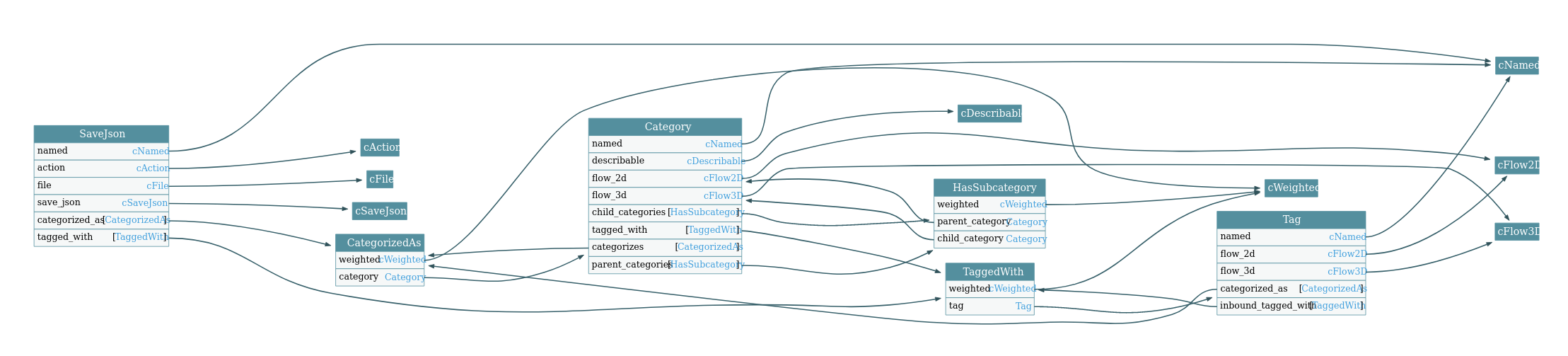
Components
| Name | Properties | DataType | SocketType | Description |
|---|---|---|---|---|
| weighted | weight | number | none | The weight of a relation between two entity instances (Range from 0.0 to 1.0) |
Entity Types
| Name | Components | Properties | DataType | SocketType | Description |
|---|---|---|---|---|---|
| category | named | name | string | none | The name of the category |
| describable | description | string | none | The description of the category | |
| tag | named | name | string | none | The tag name |
Relation Types
| Name | Description | Components | Source Entity Type | Target Entity Type |
|---|---|---|---|---|
| categorized_as | weighted | * | category | |
| has_subcategory | weighted | category | category | |
| tagged_with | weighted | * | tag |
Platform Compatibility
| Platform | Compatibility |
|---|---|
| Linux | ✓ |
| MacOS | ✓ |
| Windows | ✓ |
Repositories
| Name | Repository |
|---|---|
| reactive-graph-plugin-taxonomy | https://github.com/reactive-graph/plugins-core/tree/main/plugins/taxonomy |
Usage
Plugin: Value
This plugin provides value components. Value components contains a single property of a specific data type. State components build on value components.
Components
| Component | Properties | Data Type | Socket Type | Description |
|---|---|---|---|---|
| value_boolean | value | boolean | output | A boolean value |
| value_number | value | number | output | A numeric value |
| value_string | value | string | output | A string value |
| value_array | value | array | output | A array value |
| value_object | value | object | output | A object value |
| value_debugger_debug | Debugger for values (log level debug) | |||
| value_debugger_trace | Debugger for values (log level trace) |
Entity Types
| Name | Components | Description |
|---|---|---|
| value_array | value_array | A array value |
| value_boolean | value_boolean | A boolean value |
| value_number | value_number | A numeric value |
| value_string | value_string | A string value |
| value_object | value_object | A object value |
Platform Compatibility
| Platform | Compatibility |
|---|---|
| Linux | ✓ |
| MacOS | ✓ |
| Windows | ✓ |
Repositories
| Name | Repository |
|---|---|
| reactive-graph-plugin-value | https://github.com/reactive-graph/plugins-core/tree/main/plugins/value |
See also
Events
Events are (of course!) represented as reactive entity instances that have a component event. Since Reactive Graph
is already a reactive system it wouldn’t make sense to implement another event system. So, basically the events are
conventions rather than implementation.
Component
Entity types or relation types can be composed with the component event in order to have an property event.
| Component | Property | Data Type | Socket Type |
|---|---|---|---|
| Event | event | Any | Output |
Events: System Events
System events are events that are emitted by the system itself. There is no other way to get this information than through these events.
Entity Types
| Entity Type | Component | Property | Data Type | Socket Type |
|---|---|---|---|---|
| System Event | event | event | Any | Output |
| labeled | label | String | None |
Types of Events
| Label | Description | Payload |
|---|---|---|
/io/reactive-graph/events/type/component/created | Triggered if a component has been created | Name of the created component |
/io/reactive-graph/events/type/component/deleted | Triggered if a component has been deleted | Name of the deleted component |
/io/reactive-graph/events/type/entity/created | Triggered if an entity type has been created | Name of the created entity type |
/io/reactive-graph/events/type/entity/deleted | Triggered if an entity type has been deleted | Name of the deleted entity type |
/io/reactive-graph/events/type/relation/created | Triggered if a relation type has been created | Name of the created relation type |
/io/reactive-graph/events/type/relation/deleted | Triggered if a relation type has been deleted | Name of the deleted relation type |
/io/reactive-graph/event/type/changed | Triggered if the type system has changed | |
/io/reactive-graph/events/instance/entity/created | Triggered if an entity instance has been created | UUID of the created entity instance |
/io/reactive-graph/events/instance/entity/deleted | Triggered if an entity instance has been deleted | UUID of the deleted entity instance |
/io/reactive-graph/events/instance/relation/created | Triggered if a relation instance has been created | Edge key of the created relation instance |
/io/reactive-graph/events/instance/relation/deleted | Triggered if a relation instance has been deleted | Edge key of the deleted relation instance |
/io/reactive-graph/events/flow/created | Triggered if a flow has been created | UUID of the created flow |
/io/reactive-graph/events/flow/deleted | Triggered if a flow has been deleted | UUID of the deleted flow |
Subscribing to these events is easily possible with a label.
GraphQL Subscription
It is possible to subscribe to these events via GraphQL subscription.
Instead of subscribing multiple events directly you can zip multiple events and subscribe to the result.
Get new components
subscription getSystemEventComponentCreated {
  entity(label: "/io/reactive-graph/event/type/component/created", propertyName: "event") {
    name
    value
    type {
      dataType
      socketType
    }
  }
}
Get which components have been deleted
subscription getSystemEventComponentDeleted {
  entity(label: "/io/reactive-graph/event/type/component/deleted", propertyName: "event") {
    name
    value
    type {
      dataType
      socketType
    }
  }
}
Get new flows
subscription getSystemEventFlowCreated {
  entity(label: "/io/reactive-graph/event/instance/flow/created", propertyName: "event") {
    name
    value
    type {
      dataType
      socketType
    }
  }
}
Get which flows have been deleted
subscription getSystemEventCFlowDeleted {
  entity(label: "/io/reactive-graph/event/instance/flow/deleted", propertyName: "event") {
    name
    value
    type {
      dataType
      socketType
    }
  }
}
Events: Shutdown
Shutting down
| Property | Value | Description |
|---|---|---|
| shutdown | true | Boolean: Shutdown immediately |
| shutdown | 5 | Numeric: Shutdown in 5 seconds |
GraphQL
mutation {
  instances {
    entities {
      update(
        label: "/io/reactive-graph/commands/core/shutdown"
        properties: [
          {
            name: "shutdown"
            value: 5
          }
        ]
      ) {
        id
        type {
          name
        }
        properties(
          names: [
            "shutdown"
          ]
        ) {
          name
          value
        }
      }
    }
  }
}
Reactive Graph Patterns
Reactive Graph Flow allows the best of three worlds:
- Graph Databases => Graph Patterns
- Flow Control System => Flow Patterns
| Name | Description |
|---|---|
| Generators & Actions | Generators and Actions |
| Conditions | Conditions |
| Time Graph | Time Graph |
Generators and Actions
flowchart LR
    subgraph Generator
      trigger_1(trigger)
    end
    subgraph Action
      trigger_2(trigger)
    end
    trigger_1--->trigger_2
What is a generator?
A generator produces boolean trues and sends them via the output property trigger.
There are many types of generators:
- A periodic timer
- A scheduler
- A changed file on the filesystem (fs_notify)
- A random bool generator
- An user which has pressed a button on the user interface
- A physical event from an input device like a keystroke
What is a action?
A action is something which should be executed or processed only and only if the input
property trigger receives a boolean true.
Combine triggers and actions within a single entity using components
An entity instance can have multiple components.
For example, you can combine file with fs_notify and load_binary.
By doing so, the trigger property is both:
- A
generator: The componentfs_notifyfirestriggerwhen the file has been modified on the filesystem - A
action: The componentload_binarygets triggered immediately and loads the content of the file into a property
This example shows the great possibilities of the component system and how to use the generator-action-system. By
combining components into one single entity instance, the behaviour of the entity instance can get more complex. At
the same time a flow is more compact.
Another example is to combine a user-interface-button as generator with an update-the-asset-repository as
an action.
flowchart LR
    subgraph entity[Entity]
        direction LR
        subgraph action
          trigger
        end
        subgraph fs_notify
          file[(File)]
        end
        subgraph load_binary
          binary_data
        end
    end
    file -->|behaviour: fs_notify| trigger
    trigger -->|behaviour: load_binary_data| binary_data
Time Series
flowchart TB

  subgraph g2024[ ]
    direction TB

    2022
    2022_jan(Jan)
    2022_feb(Feb)
    2022_next(...)
    2022_nov(Nov)
    2022_dec(Dec)

    2023
    2023_jan(Jan)
    2023_feb(Feb)
    2023_next(...)
    2023_nov(Nov)
    2023_dec(Dec)

    2024
    2024_jan(Jan)
    2024_feb(Feb)
    2024_next(...)
    2024_nov(Nov)
    2024_dec(Dec)

  end


  2022 -->|next_year| 2023
  2023 -->|next_year| 2024

  2022 -->|first_month| 2022_jan
  2022 -->|last_month| 2022_dec

  2023 -->|first_month| 2023_jan
  2023 -->|last_month| 2023_dec

  2024 -->|first_month| 2024_jan
  2024 -->|last_month| 2024_dec

  2022_jan -->|next_month| 2022_feb
  2022_feb -->|next_month| 2022_next
  2022_next -->|next_month| 2022_nov
  2022_nov -->|next_month| 2022_dec
  2022_dec -->|next_month| 2023_jan
  2023_jan -->|next_month| 2023_feb
  2023_feb -->|next_month| 2023_next
  2023_next -->|next_month| 2023_nov
  2023_nov -->|next_month| 2023_dec
  2023_dec -->|next_month| 2024_jan
  2024_jan -->|next_month| 2024_feb
  2024_feb -->|next_month| 2024_next
  2024_next -->|next_month| 2024_nov
  2024_nov -->|next_month| 2024_dec
System Architecture
In this document we describe…
- which components exists
- what they are doing
- how they are used
- and which use cases they fulfill
Components
First things first: It’s important to understand which component is responsible for which task and how they are connected.
Reactive Graph Client API reactive_graph_client
The Client API (reactive_graph_client) is a rust crate which can be used to communicate with a runtime via it’s
GraphQL API. Instead of writing GraphQL queries one just have to call a (rust) method of the Client API.
GraphQL Server reactive_graph_server
The GraphQL Server is part of the standalone executable. It is integrated in a HTTP webserver and accepts requests with GraphQL queries and mutations. The GraphQL Server calls the GraphQL Query Service of the runtime.
GraphQL Query Service reactive-graph-graphql-api
The GraphQL Query Service is part of the runtime. It can be used to execute GraphQL queries and mutations. The GraphQL Query Service uses the GraphQL API.
GraphQL API reactive-graph-graphql-web
The GraphQL API is part of the runtime. The GraphQL API encapsulates calls to the APIs of the Type System API, the Instance System API and the System API in GraphQL resolvers. It converts internal data structures to and from the types of the GraphQL schema.
Type System API reactive-graph-type-system-api
The Type System API is part of the runtime. It manages the type system, allows to create, read, update and delete types of the reactive graph. You can manage components, entity types, relation types and flow types.
Instance System API reactive-graph-instance-system-api
The Instance System API is part of the runtime. It manages the reactive instances, allows to create, read, update and delete reactive instances within the Reactive Graph. You can manage entity instances, relation instances (including flow connectors) and flow instances.
Runtime Service API reactive-graph-runtime-service-api
The System API is part of the runtime. It manages commands, plugins, the instance information and remote instances.
Command Line Interface API reactive-graph
The Command Line Interface API (CLI) is part of the standalone executable.
It is possible to use the standalone executable as
- Server (GraphQL Server + Runtime)
- Client (CLI)
The CLI uses the Client API to communicate via GraphQL with a runtime. You can specify the hostname and port of the runtime to connect to.
Use Cases
The components can be used for different use cases:
- Command Line Interface within the standalone executable
- Embed the runtime
reactive-graph-runtime-apiin your application - Communicate from one runtime to another
- Let your application communicate with a (remote) runtime
- Integration tests
Command Line Interface reactive-graph
The executable can act as CLI. The CLI can connect to any Reactive Graph GraphQL Server (local or remote). You can specify to hostname and port of the GraphQL server to connect to.
graph TD
subgraph Command Line Interface[ ]
    USR([User])

    subgraph Reactive Graph Client
      direction LR
      CLI[Command Line Interface]
      subgraph `reactive_graph_client`
        CA(Client API)
      end
      subgraph `reactive_graph_client`[reactive_graph_runtime]
        UNUSED(Unused if in CLI mode)
      end
    end

    subgraph Reactive Graph Server
      GS[GraphQL Server]
      subgraph `reactive_graph_server`[reactive_graph_runtime]
        GQS[GraphQL Query Service]
        GA[GraphQL API]
        TSA[Type System API]
        ISA[Instance System API]
        SYSA[System API]
      end
    end

    USR -->|command| CLI
    CLI -->|call| CA
    CA -->|query| GS
    GS -->|query| GQS
    GQS --->|query| GA
    GA --->|call| TSA
    GA --->|call| ISA
    GA --->|call| SYSA
end
Embedded runtime in an application reactive-graph-runtime-service-api
Any rust application can embed the Reactive Graph runtime (reactive-graph-runtime-service-api).
The following diagram shows that the application can:
- Call the Type System API, Instance System API and System API directly via the runtime.
- Execute GraphQL queries or mutations via the GraphQL Query Service.
graph TD
subgraph Embedded Runtime[ ]

  subgraph Application
    direction TB

    SRV1[Application's Service 1]
    SRV2[Application's Service 2]

    subgraph "reactive_graph_runtime"
      GQS[GraphQL Query Service]
      GA[GraphQL API]
      TSA[Type System API]
      ISA[Instance System API]
      SYSA[System API]
    end
  end

  GQS -->|query| GA
  GA --->|call| TSA
  GA --->|call| ISA
  GA --->|call| SYSA

  SRV1 -->|call| TSA
  SRV1 -->|call| ISA
  SRV1 -->|query| GQS
  SRV2 -->|call| TSA
  SRV2 -->|call| ISA
  SRV2 -->|query| GQS

end
Communicate from the runtime with another runtime
In order to communicate from one runtime to another runtime you can use the Reactive Graph Client
(reactive_graph_client).
In this example two runtimes are calling methods of the own runtime and execute queries on the other runtime via the Reactive Graph Client.
graph TD
subgraph RuntimeToRuntime[ ]
  direction LR

  subgraph "Runtime 1"
    direction TB

    SRV1_1[Service 1]
    SRV1_2[Service 2]

    subgraph "reactive_graph_runtime_1"[reactive_graph_runtime]
      GQS1[GraphQL Query Service]
      GA1[GraphQL API]
      TSA1[Type System API]
      ISA1[Instance System API]
      SYSA1[System API]
    end

    subgraph "reactive_graph_client_1"[reactive_graph_client]
      CA1(Client API)
    end

  end

  subgraph "Runtime 2"
    direction TB

    SRV2_1[Service 1]
    SRV2_2[Service 2]

    subgraph "reactive_graph_runtime_2"[reactive_graph_runtime]
      GQS2[GraphQL Query Service]
      GA2[GraphQL API]
      TSA2[Type System API]
      ISA2[Instance System API]
      SYSA2[System API]
    end

    subgraph "reactive_graph_client_2"[reactive_graph_client]
      CA2(Client API)
    end
  end

  GQS1 -->|query| GA1
  GA1 --->|call| TSA1
  GA1 --->|call| ISA1
  GA1 --->|call| SYSA1
  CA1 -->|query| GQS2
  SRV1_1 -->|call| TSA1
  SRV1_1 -->|query| CA1
  SRV1_2 -->|call| ISA1
  SRV1_2 -->|query| CA1

  GQS2 -->|query| GA2
  GA2 --->|call| TSA2
  GA2 --->|call| ISA2
  GA2 --->|call| SYSA2
  CA2 -->|query| GQS1
  SRV2_1 -->|call| TSA2
  SRV2_1 -->|query| CA2
  SRV2_2 -->|call| ISA2
  SRV2_2 -->|query| CA2

end
The same applies to two applications which have embedded runtimes.
Let your application communicate with a (remote) runtime
In order to communicate from your application to a (remote) runtime you can use the Reactive Graph Client
(reactive_graph_client).
This example shows the application which uses the Reactive Graph Client to execute queries on the (remote) runtime:
graph TD
subgraph ApplicationToRuntime[ ]
  direction LR

  subgraph "Application"
    direction TB

    SRV1[Service 1]
    SRV2[Service 2]

    subgraph "reactive_graph_client_1"[reactive_graph_client]
      CA(Client API)
    end

  end

  subgraph Reactive Graph Server
    direction TB
    GS[GraphQL Server]
    subgraph reactive_graph_runtime
      GQS[GraphQL Query Service]
      GA[GraphQL API]
      TSA[Type System API]
      ISA[Instance System API]
      SYSA[System API]
    end
  end

  SRV1 -->|call| CA
  SRV2 -->|call| CA
  CA -->|query| GS
  GS -->|query| GQS
  GQS -->|query| GA
  GA --->|call| TSA
  GA --->|call| ISA
  GA --->|call| SYSA
end
Integration Tests
An integration test verifies the correctness of:
- The Client API, because the Integration Test calls methods of the Client API.
- The GraphQL API, because the Client API queries the GraphQL API.
- The GraphQL API, because the Integration Test queries the GraphQL API of a started runtime directly.
- The APIs of the runtime, because the GraphQL API calls methods of the runtime.
- The APIs of the runtime, because the Integration Test calls methods of a started runtime directly.
graph TD
subgraph Integration Tests[ ]

  IT[Integration Test]
  CA(Client API)
  style IT fill:#333,stroke:#633,stroke-width:4px,margin-top:10px

  subgraph "reactive_graph_runtime"
    GQS[GraphQL Query Service]
    GA[GraphQL API]
    TSA[Type System API]
    ISA[Instance System API]
    SYSA[System API]
  end

  subgraph "reactive_graph_client"
    CA -->|query| GQS
  end

  IT -->|call| CA
  IT --->|query| GQS
  IT -->|call| TSA
  IT -->|call| ISA

  GQS -->|query| GA
  GA --->|call| TSA
  GA --->|call| ISA
  GA --->|call| SYSA

  IT -->|call| SYSA

end
Application Programming Interface
Builders
The builder pattern is useful when you would otherwise require many constructors or where construction has side effects.
Component Builder
Constructs a new component programmatically.
#![allow(unused)]
fn main() {
fn build_component() -> Component {
    ComponentBuilder::new("namespace", "component_name")
        .description("A test component with several properties")
        // Provide properties
        .property("property_1", DataType::String)
        .property_from(PropertyType::new("property_2", DataType::Bool))
        .string_property("property_3")
        .bool_property("property_4")
        .number_property("property_5")
        .array_property("property_6")
        .object_property("property_7")
        .input_property("property_8", DataType::Bool)
        .output_property("property_9", DataType::Bool)
        // Provide extensions
        .extension("security", json!({
            roles: [
                "ADMIN"
            ]
        }))
        .build()
}
}
Tip
The component is not yet registered. Register the component using
ComponentManager::register
Entity Type Builder
Constructs a new entity type programmatically.
#![allow(unused)]
fn main() {
fn build_entity_type() -> EntityType {
    EntityTypeBuilder::new("namespace", "entity_type_name")
        .description("A test entity type")
        // Compose with the labeled component
        .component("labeled")
        // Provide additional properties
        .property("property_1", DataType::String)
        .property_from(PropertyType::new("property_2", DataType::Bool))
        .string_property("property_3")
        .bool_property("property_4")
        .number_property("property_5")
        .input_property("property_6", DataType::Bool)
        .output_property("property_7", DataType::Bool)
        // Provide extensions
        .extension("usage", json!("ls [OPTION]... [FILE]..."))
        .build()
}
}
Tip
The entity type is not yet registered. Register the entity type using
EntityTypeManager::register
Relation Type Builder
Constructs a new relation type programmatically.
#![allow(unused)]
fn main() {
fn build_relation_type() -> RelationType {
    RelationTypeBuilder::new(
        // Outbound Entity Type
        "teleport",
        // Relation Type Name
        "teleports_to",
        // Inbound Entity Type
        "tele_destination"
    )
        .description("A relation type which connects a teleport with a tele destination. The property weight defines the probability")
        // Compose with the weighted component
        .component("weighted")
        // Provide additional properties
        .property("property_1", DataType::String)
        .property_from(PropertyType::new("property_2", DataType::Bool))
        .string_property("property_3")
        .bool_property("property_4")
        .number_property("property_5")
        .input_property("property_6", DataType::Bool)
        .output_property("property_7", DataType::Bool)
        // Provide extensions
        .extension("flow_arrow_color", json!("#ff7700"))
        .extension("flow_arrow_labeling", json!("teleports from {outbound.name} to {inbound.name}"))
        .build()
}
}
Tip
The relation type is not yet registered. Register the relation type using
RelationTypeManager::register
Entity Instance Builder
Constructs a new entity instance programmatically. This is the non-reactive variant.
#![allow(unused)]
fn main() {
fn build_entity_instance(type_name: String) -> EntityInstance {
    EntityInstanceBuilder::new(type_name)
        .id(id)
        .property("property_1", json!("value_1"))
        .get()
}

fn build_entity_instance_from_type(entity_type: EntityType) -> EntityInstance {
    EntityInstanceBuilder::from(entity_type)
        .id(id)
        .property("property_1", json!("value_1"))
        .get()
}
}
Tip
The entity instance is non-reactive and not yet registered. Create a reactive instance and register it using
ReactiveEntityManager::create_reactive_instance
Relation Instance Builder
Constructs a new relation instance programmatically. This is the non-reactive variant.
Tip
The relation instance is non-reactive and not yet registered. Create a reactive instance and register it using
ReactiveRelationManager::create_reactive_instance
Reactive Entity Instance Builder
Constructs a new reactive entity instance programmatically.
Tip
The reactive entity instance is fully functional, but not yet registered. Register the reactive entity instance using
ReactiveEntityManager::register_reactive_instance
Reactive Relation Instance Builder
Constructs a new reactive relation instance programmatically.
Tip
The reactive relation instance is fully functional, but not yet registered. Register the reactive relation instance using
ReactiveRelationManager::register_reactive_instance
Flow Builder
Runtime Builder
The RuntimeBuilder is a builder for reactive_graph_runtime_api.
Tip
Read about the use cases of the RuntimeBuilder in System Architecture.
States
The RuntimeBuilder is stateful:
stateDiagram-v2
    [*] --> SetConfigLocations
    SetConfigLocations --> SetConfigLocations : Set config file locations
    SetConfigLocations --> ConfigFilesLoaded : load_config_files()
    SetConfigLocations --> ConfigFilesLoaded : ignore_config_files()
    ConfigFilesLoaded --> ConfigFilesLoaded : Set / overwrite config options
    ConfigFilesLoaded --> Initialized : init
    ConfigFilesLoaded --> Shutdown : block_on
    Initialized --> Ready : post_init
    Ready --> Ready : with_runtime
    Ready --> Running : spawn
    Ready --> Finished : spawn_blocking
    Ready --> Finished : run_for
    Ready --> Finished : do_no_run
    Running --> Running : with_runtime
    Running --> Finished : stop
    Running --> Finished : wait_for_stopped
    Finished --> Finished : with_runtime
    Finished --> PreShutdown : pre_shutdown
    PreShutdown --> Shutdown : shutdown
    Shutdown --> Shutdown : wait_for
    Shutdown --> [*]
SetConfigLocations
In this state it is possible to configure the locations of the config files or to skip loading config files at all.
Methods
instance_config(path)sets the location of the instance configurationgraphql_server_config(path)sets the location of the graphql server configurationplugins_config(path)sets the location of the plugins configuration
Transitions
- Transition
load_config_filesloads the config files and transits to stateConfigFilesLoaded. This is used in the executable. - Transition
ignore_config_filesdoesn’t load the config files and transits to stateConfigFilesLoaded. This is useful for integration tests and hard coded initialization.
ConfigFilesLoaded
In this state either the defaults are set or the the config files are loaded. The RuntimeBuilder can
be used to overwrite configurations or defaults.
Methods
instance_name()sets the name of the instance.instance_description()sets the description of the instance.hostname()sets the hostname of the GraphQL server.port()sets the port number of the GraphQL serverpick_free_port()picks a free port instead of a fixed port number. This is useful for integration tests or temporary applicationssecure()sets if the GraphQL server shall use https or httpshutdown_timeout()sets timeout of the shutdown of the GraphQL serverworkers()sets the number of workers of the GraphQL serverdefault_context_path()sets context path of a web resource provider which shall be used as default context pathdisable_all_plugins()disables all plugins. This is useful for integration tests.disabled_plugins()sets which plugins will be disableddisable_hot_deploy()disables hot deployment of pluginshot_deploy_location()sets the directory where plugins can be hot deployedinstall_location()sets the directory where plugins are located. During hot deployment new plugins will be moved into this directory.
Transitions
- Transition
initcalls theinitmethod of the runtime which will run the initialization phase of the services. Transits to stateInitialized. - Transition
block_oninitializes, runs and shutdowns theRuntime. After shutdown transits to stateShutdown.
Initialized
In this state the Runtime has been initialized with the init method. The next step is to run the post_init method.
Transitions
- Transition
post_initcalls thepost_initmethod
Ready
In this state the Runtime has been fully initialized with the post_init method. The Runtime is now ready to be
started.
Methods
getto get theRuntimeand leave the builderwith_runtimeexecutes a closure which can operate with the runtime. Stays in stateReady.
Transitions
- Transition
spawnspawns a new green thread in which the GraphQL server will be run. This operation is non-blocking and results in a state transition to theRunningstate. - Transition
spawn_blockingcalls therunmethod of the runtime which starts the GraphQL server. This operation is blocking and results in a state transition to theFinshedstate after the GraphQL server has been stopped. - Transition
run_forstarts the GraphQL server and spawns a new green thread that shuts down the GraphQL server after a given duration. The operation is blocking and results in a state transition to theFinshedstate after the GraphQL server has been stopped by the timeout. - Transition
do_not_rundoes not start a GraphQL server and transits to the stateFinshed. This is useful for integration tests in combination withwith_runtime.
Running
In this state the GraphQL server of the Runtime is running.
Methods
getto get theRuntimeand leave the builderwith_runtimeexecutes a closure which can operate with the runtime. Stays in stateRunning.
Transitions
stopstops the runtime. It waits for the GraphQL server to be stopped. This operation is blocking until the GraphQL server has been shutdown gracefully and results in a transition to stateFinished.stop_with_timeoutis likestopbut with a timeout. In contrast tostop, it is NOT guaranteed that the GraphQL server has been stopped actually.wait_for_stoppedwaits until the GraphQL server has been stopped. This can happen by using theShutdownManageror by sending SIGINT signal to the process. This operation is blocking and results in a transition to stateFinished.wait_for_stopped_with_timeoutis likewait_for_stoppedbut with a timeout. In contrast tostop, it is NOT guaranteed that the GraphQL server has been stopped actually.
Finished
In this state the GraphQL server of the Runtime is no more running (or has never been started). The services
of the runtime are up und running.
Methods
getto get theRuntimeand leave the builderwith_runtimeexecutes a closure which can operate with the runtime. Stays in stateFinished.
Transitions
- Transition
pre_shutdowncalls thepre_shutdownmethod of theRuntimeand transits to statePreShutdown.
PreShutdown
In this state the services of the Runtime has executed their pre_shutdown methods. The next step is to
call the shutdown method.
Transitions
- Transition
shutdowncalls theshutdownmethod of theRuntimeand transits to stateShutdown.
Shutdown
In this state the services of the Runtime has executed their shutdown methods. This is the end of the lifetime of a
Runtime.
Methods
wait_forto wait for a given duration
Command Line Interface
- General Usage
- Interactive Command Line Interface
- Command Reference
- Command Reference Client
- Command Reference Server
- Command Reference Tooling
Command Line Interface - General Usage
How to use the command line interface
$ reactive-graph client [OPTIONS] [COMMAND]
Example
To get the instance information of the local server:
$ reactive-graph client instance-info get
To get the instance information of a remote server:
$ reactive-graph client --hostname=localhost --port=31415 instance-info get
Commands
| Command | Description |
|---|---|
| execute-command | Executes a command on the client |
| instance-info | Prints information about the instance |
| plugins | Manage plugins |
| remotes | Manage remotes |
| shutdown | Shutdown the runtime |
| components | Manage components |
| entity-types | Manage entity types |
| relation-types | Manage relation types |
| entity-instances | Manage entity instances |
| help | Print this message or the help of the given subcommand(s) |
Options
| Option | Description |
|---|---|
| –hostname | The hostname to connect to |
| –port | The port to connect to |
| –secure | If true, connects via HTTPS [possible values: true, false] |
| –endpoint-graphql <ENDPOINT_GRAPHQL> | The graphql endpoint for the type system and instance system |
| –endpoint-dynamic-graph <ENDPOINT_DYNAMIC_GRAPH> | The graphql endpoint for the dynamic graph |
| –endpoint-runtime <ENDPOINT_RUNTIME> | The graphql endpoint for the runtime |
| –endpoint-plugins <ENDPOINT_PLUGINS> | The graphql endpoint for plugins |
| –bearer | The authentication token |
| -h, –help | Print help |
| -V, –version | Print version |
Command Line Interface - Interactive
The interactive mode of the command line interface supports:
- Sub-Commands are suggested
- Auto-Completion
- History
- Reverse Search
Usage
In order to start an interactive session, use the subcommand client (without any further subcommands):
$ reactive-graph client
You can also start an interactive session to a remote server by specifying the hostname and/or port:
$ reactive-graph client --hostname=<hostname> --port=<port>
Actions
For all modes:
| Keystroke | Action |
|---|---|
| Home | Move cursor to the beginning of line |
| End | Move cursor to end of line |
| Left | Move cursor one character left |
| Right | Move cursor one character right |
| Ctrl-C | Interrupt/Cancel edition |
| Ctrl-D, Del | (if line is not empty) Delete character under cursor |
| Ctrl-D | (if line is empty) End of File |
| Ctrl-J, Ctrl-M, Enter | Finish the line entry |
| Ctrl-R | Reverse Search history (Ctrl-S forward, Ctrl-G cancel) |
| Ctrl-T | Transpose previous character with current character |
| Ctrl-U | Delete from start of line to cursor |
| Ctrl-V | Insert any special character without performing its associated action (#65) |
| Ctrl-W | Delete word leading up to cursor (using white space as a word boundary) |
| Ctrl-Y | Paste from Yank buffer |
| Ctrl-Z | Suspend (Unix only) |
| Ctrl-_ | Undo |
Emacs mode (default mode)
| Keystroke | Action |
|---|---|
| Ctrl-A, Home | Move cursor to the beginning of line |
| Ctrl-B, Left | Move cursor one character left |
| Ctrl-E, End | Move cursor to end of line |
| Ctrl-F, Right | Move cursor one character right |
| Ctrl-H, Backspace | Delete character before cursor |
| Ctrl-I, Tab | Next completion |
| Ctrl-K | Delete from cursor to end of line |
| Ctrl-L | Clear screen |
| Ctrl-N, Down | Next match from history |
| Ctrl-P, Up | Previous match from history |
| Ctrl-X Ctrl-U | Undo |
| Ctrl-Y | Paste from Yank buffer (Meta-Y to paste next yank instead) |
| Meta-< | Move to first entry in history |
| Meta-> | Move to last entry in history |
| Meta-B, Alt-Left | Move cursor to previous word |
| Meta-C | Capitalize the current word |
| Meta-D | Delete forwards one word |
| Meta-F, Alt-Right | Move cursor to next word |
| Meta-L | Lower-case the next word |
| Meta-T | Transpose words |
| Meta-U | Upper-case the next word |
| Meta-Y | See Ctrl-Y |
| Meta-Backspace | Kill from the start of the current word, or, if between words, to the start of the previous word |
| Meta-0, 1, …, - | Specify the digit to the argument. – starts a negative argument. |
Readline Emacs Editing Mode Cheat Sheet
vi command mode
| Keystroke | Action |
|---|---|
| $, End | Move cursor to end of line |
| . | Redo the last text modification |
| ; | Redo the last character finding command |
| , | Redo the last character finding command in opposite direction |
| 0, Home | Move cursor to the beginning of line |
| ^ | Move to the first non-blank character of line |
| a | Insert after cursor |
| A | Insert at the end of line |
| b | Move one word or token left |
| B | Move one non-blank word left |
| c | Change text of a movement command |
| C | Change text to the end of line (equivalent to c$) |
| d | Delete text of a movement command |
| D, Ctrl-K | Delete to the end of the line |
| e | Move to the end of the current word |
| E | Move to the end of the current non-blank word |
| f | Move right to the next occurrence of char |
| F | Move left to the previous occurrence of char |
| h, Ctrl-H, Backspace | Move one character left |
| l, Space | Move one character right |
| Ctrl-L | Clear screen |
| i | Insert before cursor |
| I | Insert at the beginning of line |
| +, j, Ctrl-N | Move forward one command in history |
| -, k, Ctrl-P | Move backward one command in history |
| p | Insert the yanked text at the cursor (paste) |
| P | Insert the yanked text before the cursor |
| r | Replaces a single character under the cursor (without leaving command mode) |
| s | Delete a single character under the cursor and enter input mode |
| S | Change current line (equivalent to 0c$) |
| t | Move right to the next occurrence of char, then one char backward |
| T | Move left to the previous occurrence of char, then one char forward |
| u | Undo |
| w | Move one word or token right |
| W | Move one non-blank word right |
| x | Delete a single character under the cursor |
| X | Delete a character before the cursor |
| y | Yank a movement into buffer (copy) |
vi insert mode
| Keystroke | Action |
|---|---|
| Ctrl-H, Backspace | Delete character before cursor |
| Ctrl-I, Tab | Next completion |
| Esc | Switch to command mode |
Readline vi Editing Mode Cheat Sheet
Command-Line Help for reactive-graph
This document contains the help content for the reactive-graph command-line program.
Command Overview:
reactive-graph↴reactive-graph shell-completions↴reactive-graph shell-completions print↴reactive-graph shell-completions install↴reactive-graph man-pages↴reactive-graph man-pages print↴reactive-graph man-pages install↴reactive-graph print-markdown-help↴reactive-graph info↴reactive-graph daemon↴reactive-graph graphql-schema↴reactive-graph graphql-schema reactive-graph-schema↴reactive-graph graphql-schema dynamic-graph-schema↴reactive-graph graphql-schema reactive-graph-plugin-schema↴reactive-graph graphql-schema reactive-graph-runtime-schema↴reactive-graph json-schema↴reactive-graph json-schema types↴reactive-graph json-schema types components↴reactive-graph json-schema types entities↴reactive-graph json-schema types relations↴reactive-graph json-schema types flows↴reactive-graph json-schema instances↴reactive-graph json-schema instances entities↴reactive-graph json-schema instances relations↴reactive-graph json-schema instances flows↴reactive-graph execute-command↴reactive-graph instance-info↴reactive-graph instance-info get↴reactive-graph plugins↴reactive-graph plugins list↴reactive-graph plugins search↴reactive-graph plugins get↴reactive-graph plugins dependencies↴reactive-graph plugins dependents↴reactive-graph plugins start↴reactive-graph plugins stop↴reactive-graph plugins restart↴reactive-graph plugins uninstall↴reactive-graph remotes↴reactive-graph remotes list↴reactive-graph remotes add↴reactive-graph remotes remove↴reactive-graph remotes remove-all↴reactive-graph remotes update↴reactive-graph remotes update-all↴reactive-graph remotes fetch-remotes-from-remote↴reactive-graph remotes fetch-remotes-from-all-remotes↴reactive-graph shutdown↴reactive-graph components↴reactive-graph components list↴reactive-graph components get↴reactive-graph components list-properties↴reactive-graph components list-extensions↴reactive-graph components get-json-schema↴reactive-graph components create↴reactive-graph components delete↴reactive-graph components add-property↴reactive-graph components remove-property↴reactive-graph components add-extension↴reactive-graph components remove-extension↴reactive-graph components update-description↴reactive-graph components json-schema↴reactive-graph entity-types↴reactive-graph entity-types list↴reactive-graph entity-types get↴reactive-graph entity-types list-properties↴reactive-graph entity-types list-extensions↴reactive-graph entity-types list-components↴reactive-graph entity-types get-json-schema↴reactive-graph entity-types create↴reactive-graph entity-types delete↴reactive-graph entity-types add-property↴reactive-graph entity-types remove-property↴reactive-graph entity-types add-extension↴reactive-graph entity-types remove-extension↴reactive-graph entity-types add-component↴reactive-graph entity-types remove-component↴reactive-graph entity-types update-description↴reactive-graph entity-types json-schema↴reactive-graph relation-types↴reactive-graph relation-types list↴reactive-graph relation-types get↴reactive-graph relation-types list-properties↴reactive-graph relation-types list-extensions↴reactive-graph relation-types list-components↴reactive-graph relation-types get-json-schema↴reactive-graph relation-types create↴reactive-graph relation-types delete↴reactive-graph relation-types add-property↴reactive-graph relation-types remove-property↴reactive-graph relation-types add-extension↴reactive-graph relation-types remove-extension↴reactive-graph relation-types add-component↴reactive-graph relation-types remove-component↴reactive-graph relation-types update-description↴reactive-graph relation-types json-schema↴reactive-graph flow-types↴reactive-graph flow-types list↴reactive-graph flow-types get↴reactive-graph flow-types list-variables↴reactive-graph flow-types list-extensions↴reactive-graph flow-types get-json-schema↴reactive-graph flow-types create↴reactive-graph flow-types delete↴reactive-graph flow-types add-variable↴reactive-graph flow-types remove-variable↴reactive-graph flow-types add-extension↴reactive-graph flow-types remove-extension↴reactive-graph flow-types update-description↴reactive-graph flow-types add-entity-instance↴reactive-graph flow-types remove-entity-instance↴reactive-graph flow-types json-schema↴reactive-graph entity-instances↴reactive-graph entity-instances list↴reactive-graph entity-instances get↴reactive-graph entity-instances get-by-label↴reactive-graph entity-instances list-properties↴reactive-graph entity-instances get-property↴reactive-graph entity-instances set-property↴reactive-graph entity-instances add-property↴reactive-graph entity-instances remove-property↴reactive-graph entity-instances list-components↴reactive-graph entity-instances add-component↴reactive-graph entity-instances remove-component↴reactive-graph entity-instances create↴reactive-graph entity-instances delete↴reactive-graph entity-instances json-schema↴reactive-graph relation-instances↴reactive-graph relation-instances list↴reactive-graph relation-instances get↴reactive-graph relation-instances list-properties↴reactive-graph relation-instances get-property↴reactive-graph relation-instances set-property↴reactive-graph relation-instances add-property↴reactive-graph relation-instances remove-property↴reactive-graph relation-instances list-components↴reactive-graph relation-instances add-component↴reactive-graph relation-instances remove-component↴reactive-graph relation-instances create↴reactive-graph relation-instances delete↴reactive-graph relation-instances json-schema↴reactive-graph flow-instances↴reactive-graph flow-instances list↴reactive-graph flow-instances get↴reactive-graph flow-instances get-by-label↴reactive-graph flow-instances create-from-type↴reactive-graph flow-instances delete↴reactive-graph flow-instances json-schema↴reactive-graph introspection↴reactive-graph introspection reactive-graph↴reactive-graph introspection dynamic-graph↴reactive-graph introspection reactive-graph-runtime↴reactive-graph introspection reactive-graph-plugins↴reactive-graph instances↴reactive-graph instances config↴reactive-graph instances config graphql↴reactive-graph instances config instance↴reactive-graph instances config plugins↴reactive-graph instances generate-certificate↴reactive-graph instances init↴reactive-graph instances plugins↴reactive-graph instances plugins install↴reactive-graph instances plugins uninstall↴reactive-graph instances repository↴reactive-graph instances repository init↴reactive-graph instances repository remove↴reactive-graph update↴reactive-graph update info↴reactive-graph update list↴
reactive-graph
Reactive Graph is a reactive runtime based on a graph database, empowering everyone to build reliable and efficient software.
Usage: reactive-graph [OPTIONS] [DANGER_ACCEPT_INVALID_HOSTNAMES] [COMMAND]
Subcommands:
shell-completions— Prints or installs Shell completionsman-pages— Prints or installs man pagesprint-markdown-help— Prints the markdown help to stdoutinfo— Prints info about this binarydaemon— Runs the server as daemongraphql-schema— Prints the GraphQL schema and exitsjson-schema— Prints the JSON schema and exitsexecute-command— Executes a command on the clientinstance-info— Prints information about the instanceplugins— Manage pluginsremotes— Manage remotesshutdown— Shutdown the runtimecomponents— Manage componentsentity-types— Manage entity typesrelation-types— Manage entity typesflow-types— Manage entity typesentity-instances— Manage entity instancesrelation-instances— Manage relation instancesflow-instances— Manage flow instancesintrospection— Execute GraphQL introspection queriesinstances— Manage instancesupdate— Update the Reactive Graph binary
Arguments:
-
<DANGER_ACCEPT_INVALID_HOSTNAMES>— Controls the use of hostname verification.Defaults to
false.Warning: You should think very carefully before you use this method. If hostname verification is not used, any valid certificate for any site will be trusted for use from any other. This introduces a significant vulnerability to man-in-the-middle attacks.
Possible values:
true,false
Options:
-
--logging-config <LOGGING_CONFIG>— The logging config location -
--instance-config <INSTANCE_CONFIG>— The instance config location -
--graphql-config <GRAPHQL_CONFIG>— The GraphQL config location -
--plugins-config <PLUGINS_CONFIG>— The plugins config location -
-n,--instance-name <NAME>— The name of the instance -
-d,--instance-description <DESCRIPTION>— The description of the instance -
--hostname <HOSTNAME>— The hostname to bind the GraphQL HTTP server -
--port <PORT>— The port to bind the GraphQL HTTP server -
--secure <SECURE>— If true, HTTPS is enabledPossible values:
true,false -
--ssl-certificate-path <SSL_CERTIFICATE_PATH>— The location of the certificate -
--ssl-private-key-path <SSL_PRIVATE_KEY_PATH>— The location of the private key -
--shutdown-timeout <SHUTDOWN_TIMEOUT>— Timeout for graceful workers shutdown in seconds. After receiving a stop signal, workers have this much time to finish serving requests. Workers still alive after the timeout are force dropped. By default, shutdown timeout sets to 30 seconds -
-w,--workers <WORKERS>— The number of workers to start. The default worker count is the number of physical CPU cores available -
-c,--default-context-path <DEFAULT_CONTEXT_PATH>— The default context path which redirects the root context to a web resource provider -
-x,--disable-all-plugins <DISABLE_ALL_PLUGINS>— If true, all plugins will be disabledPossible values:
true,false -
-p,--disabled-plugins <DISABLED_PLUGINS>— The list of plugins to disable -
-P,--enabled-plugins <ENABLED_PLUGINS>— The list of plugins to enable -
--disable-hot-deploy <DISABLE_HOT_DEPLOY>— If true, hot deployment will be disabledPossible values:
true,false -
--hot-deploy-location <HOT_DEPLOY_LOCATION>— The folder which is watched for hot deployment -
--install-location <INSTALL_LOCATION>— The folder which plugins are installed permanently -
--stop-immediately <STOP_IMMEDIATELY>— If true, the runtime does not wait before exitingPossible values:
true,false -
-q,--quiet <QUIET>— If true, logging is disabled completelyPossible values:
true,false -
--client-hostname <CLIENT_HOSTNAME>— The hostname to connect to -
--client-port <CLIENT_PORT>— The port to connect to -
--client-secure <CLIENT_SECURE>— If true, connects via HTTPSPossible values:
true,false -
--endpoint-graphql <ENDPOINT_GRAPHQL>— The endpoint to use -
--endpoint-dynamic-graph <ENDPOINT_DYNAMIC_GRAPH>— The endpoint to use -
--endpoint-runtime <ENDPOINT_RUNTIME>— The endpoint to use -
--endpoint-plugins <ENDPOINT_PLUGINS>— The endpoint to use -
--bearer <BEARER>— The authentication token -
--danger-accept-invalid-certs <DANGER_ACCEPT_INVALID_CERTS>— Controls the use of certificate validation.Defaults to
false.Warning: You should think very carefully before using this method. If invalid certificates are trusted, any certificate for any site will be trusted for use. This includes expired certificates. This introduces significant vulnerabilities, and should only be used as a last resort.
Possible values:
true,false -
-i,--interactive— Enter the interactive client mode
reactive-graph shell-completions
Prints or installs Shell completions
Usage: reactive-graph shell-completions <COMMAND>
Subcommands:
print— Prints the shell completions to stdoutinstall— Installs the shell completions
reactive-graph shell-completions print
Prints the shell completions to stdout
Usage: reactive-graph shell-completions print <SHELL>
Arguments:
-
<SHELL>— The shellPossible values:
bash,elvish,fish,powershell,zsh
reactive-graph shell-completions install
Installs the shell completions
Usage: reactive-graph shell-completions install <SHELL>
Arguments:
-
<SHELL>— The shellPossible values:
bash,elvish,fish,powershell,zsh
reactive-graph man-pages
Prints or installs man pages
Usage: reactive-graph man-pages <COMMAND>
Subcommands:
print— Prints the man pages to stdoutinstall— Installs the man pages
reactive-graph man-pages print
Prints the man pages to stdout
Usage: reactive-graph man-pages print
reactive-graph man-pages install
Installs the man pages
Usage: reactive-graph man-pages install
reactive-graph print-markdown-help
Prints the markdown help to stdout
Usage: reactive-graph print-markdown-help
reactive-graph info
Prints info about this binary
Usage: reactive-graph info [OPTIONS]
Options:
-
--output-format <OUTPUT_FORMAT>— The output formatPossible values:
table,html-table,markdown-table,count,json,json5,toml
reactive-graph daemon
Runs the server as daemon
Usage: reactive-graph daemon [OPTIONS]
Options:
--daemon-name <DAEMON_NAME>— Sets the name of the daemon--daemon-pid <DAEMON_PID>— The location of the daemon PID file. By default, no PID file will be created--daemon-working-directory <DAEMON_WORKING_DIRECTORY>— The working directory of the daemon--daemon-stdout <DAEMON_STDOUT>— Stdout will be written into this file--daemon-stderr <DAEMON_STDERR>— Stderr will be written into this file--daemon-user <DAEMON_USER>— If set will drop privileges to the specified user. Note: Both must be given: user and group--daemon-group <DAEMON_GROUP>— If set will drop privileges to the specified group. Note: Both must be given: user and group
reactive-graph graphql-schema
Prints the GraphQL schema and exits
Usage: reactive-graph graphql-schema <COMMAND>
Subcommands:
reactive-graph-schema— Prints the GraphQL schema of the reactive graphdynamic-graph-schema— Prints the GraphQL schema of the dynamic graphreactive-graph-plugin-schema— Prints the GraphQL schema of the plugin system of the reactive graphreactive-graph-runtime-schema— Prints the GraphQL schema of the runtime of the reactive graph
reactive-graph graphql-schema reactive-graph-schema
Prints the GraphQL schema of the reactive graph
Usage: reactive-graph graphql-schema reactive-graph-schema
reactive-graph graphql-schema dynamic-graph-schema
Prints the GraphQL schema of the dynamic graph
Usage: reactive-graph graphql-schema dynamic-graph-schema
reactive-graph graphql-schema reactive-graph-plugin-schema
Prints the GraphQL schema of the plugin system of the reactive graph
Usage: reactive-graph graphql-schema reactive-graph-plugin-schema
reactive-graph graphql-schema reactive-graph-runtime-schema
Prints the GraphQL schema of the runtime of the reactive graph
Usage: reactive-graph graphql-schema reactive-graph-runtime-schema
reactive-graph json-schema
Prints the JSON schema and exits
Usage: reactive-graph json-schema <COMMAND>
Subcommands:
types— Prints the JSON schema of the type systeminstances— Prints the JSON schema of the instance system
reactive-graph json-schema types
Prints the JSON schema of the type system
Usage: reactive-graph json-schema types <COMMAND>
Subcommands:
components— Prints the JSON schema of the component typesentities— Prints the JSON schema of the entity typesrelations— Prints the JSON schema of the relation typesflows— Prints the JSON schema of the flow types
reactive-graph json-schema types components
Prints the JSON schema of the component types
Usage: reactive-graph json-schema types components
reactive-graph json-schema types entities
Prints the JSON schema of the entity types
Usage: reactive-graph json-schema types entities
reactive-graph json-schema types relations
Prints the JSON schema of the relation types
Usage: reactive-graph json-schema types relations
reactive-graph json-schema types flows
Prints the JSON schema of the flow types
Usage: reactive-graph json-schema types flows
reactive-graph json-schema instances
Prints the JSON schema of the instance system
Usage: reactive-graph json-schema instances <COMMAND>
Subcommands:
entities— Prints the JSON schema of the entity instancesrelations— Prints the JSON schema of the relation instancesflows— Prints the JSON schema of the flow instances
reactive-graph json-schema instances entities
Prints the JSON schema of the entity instances
Usage: reactive-graph json-schema instances entities
reactive-graph json-schema instances relations
Prints the JSON schema of the relation instances
Usage: reactive-graph json-schema instances relations
reactive-graph json-schema instances flows
Prints the JSON schema of the flow instances
Usage: reactive-graph json-schema instances flows
reactive-graph execute-command
Executes a command on the client
Usage: reactive-graph execute-command <COMMAND_NAME> [COMMAND_ARGUMENTS]...
Arguments:
<COMMAND_NAME>— The command name<COMMAND_ARGUMENTS>— The command arguments
reactive-graph instance-info
Prints information about the instance
Usage: reactive-graph instance-info <COMMAND>
Subcommands:
get— Get instance information
reactive-graph instance-info get
Get instance information
Usage: reactive-graph instance-info get
reactive-graph plugins
Manage plugins
Usage: reactive-graph plugins <COMMAND>
Subcommands:
list— Lists all pluginssearch— Search for plugins by name, state or stemget— Prints a single plugindependencies— Depends ondependents— Dependent pluginsstart— Starts a pluginstop— Stops a pluginrestart— Restarts a pluginuninstall— Uninstall a plugin
reactive-graph plugins list
Lists all plugins
Usage: reactive-graph plugins list
reactive-graph plugins search
Search for plugins by name, state or stem
Usage: reactive-graph plugins search [OPTIONS]
Options:
--name <NAME>— The plugin name--state <STATE>— The plugin state--stem <STEM>— The plugin file stem
reactive-graph plugins get
Prints a single plugin
Usage: reactive-graph plugins get <NAME>
Arguments:
<NAME>— The plugin name
reactive-graph plugins dependencies
Depends on
Usage: reactive-graph plugins dependencies <NAME>
Arguments:
<NAME>— The plugin name
reactive-graph plugins dependents
Dependent plugins
Usage: reactive-graph plugins dependents <NAME>
Arguments:
<NAME>— The plugin name
reactive-graph plugins start
Starts a plugin
Usage: reactive-graph plugins start <NAME>
Arguments:
<NAME>— The plugin name
reactive-graph plugins stop
Stops a plugin
Usage: reactive-graph plugins stop <NAME>
Arguments:
<NAME>— The plugin name
reactive-graph plugins restart
Restarts a plugin
Usage: reactive-graph plugins restart <NAME>
Arguments:
<NAME>— The plugin name
reactive-graph plugins uninstall
Uninstall a plugin
Usage: reactive-graph plugins uninstall <NAME>
Arguments:
<NAME>— The plugin name
reactive-graph remotes
Manage remotes
Usage: reactive-graph remotes <COMMAND>
Subcommands:
list— Lists the remotesadd— Adds a remoteremove— Removes a remoteremove-all— Removes all remotesupdate— Updates a remoteupdate-all— Updates all remotesfetch-remotes-from-remote— Fetches the remotes from the given remotefetch-remotes-from-all-remotes— Fetches all remotes from all remotes
reactive-graph remotes list
Lists the remotes
Usage: reactive-graph remotes list
reactive-graph remotes add
Adds a remote
Usage: reactive-graph remotes add [OPTIONS] --hostname <HOSTNAME>
Options:
-
--hostname <HOSTNAME>— The hostname -
--port <PORT>— The port -
--secure <SECURE>— The protocolPossible values:
true,false
reactive-graph remotes remove
Removes a remote
Usage: reactive-graph remotes remove [OPTIONS] --hostname <HOSTNAME>
Options:
-
--hostname <HOSTNAME>— The hostname -
--port <PORT>— The port -
--secure <SECURE>— The protocolPossible values:
true,false
reactive-graph remotes remove-all
Removes all remotes
Usage: reactive-graph remotes remove-all
reactive-graph remotes update
Updates a remote
Usage: reactive-graph remotes update [OPTIONS] --hostname <HOSTNAME>
Options:
-
--hostname <HOSTNAME>— The hostname -
--port <PORT>— The port -
--secure <SECURE>— The protocolPossible values:
true,false
reactive-graph remotes update-all
Updates all remotes
Usage: reactive-graph remotes update-all
reactive-graph remotes fetch-remotes-from-remote
Fetches the remotes from the given remote
Usage: reactive-graph remotes fetch-remotes-from-remote [OPTIONS] --hostname <HOSTNAME>
Options:
-
--hostname <HOSTNAME>— The hostname -
--port <PORT>— The port -
--secure <SECURE>— The protocolPossible values:
true,false
reactive-graph remotes fetch-remotes-from-all-remotes
Fetches all remotes from all remotes
Usage: reactive-graph remotes fetch-remotes-from-all-remotes
reactive-graph shutdown
Shutdown the runtime
Usage: reactive-graph shutdown
reactive-graph components
Manage components
Usage: reactive-graph components [OPTIONS] <COMMAND>
Subcommands:
list— List all componentsget— Prints a single componentlist-properties— List the properties of a componentlist-extensions— List the extensions of a componentget-json-schema— Prints the JSON Schema of a componentcreate— Creates a new componentdelete— Deletes a componentadd-property— Adds a property to a componentremove-property— Removes a property from a componentadd-extension— Adds an extension to a componentremove-extension— Removes an extension from a componentupdate-description— Updates the description of a componentjson-schema— Prints the JSON Schema of components
Options:
-
-o,--output-format <OUTPUT_FORMAT>Possible values:
table,html-table,markdown-table,count,json,json5,toml
reactive-graph components list
List all components
Usage: reactive-graph components list
reactive-graph components get
Prints a single component
Usage: reactive-graph components get <NAMESPACE> <NAME>
Arguments:
<NAMESPACE>— The component namespace<NAME>— The component name
reactive-graph components list-properties
List the properties of a component
Usage: reactive-graph components list-properties <NAMESPACE> <NAME>
Arguments:
<NAMESPACE>— The component namespace<NAME>— The component name
reactive-graph components list-extensions
List the extensions of a component
Usage: reactive-graph components list-extensions <NAMESPACE> <NAME>
Arguments:
<NAMESPACE>— The component namespace<NAME>— The component name
reactive-graph components get-json-schema
Prints the JSON Schema of a component
Usage: reactive-graph components get-json-schema <NAMESPACE> <NAME>
Arguments:
<NAMESPACE>— The component namespace<NAME>— The component name
reactive-graph components create
Creates a new component
Usage: reactive-graph components create <NAMESPACE> <NAME> [DESCRIPTION]
Arguments:
<NAMESPACE>— The component namespace<NAME>— The component name<DESCRIPTION>— The component description
reactive-graph components delete
Deletes a component
Usage: reactive-graph components delete <NAMESPACE> <NAME>
Arguments:
<NAMESPACE>— The component namespace<NAME>— The component name
reactive-graph components add-property
Adds a property to a component
Usage: reactive-graph components add-property <NAMESPACE> <NAME> <PROPERTY_NAME> <DATA_TYPE> <SOCKET_TYPE> <MUTABILITY> [DESCRIPTION]
Arguments:
<NAMESPACE>— The component namespace<NAME>— The component name<PROPERTY_NAME>— The name of the property<DATA_TYPE>— The data type of the property<SOCKET_TYPE>— The socket type of the property<MUTABILITY>— If the property is mutable or not<DESCRIPTION>— Description of the property
reactive-graph components remove-property
Removes a property from a component
Usage: reactive-graph components remove-property <NAMESPACE> <NAME> <PROPERTY_NAME>
Arguments:
<NAMESPACE>— The component namespace<NAME>— The component name<PROPERTY_NAME>— The name of the property
reactive-graph components add-extension
Adds an extension to a component
Usage: reactive-graph components add-extension <NAMESPACE> <NAME> <EXTENSION_NAMESPACE> <EXTENSION_NAME> <DESCRIPTION> <EXTENSION>
Arguments:
<NAMESPACE>— The component namespace<NAME>— The component name<EXTENSION_NAMESPACE>— The extension namespace<EXTENSION_NAME>— The extension name<DESCRIPTION>— Textual description of the extension<EXTENSION>— The extension as JSON representation
reactive-graph components remove-extension
Removes an extension from a component
Usage: reactive-graph components remove-extension <NAMESPACE> <NAME> <EXTENSION_NAMESPACE> <EXTENSION_NAME>
Arguments:
<NAMESPACE>— The component namespace<NAME>— The component name<EXTENSION_NAMESPACE>— The extension namespace<EXTENSION_NAME>— The extension name
reactive-graph components update-description
Updates the description of a component
Usage: reactive-graph components update-description <NAMESPACE> <NAME> <DESCRIPTION>
Arguments:
<NAMESPACE>— The component namespace<NAME>— The component name<DESCRIPTION>— The description to update
reactive-graph components json-schema
Prints the JSON Schema of components
Usage: reactive-graph components json-schema
reactive-graph entity-types
Manage entity types
Usage: reactive-graph entity-types [OPTIONS] <COMMAND>
Subcommands:
list— List all entity typesget— Prints a single entity typelist-properties— List the properties of an entity typelist-extensions— List the extensions of an entity typelist-components— List the components of an entity typeget-json-schema— Prints the JSON Schema of an entity typecreate— Creates a new entity typedelete— Deletes a entity typeadd-property— Adds a property to an entity typeremove-property— Removes a property from an entity typeadd-extension— Adds an extension to an entity typeremove-extension— Removes an extension from an entity typeadd-component— Adds a component to an entity typeremove-component— Removes a component from an entity typeupdate-description— Updates the description of an entity typejson-schema— Prints the JSON Schema of entity types
Options:
-
-o,--output-format <OUTPUT_FORMAT>Possible values:
table,html-table,markdown-table,count,json,json5,toml
reactive-graph entity-types list
List all entity types
Usage: reactive-graph entity-types list
reactive-graph entity-types get
Prints a single entity type
Usage: reactive-graph entity-types get <NAMESPACE> <NAME>
Arguments:
<NAMESPACE>— The entity type namespace<NAME>— The entity type name
reactive-graph entity-types list-properties
List the properties of an entity type
Usage: reactive-graph entity-types list-properties <NAMESPACE> <NAME>
Arguments:
<NAMESPACE>— The entity type namespace<NAME>— The entity type name
reactive-graph entity-types list-extensions
List the extensions of an entity type
Usage: reactive-graph entity-types list-extensions <NAMESPACE> <NAME>
Arguments:
<NAMESPACE>— The entity type namespace<NAME>— The entity type name
reactive-graph entity-types list-components
List the components of an entity type
Usage: reactive-graph entity-types list-components <NAMESPACE> <NAME>
Arguments:
<NAMESPACE>— The entity type namespace<NAME>— The entity type name
reactive-graph entity-types get-json-schema
Prints the JSON Schema of an entity type
Usage: reactive-graph entity-types get-json-schema <NAMESPACE> <NAME>
Arguments:
<NAMESPACE>— The entity type namespace<NAME>— The entity type name
reactive-graph entity-types create
Creates a new entity type
Usage: reactive-graph entity-types create <NAMESPACE> <NAME> [DESCRIPTION]
Arguments:
<NAMESPACE>— The entity type namespace<NAME>— The entity type name<DESCRIPTION>— The entity type description
reactive-graph entity-types delete
Deletes a entity type
Usage: reactive-graph entity-types delete <NAMESPACE> <NAME>
Arguments:
<NAMESPACE>— The entity type namespace<NAME>— The entity type name
reactive-graph entity-types add-property
Adds a property to an entity type
Usage: reactive-graph entity-types add-property <NAMESPACE> <NAME> <PROPERTY_NAME> <DATA_TYPE> <SOCKET_TYPE> <MUTABILITY> [DESCRIPTION]
Arguments:
<NAMESPACE>— The entity type namespace<NAME>— The entity type name<PROPERTY_NAME>— The name of the property<DATA_TYPE>— The data type of the property<SOCKET_TYPE>— The socket type of the property<MUTABILITY>— If the property is mutable or not<DESCRIPTION>— Description of the property
reactive-graph entity-types remove-property
Removes a property from an entity type
Usage: reactive-graph entity-types remove-property <NAMESPACE> <NAME> <PROPERTY_NAME>
Arguments:
<NAMESPACE>— The entity type namespace<NAME>— The entity type name<PROPERTY_NAME>— The name of the property
reactive-graph entity-types add-extension
Adds an extension to an entity type
Usage: reactive-graph entity-types add-extension <NAMESPACE> <NAME> <EXTENSION_NAMESPACE> <EXTENSION_NAME> <DESCRIPTION> <EXTENSION>
Arguments:
<NAMESPACE>— The entity type namespace<NAME>— The entity type name<EXTENSION_NAMESPACE>— The extension namespace<EXTENSION_NAME>— The extension name<DESCRIPTION>— Textual description of the extension<EXTENSION>— The extension as JSON representation
reactive-graph entity-types remove-extension
Removes an extension from an entity type
Usage: reactive-graph entity-types remove-extension <NAMESPACE> <NAME> <EXTENSION_NAMESPACE> <EXTENSION_NAME>
Arguments:
<NAMESPACE>— The entity type namespace<NAME>— The entity type name<EXTENSION_NAMESPACE>— The extension namespace<EXTENSION_NAME>— The extension name
reactive-graph entity-types add-component
Adds a component to an entity type
Usage: reactive-graph entity-types add-component <NAMESPACE> <NAME> <COMPONENT_NAMESPACE> <COMPONENT_NAME>
Arguments:
<NAMESPACE>— The entity type namespace<NAME>— The entity type name<COMPONENT_NAMESPACE>— The component namespace<COMPONENT_NAME>— The component name
reactive-graph entity-types remove-component
Removes a component from an entity type
Usage: reactive-graph entity-types remove-component <NAMESPACE> <NAME> <COMPONENT_NAMESPACE> <COMPONENT_NAME>
Arguments:
<NAMESPACE>— The entity type namespace<NAME>— The entity type name<COMPONENT_NAMESPACE>— The component namespace<COMPONENT_NAME>— The component name
reactive-graph entity-types update-description
Updates the description of an entity type
Usage: reactive-graph entity-types update-description <NAMESPACE> <NAME> <DESCRIPTION>
Arguments:
<NAMESPACE>— The entity type namespace<NAME>— The entity type name<DESCRIPTION>— The description to update
reactive-graph entity-types json-schema
Prints the JSON Schema of entity types
Usage: reactive-graph entity-types json-schema
reactive-graph relation-types
Manage entity types
Usage: reactive-graph relation-types [OPTIONS] <COMMAND>
Subcommands:
list— List all relation typesget— Prints a single relation typelist-properties— List the properties of an relation typelist-extensions— List the extensions of an relation typelist-components— List the components of an relation typeget-json-schema— Prints the JSON Schema of an relation typecreate— Creates a new relation typedelete— Deletes a relation typeadd-property— Adds a property to a relation typeremove-property— Removes a property from a relation typeadd-extension— Adds an extension to a relation typeremove-extension— Removes an extension from a relation typeadd-component— Adds a component to a relation typeremove-component— Removes a component from a relation typeupdate-description— Updates the description of a relation typejson-schema— Prints the JSON Schema of relation types
Options:
-
-o,--output-format <OUTPUT_FORMAT>Possible values:
table,html-table,markdown-table,count,json,json5,toml
reactive-graph relation-types list
List all relation types
Usage: reactive-graph relation-types list
reactive-graph relation-types get
Prints a single relation type
Usage: reactive-graph relation-types get <NAMESPACE> <NAME>
Arguments:
<NAMESPACE>— The relation type namespace<NAME>— The relation type name
reactive-graph relation-types list-properties
List the properties of an relation type
Usage: reactive-graph relation-types list-properties <NAMESPACE> <NAME>
Arguments:
<NAMESPACE>— The relation type namespace<NAME>— The relation type name
reactive-graph relation-types list-extensions
List the extensions of an relation type
Usage: reactive-graph relation-types list-extensions <NAMESPACE> <NAME>
Arguments:
<NAMESPACE>— The relation type namespace<NAME>— The relation type name
reactive-graph relation-types list-components
List the components of an relation type
Usage: reactive-graph relation-types list-components <NAMESPACE> <NAME>
Arguments:
<NAMESPACE>— The relation type namespace<NAME>— The relation type name
reactive-graph relation-types get-json-schema
Prints the JSON Schema of an relation type
Usage: reactive-graph relation-types get-json-schema <NAMESPACE> <NAME>
Arguments:
<NAMESPACE>— The relation type namespace<NAME>— The relation type name
reactive-graph relation-types create
Creates a new relation type
Usage: reactive-graph relation-types create <OUTBOUND_TYPE_NAMESPACE> <OUTBOUND_TYPE_NAME> <NAMESPACE> <NAME> <INBOUND_TYPE_NAMESPACE> <INBOUND_TYPE_NAME> [DESCRIPTION]
Arguments:
<OUTBOUND_TYPE_NAMESPACE>— The outbound entity type namespace<OUTBOUND_TYPE_NAME>— The outbound entity type name<NAMESPACE>— The relation type namespace<NAME>— The relation type name<INBOUND_TYPE_NAMESPACE>— The inbound entity type namespace<INBOUND_TYPE_NAME>— The inbound entity type name<DESCRIPTION>— The relation type description
reactive-graph relation-types delete
Deletes a relation type
Usage: reactive-graph relation-types delete <NAMESPACE> <NAME>
Arguments:
<NAMESPACE>— The relation type namespace<NAME>— The relation type name
reactive-graph relation-types add-property
Adds a property to a relation type
Usage: reactive-graph relation-types add-property <NAMESPACE> <NAME> <PROPERTY_NAME> <DATA_TYPE> <SOCKET_TYPE> <MUTABILITY> [DESCRIPTION]
Arguments:
<NAMESPACE>— The relation type namespace<NAME>— The relation type name<PROPERTY_NAME>— The name of the property<DATA_TYPE>— The data type of the property<SOCKET_TYPE>— The socket type of the property<MUTABILITY>— If the property is mutable or not<DESCRIPTION>— Description of the property
reactive-graph relation-types remove-property
Removes a property from a relation type
Usage: reactive-graph relation-types remove-property <NAMESPACE> <NAME> <PROPERTY_NAME>
Arguments:
<NAMESPACE>— The relation type namespace<NAME>— The relation type name<PROPERTY_NAME>— The name of the property
reactive-graph relation-types add-extension
Adds an extension to a relation type
Usage: reactive-graph relation-types add-extension <NAMESPACE> <NAME> <EXTENSION_NAMESPACE> <EXTENSION_NAME> <DESCRIPTION> <EXTENSION>
Arguments:
<NAMESPACE>— The relation type namespace<NAME>— The relation type name<EXTENSION_NAMESPACE>— The extension namespace<EXTENSION_NAME>— The extension name<DESCRIPTION>— Textual description of the extension<EXTENSION>— The extension as JSON representation
reactive-graph relation-types remove-extension
Removes an extension from a relation type
Usage: reactive-graph relation-types remove-extension <NAMESPACE> <NAME> <EXTENSION_NAMESPACE> <EXTENSION_NAME>
Arguments:
<NAMESPACE>— The relation type namespace<NAME>— The relation type name<EXTENSION_NAMESPACE>— The extension namespace<EXTENSION_NAME>— The extension name
reactive-graph relation-types add-component
Adds a component to a relation type
Usage: reactive-graph relation-types add-component <NAMESPACE> <NAME> <COMPONENT_NAMESPACE> <COMPONENT_NAME>
Arguments:
<NAMESPACE>— The relation type namespace<NAME>— The relation type name<COMPONENT_NAMESPACE>— The component namespace<COMPONENT_NAME>— The component name
reactive-graph relation-types remove-component
Removes a component from a relation type
Usage: reactive-graph relation-types remove-component <NAMESPACE> <NAME> <COMPONENT_NAMESPACE> <COMPONENT_NAME>
Arguments:
<NAMESPACE>— The relation type namespace<NAME>— The relation type name<COMPONENT_NAMESPACE>— The component namespace<COMPONENT_NAME>— The component name
reactive-graph relation-types update-description
Updates the description of a relation type
Usage: reactive-graph relation-types update-description <NAMESPACE> <NAME> <DESCRIPTION>
Arguments:
<NAMESPACE>— The relation type namespace<NAME>— The relation type name<DESCRIPTION>— The description to update
reactive-graph relation-types json-schema
Prints the JSON Schema of relation types
Usage: reactive-graph relation-types json-schema
reactive-graph flow-types
Manage entity types
Usage: reactive-graph flow-types [OPTIONS] <COMMAND>
Subcommands:
list— List all flow typesget— Prints a single flow typelist-variables— List the variables of a flow typelist-extensions— List the extensions of a flow typeget-json-schema— Prints the JSON Schema of a flow typecreate— Creates a new flow typedelete— Deletes a flow typeadd-variable— Adds a property to a flow typeremove-variable— Removes a property from a flow typeadd-extension— Adds an extension to a flow typeremove-extension— Removes an extension from a flow typeupdate-description— Updates the description of a flow typeadd-entity-instance— Adds a new entity instance to a flow typeremove-entity-instance— Removes an entity instance to a flow typejson-schema— Prints the JSON Schema of flow types
Options:
-
-o,--output-format <OUTPUT_FORMAT>Possible values:
table,html-table,markdown-table,count,json,json5,toml
reactive-graph flow-types list
List all flow types
Usage: reactive-graph flow-types list
reactive-graph flow-types get
Prints a single flow type
Usage: reactive-graph flow-types get <NAMESPACE> <NAME>
Arguments:
<NAMESPACE>— The flow type namespace<NAME>— The flow type name
reactive-graph flow-types list-variables
List the variables of a flow type
Usage: reactive-graph flow-types list-variables <NAMESPACE> <NAME>
Arguments:
<NAMESPACE>— The flow type namespace<NAME>— The flow type name
reactive-graph flow-types list-extensions
List the extensions of a flow type
Usage: reactive-graph flow-types list-extensions <NAMESPACE> <NAME>
Arguments:
<NAMESPACE>— The flow type namespace<NAME>— The flow type name
reactive-graph flow-types get-json-schema
Prints the JSON Schema of a flow type
Usage: reactive-graph flow-types get-json-schema <NAMESPACE> <NAME>
Arguments:
<NAMESPACE>— The flow type namespace<NAME>— The flow type name
reactive-graph flow-types create
Creates a new flow type
Usage: reactive-graph flow-types create <NAMESPACE> <NAME> <ENTITY_TYPE_NAMESPACE> <ENTITY_TYPE_NAME> <WRAPPER_ENTITY_INSTANCE_ID> [DESCRIPTION] [WRAPPER_ENTITY_INSTANCE_DESCRIPTION]
Arguments:
<NAMESPACE>— The flow type namespace<NAME>— The flow type name<ENTITY_TYPE_NAMESPACE>— The namespace of the entity type of the wrapper entity instance<ENTITY_TYPE_NAME>— The type name of the entity type of the wrapper entity instance<WRAPPER_ENTITY_INSTANCE_ID>— The id of the wrapper entity instance<DESCRIPTION>— The flow type description<WRAPPER_ENTITY_INSTANCE_DESCRIPTION>— The description of the wrapper entity instance
reactive-graph flow-types delete
Deletes a flow type
Usage: reactive-graph flow-types delete <NAMESPACE> <NAME>
Arguments:
<NAMESPACE>— The flow type namespace<NAME>— The flow type name
reactive-graph flow-types add-variable
Adds a property to a flow type
Usage: reactive-graph flow-types add-variable <NAMESPACE> <NAME> <PROPERTY_NAME> <DATA_TYPE> <SOCKET_TYPE> <MUTABILITY> [DESCRIPTION]
Arguments:
<NAMESPACE>— The flow type namespace<NAME>— The flow type name<PROPERTY_NAME>— The name of the property<DATA_TYPE>— The data type of the property<SOCKET_TYPE>— The socket type of the property<MUTABILITY>— If the property is mutable or not<DESCRIPTION>— Description of the property
reactive-graph flow-types remove-variable
Removes a property from a flow type
Usage: reactive-graph flow-types remove-variable <NAMESPACE> <NAME> <VARIABLE_NAME>
Arguments:
<NAMESPACE>— The flow type namespace<NAME>— The flow type name<VARIABLE_NAME>— The name of the variable
reactive-graph flow-types add-extension
Adds an extension to a flow type
Usage: reactive-graph flow-types add-extension <NAMESPACE> <NAME> <EXTENSION_NAMESPACE> <EXTENSION_NAME> <DESCRIPTION> <EXTENSION>
Arguments:
<NAMESPACE>— The flow type namespace<NAME>— The flow type name<EXTENSION_NAMESPACE>— The extension namespace<EXTENSION_NAME>— The extension name<DESCRIPTION>— Textual description of the extension<EXTENSION>— The extension as JSON representation
reactive-graph flow-types remove-extension
Removes an extension from a flow type
Usage: reactive-graph flow-types remove-extension <NAMESPACE> <NAME> <EXTENSION_NAMESPACE> <EXTENSION_NAME>
Arguments:
<NAMESPACE>— The flow type namespace<NAME>— The flow type name<EXTENSION_NAMESPACE>— The extension namespace<EXTENSION_NAME>— The extension name
reactive-graph flow-types update-description
Updates the description of a flow type
Usage: reactive-graph flow-types update-description <NAMESPACE> <NAME> <DESCRIPTION>
Arguments:
<NAMESPACE>— The flow type namespace<NAME>— The flow type name<DESCRIPTION>— The description to update
reactive-graph flow-types add-entity-instance
Adds a new entity instance to a flow type
Usage: reactive-graph flow-types add-entity-instance [OPTIONS] <NAMESPACE> <NAME> <ENTITY_TYPE_NAMESPACE> <ENTITY_TYPE_NAME>
Arguments:
<NAMESPACE>— The flow type namespace<NAME>— The flow type name<ENTITY_TYPE_NAMESPACE>— The entity type namespace<ENTITY_TYPE_NAME>— The entity type name
Options:
-i,--id <ID>— The entity instance id-d,--description <DESCRIPTION>— The entity instance description-p,--properties <PROPERTIES>— The entity instance properties
reactive-graph flow-types remove-entity-instance
Removes an entity instance to a flow type
Usage: reactive-graph flow-types remove-entity-instance <NAMESPACE> <NAME> <ID>
Arguments:
<NAMESPACE>— The flow type namespace<NAME>— The flow type name<ID>— The entity instance to remove from the flow type
reactive-graph flow-types json-schema
Prints the JSON Schema of flow types
Usage: reactive-graph flow-types json-schema
reactive-graph entity-instances
Manage entity instances
Usage: reactive-graph entity-instances [OPTIONS] <COMMAND>
Subcommands:
list— List all entity instancesget— Prints a single entity instanceget-by-label— Prints a single entity instancelist-properties— Lists the properties of an entity instanceget-property— Prints the value of a property of an entity instanceset-property— Sets the value of a property of an entity instanceadd-property— Adds a new property to an entity instanceremove-property— Removes a property from an entity instancelist-components— Lists the components of an entity instanceadd-component— Adds a component to an entity instanceremove-component— Removes a component from an entity instancecreate— Creates a new entity typedelete— CLI argument which identifies an entity instance by its idjson-schema— Prints the JSON Schema of entity instances
Options:
-
-o,--output-format <OUTPUT_FORMAT>Possible values:
table,html-table,markdown-table,count,json,json5,toml
reactive-graph entity-instances list
List all entity instances
Usage: reactive-graph entity-instances list [OPTIONS]
Options:
--namespace <NAMESPACE>— The entity type namespace-n,--name <NAME>— The entity type name-i,--id <ID>— The id of the entity instance-l,--label <LABEL>— The label of the entity instance-p,--properties <PROPERTIES>— The properties to search for-c,--components <COMPONENTS>— The components to search for
reactive-graph entity-instances get
Prints a single entity instance
Usage: reactive-graph entity-instances get <ID>
Arguments:
<ID>— The id of the entity instance
reactive-graph entity-instances get-by-label
Prints a single entity instance
Usage: reactive-graph entity-instances get-by-label <LABEL>
Arguments:
<LABEL>— The label of the reactive instance
reactive-graph entity-instances list-properties
Lists the properties of an entity instance
Usage: reactive-graph entity-instances list-properties <ID>
Arguments:
<ID>— The id of the entity instance
reactive-graph entity-instances get-property
Prints the value of a property of an entity instance
Usage: reactive-graph entity-instances get-property <ID> <PROPERTY_NAME>
Arguments:
<ID>— The id of the entity instance<PROPERTY_NAME>— The name of the property
reactive-graph entity-instances set-property
Sets the value of a property of an entity instance
Usage: reactive-graph entity-instances set-property <ID> <NAME> <VALUE>
Arguments:
-
<ID>— The id of the reactive instance -
<NAME>— The name of the property -
<VALUE>— The new JSON value of the property.‘true’ is boolean true, ‘“true”’ is the string “true”
reactive-graph entity-instances add-property
Adds a new property to an entity instance
Usage: reactive-graph entity-instances add-property <ID> <PROPERTY_NAME> <DATA_TYPE> <SOCKET_TYPE> <MUTABILITY> [DESCRIPTION]
Arguments:
<ID>— The id of the reactive instance<PROPERTY_NAME>— The name of the property<DATA_TYPE>— The data type of the property<SOCKET_TYPE>— The socket type of the property<MUTABILITY>— If the property is mutable or not<DESCRIPTION>— Description of the property
reactive-graph entity-instances remove-property
Removes a property from an entity instance
Usage: reactive-graph entity-instances remove-property <ID> <PROPERTY_NAME>
Arguments:
<ID>— The id of the entity instance<PROPERTY_NAME>— The name of the property
reactive-graph entity-instances list-components
Lists the components of an entity instance
Usage: reactive-graph entity-instances list-components <ID>
Arguments:
<ID>— The id of the entity instance
reactive-graph entity-instances add-component
Adds a component to an entity instance
Usage: reactive-graph entity-instances add-component <ID> <NAMESPACE> <NAME>
Arguments:
<ID>— The id of the reactive instance<NAMESPACE>— The component namespace<NAME>— The component name
reactive-graph entity-instances remove-component
Removes a component from an entity instance
Usage: reactive-graph entity-instances remove-component <ID> <NAMESPACE> <NAME>
Arguments:
<ID>— The id of the reactive instance<NAMESPACE>— The component namespace<NAME>— The component name
reactive-graph entity-instances create
Creates a new entity type
Usage: reactive-graph entity-instances create [OPTIONS] <NAMESPACE> <NAME>
Arguments:
<NAMESPACE>— The entity type namespace<NAME>— The entity type name
Options:
-i,--id <ID>— The entity instance id-d,--description <DESCRIPTION>— The entity instance description-p,--properties <PROPERTIES>— The entity instance properties
reactive-graph entity-instances delete
CLI argument which identifies an entity instance by its id
Usage: reactive-graph entity-instances delete <ID>
Arguments:
<ID>— The id of the entity instance
reactive-graph entity-instances json-schema
Prints the JSON Schema of entity instances
Usage: reactive-graph entity-instances json-schema
reactive-graph relation-instances
Manage relation instances
Usage: reactive-graph relation-instances [OPTIONS] <COMMAND>
Subcommands:
list— List all relation instancesget— Prints a single relation instancelist-properties— Lists the properties of a relation instanceget-property— Prints the value of a property of a relation instanceset-property— Sets the value of a property of a relation instanceadd-property— Adds a new property to a relation instanceremove-property— Removes a property from a relation instancelist-components— Lists the components of a relation instanceadd-component— Adds a component to a relation instanceremove-component— Removes a component from a relation instancecreate— Creates a new relation typedelete— CLI argument which identifies an relation instance by its idjson-schema— Prints the JSON Schema of relation instances
Options:
-
-o,--output-format <OUTPUT_FORMAT>Possible values:
table,html-table,markdown-table,count,json,json5,toml
reactive-graph relation-instances list
List all relation instances
Usage: reactive-graph relation-instances list [OPTIONS]
Options:
--outbound-id <OUTBOUND_ID>— The id of the outbound entity instance--namespace <NAMESPACE>— The relation type namespace-n,--name <NAME>— The relation type name-i,--inbound-id <INBOUND_ID>— The id of the inbound entity instance-p,--properties <PROPERTIES>— The properties to search for-c,--components <COMPONENTS>— The components to search for
reactive-graph relation-instances get
Prints a single relation instance
Usage: reactive-graph relation-instances get --outbound-id <OUTBOUND_ID> --inbound-id <INBOUND_ID> <NAMESPACE> <NAME> <INSTANCE_ID>
Arguments:
<NAMESPACE>— The relation type namespace<NAME>— The relation type name<INSTANCE_ID>— The instance id
Options:
--outbound-id <OUTBOUND_ID>— The id of the outbound entity instance-i,--inbound-id <INBOUND_ID>— The id of the inbound entity instance
reactive-graph relation-instances list-properties
Lists the properties of a relation instance
Usage: reactive-graph relation-instances list-properties --outbound-id <OUTBOUND_ID> --inbound-id <INBOUND_ID> <NAMESPACE> <NAME> <INSTANCE_ID>
Arguments:
<NAMESPACE>— The relation type namespace<NAME>— The relation type name<INSTANCE_ID>— The instance id
Options:
--outbound-id <OUTBOUND_ID>— The id of the outbound entity instance-i,--inbound-id <INBOUND_ID>— The id of the inbound entity instance
reactive-graph relation-instances get-property
Prints the value of a property of a relation instance
Usage: reactive-graph relation-instances get-property --outbound-id <OUTBOUND_ID> --inbound-id <INBOUND_ID> <NAMESPACE> <NAME> <INSTANCE_ID> <PROPERTY_NAME>
Arguments:
<NAMESPACE>— The relation type namespace<NAME>— The relation type name<INSTANCE_ID>— The instance id<PROPERTY_NAME>— The name of the property
Options:
--outbound-id <OUTBOUND_ID>— The id of the outbound entity instance-i,--inbound-id <INBOUND_ID>— The id of the inbound entity instance
reactive-graph relation-instances set-property
Sets the value of a property of a relation instance
Usage: reactive-graph relation-instances set-property --outbound-id <OUTBOUND_ID> --inbound-id <INBOUND_ID> <NAMESPACE> <NAME> <INSTANCE_ID> <PROPERTY_NAME> <PROPERTY_VALUE>
Arguments:
-
<NAMESPACE>— The relation type namespace -
<NAME>— The relation type name -
<INSTANCE_ID>— The instance id -
<PROPERTY_NAME>— The name of the property -
<PROPERTY_VALUE>— The JSON value of the property.‘true’ is boolean true, ‘“true”’ is the string “true”
Options:
--outbound-id <OUTBOUND_ID>— The id of the outbound entity instance-i,--inbound-id <INBOUND_ID>— The id of the inbound entity instance
reactive-graph relation-instances add-property
Adds a new property to a relation instance
Usage: reactive-graph relation-instances add-property --outbound-id <OUTBOUND_ID> --inbound-id <INBOUND_ID> <NAMESPACE> <NAME> <INSTANCE_ID> <PROPERTY_NAME> <DATA_TYPE> <SOCKET_TYPE> <MUTABILITY> [DESCRIPTION]
Arguments:
<NAMESPACE>— The relation type namespace<NAME>— The relation type name<INSTANCE_ID>— The instance id<PROPERTY_NAME>— The name of the property<DATA_TYPE>— The data type of the property<SOCKET_TYPE>— The socket type of the property<MUTABILITY>— If the property is mutable or not<DESCRIPTION>— Description of the property
Options:
--outbound-id <OUTBOUND_ID>— The id of the outbound entity instance-i,--inbound-id <INBOUND_ID>— The id of the inbound entity instance
reactive-graph relation-instances remove-property
Removes a property from a relation instance
Usage: reactive-graph relation-instances remove-property --outbound-id <OUTBOUND_ID> --inbound-id <INBOUND_ID> <NAMESPACE> <NAME> <INSTANCE_ID> <PROPERTY_NAME>
Arguments:
<NAMESPACE>— The relation type namespace<NAME>— The relation type name<INSTANCE_ID>— The instance id<PROPERTY_NAME>— The name of the property
Options:
--outbound-id <OUTBOUND_ID>— The id of the outbound entity instance-i,--inbound-id <INBOUND_ID>— The id of the inbound entity instance
reactive-graph relation-instances list-components
Lists the components of a relation instance
Usage: reactive-graph relation-instances list-components --outbound-id <OUTBOUND_ID> --inbound-id <INBOUND_ID> <NAMESPACE> <NAME> <INSTANCE_ID>
Arguments:
<NAMESPACE>— The relation type namespace<NAME>— The relation type name<INSTANCE_ID>— The instance id
Options:
--outbound-id <OUTBOUND_ID>— The id of the outbound entity instance-i,--inbound-id <INBOUND_ID>— The id of the inbound entity instance
reactive-graph relation-instances add-component
Adds a component to a relation instance
Usage: reactive-graph relation-instances add-component --outbound-id <OUTBOUND_ID> --inbound-id <INBOUND_ID> <NAMESPACE> <NAME> <INSTANCE_ID> <COMPONENT_NAMESPACE> <COMPONENT_NAME>
Arguments:
<NAMESPACE>— The relation type namespace<NAME>— The relation type name<INSTANCE_ID>— The instance id<COMPONENT_NAMESPACE>— The component namespace<COMPONENT_NAME>— The component name
Options:
--outbound-id <OUTBOUND_ID>— The id of the outbound entity instance-i,--inbound-id <INBOUND_ID>— The id of the inbound entity instance
reactive-graph relation-instances remove-component
Removes a component from a relation instance
Usage: reactive-graph relation-instances remove-component --outbound-id <OUTBOUND_ID> --inbound-id <INBOUND_ID> <NAMESPACE> <NAME> <INSTANCE_ID> <COMPONENT_NAMESPACE> <COMPONENT_NAME>
Arguments:
<NAMESPACE>— The relation type namespace<NAME>— The relation type name<INSTANCE_ID>— The instance id<COMPONENT_NAMESPACE>— The component namespace<COMPONENT_NAME>— The component name
Options:
--outbound-id <OUTBOUND_ID>— The id of the outbound entity instance-i,--inbound-id <INBOUND_ID>— The id of the inbound entity instance
reactive-graph relation-instances create
Creates a new relation type
Usage: reactive-graph relation-instances create [OPTIONS] --outbound-id <OUTBOUND_ID> --inbound-id <INBOUND_ID> <NAMESPACE> <NAME> <INSTANCE_ID>
Arguments:
<NAMESPACE>— The relation type namespace<NAME>— The relation type name<INSTANCE_ID>— The instance id
Options:
--outbound-id <OUTBOUND_ID>— The id of the outbound entity instance-i,--inbound-id <INBOUND_ID>— The id of the inbound entity instance-d,--description <DESCRIPTION>— The relation instance description-p,--properties <PROPERTIES>— The relation instance properties
reactive-graph relation-instances delete
CLI argument which identifies an relation instance by its id
Usage: reactive-graph relation-instances delete --outbound-id <OUTBOUND_ID> --inbound-id <INBOUND_ID> <NAMESPACE> <NAME> <INSTANCE_ID>
Arguments:
<NAMESPACE>— The relation type namespace<NAME>— The relation type name<INSTANCE_ID>— The instance id
Options:
--outbound-id <OUTBOUND_ID>— The id of the outbound entity instance-i,--inbound-id <INBOUND_ID>— The id of the inbound entity instance
reactive-graph relation-instances json-schema
Prints the JSON Schema of relation instances
Usage: reactive-graph relation-instances json-schema
reactive-graph flow-instances
Manage flow instances
Usage: reactive-graph flow-instances [OPTIONS] <COMMAND>
Subcommands:
list— List all flow instancesget— Prints a single flow instanceget-by-label— Prints a single flow instancecreate-from-type— Creates a new flow from the given typedelete— CLI argument which identifies a flow instance by its idjson-schema— Prints the JSON Schema of flow instances
Options:
-
-o,--output-format <OUTPUT_FORMAT>Possible values:
table,html-table,markdown-table,count,json,json5,toml
reactive-graph flow-instances list
List all flow instances
Usage: reactive-graph flow-instances list [OPTIONS]
Options:
--namespace <NAMESPACE>— The entity type namespace-n,--name <NAME>— The entity type name-i,--id <ID>— The id of the entity instance-l,--label <LABEL>— The label of the entity instance
reactive-graph flow-instances get
Prints a single flow instance
Usage: reactive-graph flow-instances get <ID>
Arguments:
<ID>— The id of the flow instance
reactive-graph flow-instances get-by-label
Prints a single flow instance
Usage: reactive-graph flow-instances get-by-label <LABEL>
Arguments:
<LABEL>— The label of the reactive instance
reactive-graph flow-instances create-from-type
Creates a new flow from the given type
Usage: reactive-graph flow-instances create-from-type [OPTIONS] <NAMESPACE> <NAME>
Arguments:
<NAMESPACE>— The flow type namespace<NAME>— The flow type name
Options:
-i,--id <ID>— The id of the flow instance and the wrapper entity instance-v,--variables <VARIABLES>— The entity instance properties-p,--properties <PROPERTIES>— The entity instance properties
reactive-graph flow-instances delete
CLI argument which identifies a flow instance by its id
Usage: reactive-graph flow-instances delete <ID>
Arguments:
<ID>— The id of the flow instance
reactive-graph flow-instances json-schema
Prints the JSON Schema of flow instances
Usage: reactive-graph flow-instances json-schema
reactive-graph introspection
Execute GraphQL introspection queries
Usage: reactive-graph introspection <COMMAND>
Subcommands:
reactive-graph— Get the GraphQL schema of the reactive graphdynamic-graph— Get the GraphQL schema of the dynamic graphreactive-graph-runtime— Get the GraphQL schema of the reactive graph runtimereactive-graph-plugins— Get the GraphQL schema of the plugin system of reactive graph
reactive-graph introspection reactive-graph
Get the GraphQL schema of the reactive graph
Usage: reactive-graph introspection reactive-graph
reactive-graph introspection dynamic-graph
Get the GraphQL schema of the dynamic graph
Usage: reactive-graph introspection dynamic-graph
reactive-graph introspection reactive-graph-runtime
Get the GraphQL schema of the reactive graph runtime
Usage: reactive-graph introspection reactive-graph-runtime
reactive-graph introspection reactive-graph-plugins
Get the GraphQL schema of the plugin system of reactive graph
Usage: reactive-graph introspection reactive-graph-plugins
reactive-graph instances
Manage instances
Usage: reactive-graph instances [WORKING_DIRECTORY] <COMMAND>
Subcommands:
config— Configures a local instance,generate-certificate— Generates certificate of a local instanceinit— Initialize the filesystem structure of a new local instanceplugins— Manage the plugins of a local instancerepository— Manage the repositories of a local instance
Arguments:
<WORKING_DIRECTORY>— The working directory of the instance. Defaults to the current directory
reactive-graph instances config
Configures a local instance,
Usage: reactive-graph instances config <COMMAND>
Subcommands:
graphql— Configures the GraphQL serverinstance— Configures the instanceplugins— Configures the instance
reactive-graph instances config graphql
Configures the GraphQL server
Usage: reactive-graph instances config graphql [OPTIONS]
Options:
-
--hostname <HOSTNAME>— The hostname to bind the GraphQL HTTP server -
--port <PORT>— The port to bind the GraphQL HTTP server -
--secure <SECURE>— If true, HTTPS is enabledPossible values:
true,false -
--ssl-certificate-path <SSL_CERTIFICATE_PATH>— The location of the certificate -
--ssl-private-key-path <SSL_PRIVATE_KEY_PATH>— The location of the private key -
--shutdown-timeout <SHUTDOWN_TIMEOUT>— Timeout for graceful workers shutdown in seconds. After receiving a stop signal, workers have this much time to finish serving requests. Workers still alive after the timeout are force dropped. By default, shutdown timeout sets to 30 seconds -
-w,--workers <WORKERS>— The number of workers to start. The default worker count is the number of physical CPU cores available -
-c,--default-context-path <DEFAULT_CONTEXT_PATH>— The default context path which redirects the root context to a web resource provider
reactive-graph instances config instance
Configures the instance
Usage: reactive-graph instances config instance [OPTIONS]
Options:
-n,--instance-name <NAME>— The name of the instance-d,--instance-description <DESCRIPTION>— The description of the instance
reactive-graph instances config plugins
Configures the instance
Usage: reactive-graph instances config plugins [OPTIONS]
Options:
-
-x,--disable-all-plugins <DISABLE_ALL_PLUGINS>— If true, all plugins will be disabledPossible values:
true,false -
-p,--disabled-plugins <DISABLED_PLUGINS>— The list of plugins to disable -
-P,--enabled-plugins <ENABLED_PLUGINS>— The list of plugins to enable -
--disable-hot-deploy <DISABLE_HOT_DEPLOY>— If true, hot deployment will be disabledPossible values:
true,false -
--hot-deploy-location <HOT_DEPLOY_LOCATION>— The folder which is watched for hot deployment -
--install-location <INSTALL_LOCATION>— The folder which plugins are installed permanently
reactive-graph instances generate-certificate
Generates certificate of a local instance
Usage: reactive-graph instances generate-certificate [COUNTRY_NAME] [ORGANIZATION_NAME] [COMMON_NAME]
Arguments:
<COUNTRY_NAME>— Country name<ORGANIZATION_NAME>— Organization name<COMMON_NAME>— Common name
reactive-graph instances init
Initialize the filesystem structure of a new local instance
Usage: reactive-graph instances init [OPTIONS] [COUNTRY_NAME] [ORGANIZATION_NAME] [COMMON_NAME]
Arguments:
<COUNTRY_NAME>— Country name<ORGANIZATION_NAME>— Organization name<COMMON_NAME>— Common name
Options:
--uid <UID>— The numeric user id of the owner user--gid <GID>— The numeric group id of the owner group
reactive-graph instances plugins
Manage the plugins of a local instance
Usage: reactive-graph instances plugins <COMMAND>
Subcommands:
install— Installs a pluginuninstall— Uninstalls a plugin
reactive-graph instances plugins install
Installs a plugin
Usage: reactive-graph instances plugins install <PLUGIN_NAME>
Arguments:
<PLUGIN_NAME>— The name of the plugin
reactive-graph instances plugins uninstall
Uninstalls a plugin
Usage: reactive-graph instances plugins uninstall <PLUGIN_NAME>
Arguments:
<PLUGIN_NAME>— The name of the plugin
reactive-graph instances repository
Manage the repositories of a local instance
Usage: reactive-graph instances repository <COMMAND>
Subcommands:
init— Initializes a new local repository in a local instanceremove— Removes a local repository
reactive-graph instances repository init
Initializes a new local repository in a local instance
Usage: reactive-graph instances repository init [OPTIONS] <LOCAL_NAME> [URL]
Arguments:
<LOCAL_NAME>— The local name of the repository<URL>— The remote URL of the repository
Options:
--uid <UID>— The numeric user id of the owner user--gid <GID>— The numeric group id of the owner group
reactive-graph instances repository remove
Removes a local repository
Usage: reactive-graph instances repository remove <LOCAL_NAME> [FORCE]
Arguments:
-
<LOCAL_NAME>— The local name of the repository -
<FORCE>— If true, the default repository will be deletedPossible values:
true,false
reactive-graph update
Update the Reactive Graph binary
Usage: reactive-graph update [OPTIONS] [COMMAND]
Subcommands:
info— Shows information about the selected releaselist— Lists the releases
Options:
-n,--nightly— Updates to the nightly release-l,--latest— Updates to the latest release. Currently, the latest release is the nightly release. This will change in the future-c,--current— Updates to the current release-v,--version <VERSION>— Updates to a specific version--hide-download-progress— Hides the download progress--hide-output— Hides the output-q,--quiet— Hides the download progress and the output-y,--no-confirm— Don’t ask
reactive-graph update info
Shows information about the selected release
Usage: reactive-graph update info [OPTIONS]
Options:
-
--output-format <OUTPUT_FORMAT>— The output formatPossible values:
table,html-table,markdown-table,count,json,json5,toml
reactive-graph update list
Lists the releases
Usage: reactive-graph update list [OPTIONS]
Options:
-
--output-format <OUTPUT_FORMAT>— The output formatPossible values:
table,html-table,markdown-table,count,json,json5,toml
This document was generated automatically by
clap-markdown.
Command-Line Help for reactive-graph-client
This document contains the help content for the reactive-graph-client command-line program.
Command Overview:
reactive-graph-client↴reactive-graph-client shell-completions↴reactive-graph-client shell-completions print↴reactive-graph-client shell-completions install↴reactive-graph-client man-pages↴reactive-graph-client man-pages print↴reactive-graph-client man-pages install↴reactive-graph-client print-markdown-help↴reactive-graph-client info↴reactive-graph-client execute-command↴reactive-graph-client instance-info↴reactive-graph-client instance-info get↴reactive-graph-client plugins↴reactive-graph-client plugins list↴reactive-graph-client plugins search↴reactive-graph-client plugins get↴reactive-graph-client plugins dependencies↴reactive-graph-client plugins dependents↴reactive-graph-client plugins start↴reactive-graph-client plugins stop↴reactive-graph-client plugins restart↴reactive-graph-client plugins uninstall↴reactive-graph-client remotes↴reactive-graph-client remotes list↴reactive-graph-client remotes add↴reactive-graph-client remotes remove↴reactive-graph-client remotes remove-all↴reactive-graph-client remotes update↴reactive-graph-client remotes update-all↴reactive-graph-client remotes fetch-remotes-from-remote↴reactive-graph-client remotes fetch-remotes-from-all-remotes↴reactive-graph-client shutdown↴reactive-graph-client components↴reactive-graph-client components list↴reactive-graph-client components get↴reactive-graph-client components list-properties↴reactive-graph-client components list-extensions↴reactive-graph-client components get-json-schema↴reactive-graph-client components create↴reactive-graph-client components delete↴reactive-graph-client components add-property↴reactive-graph-client components remove-property↴reactive-graph-client components add-extension↴reactive-graph-client components remove-extension↴reactive-graph-client components update-description↴reactive-graph-client components json-schema↴reactive-graph-client entity-types↴reactive-graph-client entity-types list↴reactive-graph-client entity-types get↴reactive-graph-client entity-types list-properties↴reactive-graph-client entity-types list-extensions↴reactive-graph-client entity-types list-components↴reactive-graph-client entity-types get-json-schema↴reactive-graph-client entity-types create↴reactive-graph-client entity-types delete↴reactive-graph-client entity-types add-property↴reactive-graph-client entity-types remove-property↴reactive-graph-client entity-types add-extension↴reactive-graph-client entity-types remove-extension↴reactive-graph-client entity-types add-component↴reactive-graph-client entity-types remove-component↴reactive-graph-client entity-types update-description↴reactive-graph-client entity-types json-schema↴reactive-graph-client relation-types↴reactive-graph-client relation-types list↴reactive-graph-client relation-types get↴reactive-graph-client relation-types list-properties↴reactive-graph-client relation-types list-extensions↴reactive-graph-client relation-types list-components↴reactive-graph-client relation-types get-json-schema↴reactive-graph-client relation-types create↴reactive-graph-client relation-types delete↴reactive-graph-client relation-types add-property↴reactive-graph-client relation-types remove-property↴reactive-graph-client relation-types add-extension↴reactive-graph-client relation-types remove-extension↴reactive-graph-client relation-types add-component↴reactive-graph-client relation-types remove-component↴reactive-graph-client relation-types update-description↴reactive-graph-client relation-types json-schema↴reactive-graph-client flow-types↴reactive-graph-client flow-types list↴reactive-graph-client flow-types get↴reactive-graph-client flow-types list-variables↴reactive-graph-client flow-types list-extensions↴reactive-graph-client flow-types get-json-schema↴reactive-graph-client flow-types create↴reactive-graph-client flow-types delete↴reactive-graph-client flow-types add-variable↴reactive-graph-client flow-types remove-variable↴reactive-graph-client flow-types add-extension↴reactive-graph-client flow-types remove-extension↴reactive-graph-client flow-types update-description↴reactive-graph-client flow-types add-entity-instance↴reactive-graph-client flow-types remove-entity-instance↴reactive-graph-client flow-types json-schema↴reactive-graph-client entity-instances↴reactive-graph-client entity-instances list↴reactive-graph-client entity-instances get↴reactive-graph-client entity-instances get-by-label↴reactive-graph-client entity-instances list-properties↴reactive-graph-client entity-instances get-property↴reactive-graph-client entity-instances set-property↴reactive-graph-client entity-instances add-property↴reactive-graph-client entity-instances remove-property↴reactive-graph-client entity-instances list-components↴reactive-graph-client entity-instances add-component↴reactive-graph-client entity-instances remove-component↴reactive-graph-client entity-instances create↴reactive-graph-client entity-instances delete↴reactive-graph-client entity-instances json-schema↴reactive-graph-client relation-instances↴reactive-graph-client relation-instances list↴reactive-graph-client relation-instances get↴reactive-graph-client relation-instances list-properties↴reactive-graph-client relation-instances get-property↴reactive-graph-client relation-instances set-property↴reactive-graph-client relation-instances add-property↴reactive-graph-client relation-instances remove-property↴reactive-graph-client relation-instances list-components↴reactive-graph-client relation-instances add-component↴reactive-graph-client relation-instances remove-component↴reactive-graph-client relation-instances create↴reactive-graph-client relation-instances delete↴reactive-graph-client relation-instances json-schema↴reactive-graph-client flow-instances↴reactive-graph-client flow-instances list↴reactive-graph-client flow-instances get↴reactive-graph-client flow-instances get-by-label↴reactive-graph-client flow-instances create-from-type↴reactive-graph-client flow-instances delete↴reactive-graph-client flow-instances json-schema↴reactive-graph-client introspection↴reactive-graph-client introspection reactive-graph↴reactive-graph-client introspection dynamic-graph↴reactive-graph-client introspection reactive-graph-runtime↴reactive-graph-client introspection reactive-graph-plugins↴
reactive-graph-client
Reactive Graph is a reactive runtime based on a graph database, empowering everyone to build reliable and efficient software.
Usage: reactive-graph-client [OPTIONS] [DANGER_ACCEPT_INVALID_HOSTNAMES] [COMMAND]
Subcommands:
shell-completions— Prints or installs Shell completionsman-pages— Prints or installs man pagesprint-markdown-help— Prints the markdown help to stdoutinfo— Prints info about this binaryexecute-command— Executes a command on the clientinstance-info— Prints information about the instanceplugins— Manage pluginsremotes— Manage remotesshutdown— Shutdown the runtimecomponents— Manage componentsentity-types— Manage entity typesrelation-types— Manage entity typesflow-types— Manage entity typesentity-instances— Manage entity instancesrelation-instances— Manage relation instancesflow-instances— Manage flow instancesintrospection— Execute GraphQL introspection queries
Arguments:
-
<DANGER_ACCEPT_INVALID_HOSTNAMES>— Controls the use of hostname verification.Defaults to
false.Warning: You should think very carefully before you use this method. If hostname verification is not used, any valid certificate for any site will be trusted for use from any other. This introduces a significant vulnerability to man-in-the-middle attacks.
Possible values:
true,false
Options:
-
--client-hostname <CLIENT_HOSTNAME>— The hostname to connect to -
--client-port <CLIENT_PORT>— The port to connect to -
--client-secure <CLIENT_SECURE>— If true, connects via HTTPSPossible values:
true,false -
--endpoint-graphql <ENDPOINT_GRAPHQL>— The endpoint to use -
--endpoint-dynamic-graph <ENDPOINT_DYNAMIC_GRAPH>— The endpoint to use -
--endpoint-runtime <ENDPOINT_RUNTIME>— The endpoint to use -
--endpoint-plugins <ENDPOINT_PLUGINS>— The endpoint to use -
--bearer <BEARER>— The authentication token -
--danger-accept-invalid-certs <DANGER_ACCEPT_INVALID_CERTS>— Controls the use of certificate validation.Defaults to
false.Warning: You should think very carefully before using this method. If invalid certificates are trusted, any certificate for any site will be trusted for use. This includes expired certificates. This introduces significant vulnerabilities, and should only be used as a last resort.
Possible values:
true,false
reactive-graph-client shell-completions
Prints or installs Shell completions
Usage: reactive-graph-client shell-completions <COMMAND>
Subcommands:
print— Prints the shell completions to stdoutinstall— Installs the shell completions
reactive-graph-client shell-completions print
Prints the shell completions to stdout
Usage: reactive-graph-client shell-completions print <SHELL>
Arguments:
-
<SHELL>— The shellPossible values:
bash,elvish,fish,powershell,zsh
reactive-graph-client shell-completions install
Installs the shell completions
Usage: reactive-graph-client shell-completions install <SHELL>
Arguments:
-
<SHELL>— The shellPossible values:
bash,elvish,fish,powershell,zsh
reactive-graph-client man-pages
Prints or installs man pages
Usage: reactive-graph-client man-pages <COMMAND>
Subcommands:
print— Prints the man pages to stdoutinstall— Installs the man pages
reactive-graph-client man-pages print
Prints the man pages to stdout
Usage: reactive-graph-client man-pages print
reactive-graph-client man-pages install
Installs the man pages
Usage: reactive-graph-client man-pages install
reactive-graph-client print-markdown-help
Prints the markdown help to stdout
Usage: reactive-graph-client print-markdown-help
reactive-graph-client info
Prints info about this binary
Usage: reactive-graph-client info [OPTIONS]
Options:
-
--output-format <OUTPUT_FORMAT>— The output formatPossible values:
table,html-table,markdown-table,count,json,json5,toml
reactive-graph-client execute-command
Executes a command on the client
Usage: reactive-graph-client execute-command <COMMAND_NAME> [COMMAND_ARGUMENTS]...
Arguments:
<COMMAND_NAME>— The command name<COMMAND_ARGUMENTS>— The command arguments
reactive-graph-client instance-info
Prints information about the instance
Usage: reactive-graph-client instance-info <COMMAND>
Subcommands:
get— Get instance information
reactive-graph-client instance-info get
Get instance information
Usage: reactive-graph-client instance-info get
reactive-graph-client plugins
Manage plugins
Usage: reactive-graph-client plugins <COMMAND>
Subcommands:
list— Lists all pluginssearch— Search for plugins by name, state or stemget— Prints a single plugindependencies— Depends ondependents— Dependent pluginsstart— Starts a pluginstop— Stops a pluginrestart— Restarts a pluginuninstall— Uninstall a plugin
reactive-graph-client plugins list
Lists all plugins
Usage: reactive-graph-client plugins list
reactive-graph-client plugins search
Search for plugins by name, state or stem
Usage: reactive-graph-client plugins search [OPTIONS]
Options:
--name <NAME>— The plugin name--state <STATE>— The plugin state--stem <STEM>— The plugin file stem
reactive-graph-client plugins get
Prints a single plugin
Usage: reactive-graph-client plugins get <NAME>
Arguments:
<NAME>— The plugin name
reactive-graph-client plugins dependencies
Depends on
Usage: reactive-graph-client plugins dependencies <NAME>
Arguments:
<NAME>— The plugin name
reactive-graph-client plugins dependents
Dependent plugins
Usage: reactive-graph-client plugins dependents <NAME>
Arguments:
<NAME>— The plugin name
reactive-graph-client plugins start
Starts a plugin
Usage: reactive-graph-client plugins start <NAME>
Arguments:
<NAME>— The plugin name
reactive-graph-client plugins stop
Stops a plugin
Usage: reactive-graph-client plugins stop <NAME>
Arguments:
<NAME>— The plugin name
reactive-graph-client plugins restart
Restarts a plugin
Usage: reactive-graph-client plugins restart <NAME>
Arguments:
<NAME>— The plugin name
reactive-graph-client plugins uninstall
Uninstall a plugin
Usage: reactive-graph-client plugins uninstall <NAME>
Arguments:
<NAME>— The plugin name
reactive-graph-client remotes
Manage remotes
Usage: reactive-graph-client remotes <COMMAND>
Subcommands:
list— Lists the remotesadd— Adds a remoteremove— Removes a remoteremove-all— Removes all remotesupdate— Updates a remoteupdate-all— Updates all remotesfetch-remotes-from-remote— Fetches the remotes from the given remotefetch-remotes-from-all-remotes— Fetches all remotes from all remotes
reactive-graph-client remotes list
Lists the remotes
Usage: reactive-graph-client remotes list
reactive-graph-client remotes add
Adds a remote
Usage: reactive-graph-client remotes add [OPTIONS] --hostname <HOSTNAME>
Options:
-
--hostname <HOSTNAME>— The hostname -
--port <PORT>— The port -
--secure <SECURE>— The protocolPossible values:
true,false
reactive-graph-client remotes remove
Removes a remote
Usage: reactive-graph-client remotes remove [OPTIONS] --hostname <HOSTNAME>
Options:
-
--hostname <HOSTNAME>— The hostname -
--port <PORT>— The port -
--secure <SECURE>— The protocolPossible values:
true,false
reactive-graph-client remotes remove-all
Removes all remotes
Usage: reactive-graph-client remotes remove-all
reactive-graph-client remotes update
Updates a remote
Usage: reactive-graph-client remotes update [OPTIONS] --hostname <HOSTNAME>
Options:
-
--hostname <HOSTNAME>— The hostname -
--port <PORT>— The port -
--secure <SECURE>— The protocolPossible values:
true,false
reactive-graph-client remotes update-all
Updates all remotes
Usage: reactive-graph-client remotes update-all
reactive-graph-client remotes fetch-remotes-from-remote
Fetches the remotes from the given remote
Usage: reactive-graph-client remotes fetch-remotes-from-remote [OPTIONS] --hostname <HOSTNAME>
Options:
-
--hostname <HOSTNAME>— The hostname -
--port <PORT>— The port -
--secure <SECURE>— The protocolPossible values:
true,false
reactive-graph-client remotes fetch-remotes-from-all-remotes
Fetches all remotes from all remotes
Usage: reactive-graph-client remotes fetch-remotes-from-all-remotes
reactive-graph-client shutdown
Shutdown the runtime
Usage: reactive-graph-client shutdown
reactive-graph-client components
Manage components
Usage: reactive-graph-client components [OPTIONS] <COMMAND>
Subcommands:
list— List all componentsget— Prints a single componentlist-properties— List the properties of a componentlist-extensions— List the extensions of a componentget-json-schema— Prints the JSON Schema of a componentcreate— Creates a new componentdelete— Deletes a componentadd-property— Adds a property to a componentremove-property— Removes a property from a componentadd-extension— Adds an extension to a componentremove-extension— Removes an extension from a componentupdate-description— Updates the description of a componentjson-schema— Prints the JSON Schema of components
Options:
-
-o,--output-format <OUTPUT_FORMAT>Possible values:
table,html-table,markdown-table,count,json,json5,toml
reactive-graph-client components list
List all components
Usage: reactive-graph-client components list
reactive-graph-client components get
Prints a single component
Usage: reactive-graph-client components get <NAMESPACE> <NAME>
Arguments:
<NAMESPACE>— The component namespace<NAME>— The component name
reactive-graph-client components list-properties
List the properties of a component
Usage: reactive-graph-client components list-properties <NAMESPACE> <NAME>
Arguments:
<NAMESPACE>— The component namespace<NAME>— The component name
reactive-graph-client components list-extensions
List the extensions of a component
Usage: reactive-graph-client components list-extensions <NAMESPACE> <NAME>
Arguments:
<NAMESPACE>— The component namespace<NAME>— The component name
reactive-graph-client components get-json-schema
Prints the JSON Schema of a component
Usage: reactive-graph-client components get-json-schema <NAMESPACE> <NAME>
Arguments:
<NAMESPACE>— The component namespace<NAME>— The component name
reactive-graph-client components create
Creates a new component
Usage: reactive-graph-client components create <NAMESPACE> <NAME> [DESCRIPTION]
Arguments:
<NAMESPACE>— The component namespace<NAME>— The component name<DESCRIPTION>— The component description
reactive-graph-client components delete
Deletes a component
Usage: reactive-graph-client components delete <NAMESPACE> <NAME>
Arguments:
<NAMESPACE>— The component namespace<NAME>— The component name
reactive-graph-client components add-property
Adds a property to a component
Usage: reactive-graph-client components add-property <NAMESPACE> <NAME> <PROPERTY_NAME> <DATA_TYPE> <SOCKET_TYPE> <MUTABILITY> [DESCRIPTION]
Arguments:
<NAMESPACE>— The component namespace<NAME>— The component name<PROPERTY_NAME>— The name of the property<DATA_TYPE>— The data type of the property<SOCKET_TYPE>— The socket type of the property<MUTABILITY>— If the property is mutable or not<DESCRIPTION>— Description of the property
reactive-graph-client components remove-property
Removes a property from a component
Usage: reactive-graph-client components remove-property <NAMESPACE> <NAME> <PROPERTY_NAME>
Arguments:
<NAMESPACE>— The component namespace<NAME>— The component name<PROPERTY_NAME>— The name of the property
reactive-graph-client components add-extension
Adds an extension to a component
Usage: reactive-graph-client components add-extension <NAMESPACE> <NAME> <EXTENSION_NAMESPACE> <EXTENSION_NAME> <DESCRIPTION> <EXTENSION>
Arguments:
<NAMESPACE>— The component namespace<NAME>— The component name<EXTENSION_NAMESPACE>— The extension namespace<EXTENSION_NAME>— The extension name<DESCRIPTION>— Textual description of the extension<EXTENSION>— The extension as JSON representation
reactive-graph-client components remove-extension
Removes an extension from a component
Usage: reactive-graph-client components remove-extension <NAMESPACE> <NAME> <EXTENSION_NAMESPACE> <EXTENSION_NAME>
Arguments:
<NAMESPACE>— The component namespace<NAME>— The component name<EXTENSION_NAMESPACE>— The extension namespace<EXTENSION_NAME>— The extension name
reactive-graph-client components update-description
Updates the description of a component
Usage: reactive-graph-client components update-description <NAMESPACE> <NAME> <DESCRIPTION>
Arguments:
<NAMESPACE>— The component namespace<NAME>— The component name<DESCRIPTION>— The description to update
reactive-graph-client components json-schema
Prints the JSON Schema of components
Usage: reactive-graph-client components json-schema
reactive-graph-client entity-types
Manage entity types
Usage: reactive-graph-client entity-types [OPTIONS] <COMMAND>
Subcommands:
list— List all entity typesget— Prints a single entity typelist-properties— List the properties of an entity typelist-extensions— List the extensions of an entity typelist-components— List the components of an entity typeget-json-schema— Prints the JSON Schema of an entity typecreate— Creates a new entity typedelete— Deletes a entity typeadd-property— Adds a property to an entity typeremove-property— Removes a property from an entity typeadd-extension— Adds an extension to an entity typeremove-extension— Removes an extension from an entity typeadd-component— Adds a component to an entity typeremove-component— Removes a component from an entity typeupdate-description— Updates the description of an entity typejson-schema— Prints the JSON Schema of entity types
Options:
-
-o,--output-format <OUTPUT_FORMAT>Possible values:
table,html-table,markdown-table,count,json,json5,toml
reactive-graph-client entity-types list
List all entity types
Usage: reactive-graph-client entity-types list
reactive-graph-client entity-types get
Prints a single entity type
Usage: reactive-graph-client entity-types get <NAMESPACE> <NAME>
Arguments:
<NAMESPACE>— The entity type namespace<NAME>— The entity type name
reactive-graph-client entity-types list-properties
List the properties of an entity type
Usage: reactive-graph-client entity-types list-properties <NAMESPACE> <NAME>
Arguments:
<NAMESPACE>— The entity type namespace<NAME>— The entity type name
reactive-graph-client entity-types list-extensions
List the extensions of an entity type
Usage: reactive-graph-client entity-types list-extensions <NAMESPACE> <NAME>
Arguments:
<NAMESPACE>— The entity type namespace<NAME>— The entity type name
reactive-graph-client entity-types list-components
List the components of an entity type
Usage: reactive-graph-client entity-types list-components <NAMESPACE> <NAME>
Arguments:
<NAMESPACE>— The entity type namespace<NAME>— The entity type name
reactive-graph-client entity-types get-json-schema
Prints the JSON Schema of an entity type
Usage: reactive-graph-client entity-types get-json-schema <NAMESPACE> <NAME>
Arguments:
<NAMESPACE>— The entity type namespace<NAME>— The entity type name
reactive-graph-client entity-types create
Creates a new entity type
Usage: reactive-graph-client entity-types create <NAMESPACE> <NAME> [DESCRIPTION]
Arguments:
<NAMESPACE>— The entity type namespace<NAME>— The entity type name<DESCRIPTION>— The entity type description
reactive-graph-client entity-types delete
Deletes a entity type
Usage: reactive-graph-client entity-types delete <NAMESPACE> <NAME>
Arguments:
<NAMESPACE>— The entity type namespace<NAME>— The entity type name
reactive-graph-client entity-types add-property
Adds a property to an entity type
Usage: reactive-graph-client entity-types add-property <NAMESPACE> <NAME> <PROPERTY_NAME> <DATA_TYPE> <SOCKET_TYPE> <MUTABILITY> [DESCRIPTION]
Arguments:
<NAMESPACE>— The entity type namespace<NAME>— The entity type name<PROPERTY_NAME>— The name of the property<DATA_TYPE>— The data type of the property<SOCKET_TYPE>— The socket type of the property<MUTABILITY>— If the property is mutable or not<DESCRIPTION>— Description of the property
reactive-graph-client entity-types remove-property
Removes a property from an entity type
Usage: reactive-graph-client entity-types remove-property <NAMESPACE> <NAME> <PROPERTY_NAME>
Arguments:
<NAMESPACE>— The entity type namespace<NAME>— The entity type name<PROPERTY_NAME>— The name of the property
reactive-graph-client entity-types add-extension
Adds an extension to an entity type
Usage: reactive-graph-client entity-types add-extension <NAMESPACE> <NAME> <EXTENSION_NAMESPACE> <EXTENSION_NAME> <DESCRIPTION> <EXTENSION>
Arguments:
<NAMESPACE>— The entity type namespace<NAME>— The entity type name<EXTENSION_NAMESPACE>— The extension namespace<EXTENSION_NAME>— The extension name<DESCRIPTION>— Textual description of the extension<EXTENSION>— The extension as JSON representation
reactive-graph-client entity-types remove-extension
Removes an extension from an entity type
Usage: reactive-graph-client entity-types remove-extension <NAMESPACE> <NAME> <EXTENSION_NAMESPACE> <EXTENSION_NAME>
Arguments:
<NAMESPACE>— The entity type namespace<NAME>— The entity type name<EXTENSION_NAMESPACE>— The extension namespace<EXTENSION_NAME>— The extension name
reactive-graph-client entity-types add-component
Adds a component to an entity type
Usage: reactive-graph-client entity-types add-component <NAMESPACE> <NAME> <COMPONENT_NAMESPACE> <COMPONENT_NAME>
Arguments:
<NAMESPACE>— The entity type namespace<NAME>— The entity type name<COMPONENT_NAMESPACE>— The component namespace<COMPONENT_NAME>— The component name
reactive-graph-client entity-types remove-component
Removes a component from an entity type
Usage: reactive-graph-client entity-types remove-component <NAMESPACE> <NAME> <COMPONENT_NAMESPACE> <COMPONENT_NAME>
Arguments:
<NAMESPACE>— The entity type namespace<NAME>— The entity type name<COMPONENT_NAMESPACE>— The component namespace<COMPONENT_NAME>— The component name
reactive-graph-client entity-types update-description
Updates the description of an entity type
Usage: reactive-graph-client entity-types update-description <NAMESPACE> <NAME> <DESCRIPTION>
Arguments:
<NAMESPACE>— The entity type namespace<NAME>— The entity type name<DESCRIPTION>— The description to update
reactive-graph-client entity-types json-schema
Prints the JSON Schema of entity types
Usage: reactive-graph-client entity-types json-schema
reactive-graph-client relation-types
Manage entity types
Usage: reactive-graph-client relation-types [OPTIONS] <COMMAND>
Subcommands:
list— List all relation typesget— Prints a single relation typelist-properties— List the properties of an relation typelist-extensions— List the extensions of an relation typelist-components— List the components of an relation typeget-json-schema— Prints the JSON Schema of an relation typecreate— Creates a new relation typedelete— Deletes a relation typeadd-property— Adds a property to a relation typeremove-property— Removes a property from a relation typeadd-extension— Adds an extension to a relation typeremove-extension— Removes an extension from a relation typeadd-component— Adds a component to a relation typeremove-component— Removes a component from a relation typeupdate-description— Updates the description of a relation typejson-schema— Prints the JSON Schema of relation types
Options:
-
-o,--output-format <OUTPUT_FORMAT>Possible values:
table,html-table,markdown-table,count,json,json5,toml
reactive-graph-client relation-types list
List all relation types
Usage: reactive-graph-client relation-types list
reactive-graph-client relation-types get
Prints a single relation type
Usage: reactive-graph-client relation-types get <NAMESPACE> <NAME>
Arguments:
<NAMESPACE>— The relation type namespace<NAME>— The relation type name
reactive-graph-client relation-types list-properties
List the properties of an relation type
Usage: reactive-graph-client relation-types list-properties <NAMESPACE> <NAME>
Arguments:
<NAMESPACE>— The relation type namespace<NAME>— The relation type name
reactive-graph-client relation-types list-extensions
List the extensions of an relation type
Usage: reactive-graph-client relation-types list-extensions <NAMESPACE> <NAME>
Arguments:
<NAMESPACE>— The relation type namespace<NAME>— The relation type name
reactive-graph-client relation-types list-components
List the components of an relation type
Usage: reactive-graph-client relation-types list-components <NAMESPACE> <NAME>
Arguments:
<NAMESPACE>— The relation type namespace<NAME>— The relation type name
reactive-graph-client relation-types get-json-schema
Prints the JSON Schema of an relation type
Usage: reactive-graph-client relation-types get-json-schema <NAMESPACE> <NAME>
Arguments:
<NAMESPACE>— The relation type namespace<NAME>— The relation type name
reactive-graph-client relation-types create
Creates a new relation type
Usage: reactive-graph-client relation-types create <OUTBOUND_TYPE_NAMESPACE> <OUTBOUND_TYPE_NAME> <NAMESPACE> <NAME> <INBOUND_TYPE_NAMESPACE> <INBOUND_TYPE_NAME> [DESCRIPTION]
Arguments:
<OUTBOUND_TYPE_NAMESPACE>— The outbound entity type namespace<OUTBOUND_TYPE_NAME>— The outbound entity type name<NAMESPACE>— The relation type namespace<NAME>— The relation type name<INBOUND_TYPE_NAMESPACE>— The inbound entity type namespace<INBOUND_TYPE_NAME>— The inbound entity type name<DESCRIPTION>— The relation type description
reactive-graph-client relation-types delete
Deletes a relation type
Usage: reactive-graph-client relation-types delete <NAMESPACE> <NAME>
Arguments:
<NAMESPACE>— The relation type namespace<NAME>— The relation type name
reactive-graph-client relation-types add-property
Adds a property to a relation type
Usage: reactive-graph-client relation-types add-property <NAMESPACE> <NAME> <PROPERTY_NAME> <DATA_TYPE> <SOCKET_TYPE> <MUTABILITY> [DESCRIPTION]
Arguments:
<NAMESPACE>— The relation type namespace<NAME>— The relation type name<PROPERTY_NAME>— The name of the property<DATA_TYPE>— The data type of the property<SOCKET_TYPE>— The socket type of the property<MUTABILITY>— If the property is mutable or not<DESCRIPTION>— Description of the property
reactive-graph-client relation-types remove-property
Removes a property from a relation type
Usage: reactive-graph-client relation-types remove-property <NAMESPACE> <NAME> <PROPERTY_NAME>
Arguments:
<NAMESPACE>— The relation type namespace<NAME>— The relation type name<PROPERTY_NAME>— The name of the property
reactive-graph-client relation-types add-extension
Adds an extension to a relation type
Usage: reactive-graph-client relation-types add-extension <NAMESPACE> <NAME> <EXTENSION_NAMESPACE> <EXTENSION_NAME> <DESCRIPTION> <EXTENSION>
Arguments:
<NAMESPACE>— The relation type namespace<NAME>— The relation type name<EXTENSION_NAMESPACE>— The extension namespace<EXTENSION_NAME>— The extension name<DESCRIPTION>— Textual description of the extension<EXTENSION>— The extension as JSON representation
reactive-graph-client relation-types remove-extension
Removes an extension from a relation type
Usage: reactive-graph-client relation-types remove-extension <NAMESPACE> <NAME> <EXTENSION_NAMESPACE> <EXTENSION_NAME>
Arguments:
<NAMESPACE>— The relation type namespace<NAME>— The relation type name<EXTENSION_NAMESPACE>— The extension namespace<EXTENSION_NAME>— The extension name
reactive-graph-client relation-types add-component
Adds a component to a relation type
Usage: reactive-graph-client relation-types add-component <NAMESPACE> <NAME> <COMPONENT_NAMESPACE> <COMPONENT_NAME>
Arguments:
<NAMESPACE>— The relation type namespace<NAME>— The relation type name<COMPONENT_NAMESPACE>— The component namespace<COMPONENT_NAME>— The component name
reactive-graph-client relation-types remove-component
Removes a component from a relation type
Usage: reactive-graph-client relation-types remove-component <NAMESPACE> <NAME> <COMPONENT_NAMESPACE> <COMPONENT_NAME>
Arguments:
<NAMESPACE>— The relation type namespace<NAME>— The relation type name<COMPONENT_NAMESPACE>— The component namespace<COMPONENT_NAME>— The component name
reactive-graph-client relation-types update-description
Updates the description of a relation type
Usage: reactive-graph-client relation-types update-description <NAMESPACE> <NAME> <DESCRIPTION>
Arguments:
<NAMESPACE>— The relation type namespace<NAME>— The relation type name<DESCRIPTION>— The description to update
reactive-graph-client relation-types json-schema
Prints the JSON Schema of relation types
Usage: reactive-graph-client relation-types json-schema
reactive-graph-client flow-types
Manage entity types
Usage: reactive-graph-client flow-types [OPTIONS] <COMMAND>
Subcommands:
list— List all flow typesget— Prints a single flow typelist-variables— List the variables of a flow typelist-extensions— List the extensions of a flow typeget-json-schema— Prints the JSON Schema of a flow typecreate— Creates a new flow typedelete— Deletes a flow typeadd-variable— Adds a property to a flow typeremove-variable— Removes a property from a flow typeadd-extension— Adds an extension to a flow typeremove-extension— Removes an extension from a flow typeupdate-description— Updates the description of a flow typeadd-entity-instance— Adds a new entity instance to a flow typeremove-entity-instance— Removes an entity instance to a flow typejson-schema— Prints the JSON Schema of flow types
Options:
-
-o,--output-format <OUTPUT_FORMAT>Possible values:
table,html-table,markdown-table,count,json,json5,toml
reactive-graph-client flow-types list
List all flow types
Usage: reactive-graph-client flow-types list
reactive-graph-client flow-types get
Prints a single flow type
Usage: reactive-graph-client flow-types get <NAMESPACE> <NAME>
Arguments:
<NAMESPACE>— The flow type namespace<NAME>— The flow type name
reactive-graph-client flow-types list-variables
List the variables of a flow type
Usage: reactive-graph-client flow-types list-variables <NAMESPACE> <NAME>
Arguments:
<NAMESPACE>— The flow type namespace<NAME>— The flow type name
reactive-graph-client flow-types list-extensions
List the extensions of a flow type
Usage: reactive-graph-client flow-types list-extensions <NAMESPACE> <NAME>
Arguments:
<NAMESPACE>— The flow type namespace<NAME>— The flow type name
reactive-graph-client flow-types get-json-schema
Prints the JSON Schema of a flow type
Usage: reactive-graph-client flow-types get-json-schema <NAMESPACE> <NAME>
Arguments:
<NAMESPACE>— The flow type namespace<NAME>— The flow type name
reactive-graph-client flow-types create
Creates a new flow type
Usage: reactive-graph-client flow-types create <NAMESPACE> <NAME> <ENTITY_TYPE_NAMESPACE> <ENTITY_TYPE_NAME> <WRAPPER_ENTITY_INSTANCE_ID> [DESCRIPTION] [WRAPPER_ENTITY_INSTANCE_DESCRIPTION]
Arguments:
<NAMESPACE>— The flow type namespace<NAME>— The flow type name<ENTITY_TYPE_NAMESPACE>— The namespace of the entity type of the wrapper entity instance<ENTITY_TYPE_NAME>— The type name of the entity type of the wrapper entity instance<WRAPPER_ENTITY_INSTANCE_ID>— The id of the wrapper entity instance<DESCRIPTION>— The flow type description<WRAPPER_ENTITY_INSTANCE_DESCRIPTION>— The description of the wrapper entity instance
reactive-graph-client flow-types delete
Deletes a flow type
Usage: reactive-graph-client flow-types delete <NAMESPACE> <NAME>
Arguments:
<NAMESPACE>— The flow type namespace<NAME>— The flow type name
reactive-graph-client flow-types add-variable
Adds a property to a flow type
Usage: reactive-graph-client flow-types add-variable <NAMESPACE> <NAME> <PROPERTY_NAME> <DATA_TYPE> <SOCKET_TYPE> <MUTABILITY> [DESCRIPTION]
Arguments:
<NAMESPACE>— The flow type namespace<NAME>— The flow type name<PROPERTY_NAME>— The name of the property<DATA_TYPE>— The data type of the property<SOCKET_TYPE>— The socket type of the property<MUTABILITY>— If the property is mutable or not<DESCRIPTION>— Description of the property
reactive-graph-client flow-types remove-variable
Removes a property from a flow type
Usage: reactive-graph-client flow-types remove-variable <NAMESPACE> <NAME> <VARIABLE_NAME>
Arguments:
<NAMESPACE>— The flow type namespace<NAME>— The flow type name<VARIABLE_NAME>— The name of the variable
reactive-graph-client flow-types add-extension
Adds an extension to a flow type
Usage: reactive-graph-client flow-types add-extension <NAMESPACE> <NAME> <EXTENSION_NAMESPACE> <EXTENSION_NAME> <DESCRIPTION> <EXTENSION>
Arguments:
<NAMESPACE>— The flow type namespace<NAME>— The flow type name<EXTENSION_NAMESPACE>— The extension namespace<EXTENSION_NAME>— The extension name<DESCRIPTION>— Textual description of the extension<EXTENSION>— The extension as JSON representation
reactive-graph-client flow-types remove-extension
Removes an extension from a flow type
Usage: reactive-graph-client flow-types remove-extension <NAMESPACE> <NAME> <EXTENSION_NAMESPACE> <EXTENSION_NAME>
Arguments:
<NAMESPACE>— The flow type namespace<NAME>— The flow type name<EXTENSION_NAMESPACE>— The extension namespace<EXTENSION_NAME>— The extension name
reactive-graph-client flow-types update-description
Updates the description of a flow type
Usage: reactive-graph-client flow-types update-description <NAMESPACE> <NAME> <DESCRIPTION>
Arguments:
<NAMESPACE>— The flow type namespace<NAME>— The flow type name<DESCRIPTION>— The description to update
reactive-graph-client flow-types add-entity-instance
Adds a new entity instance to a flow type
Usage: reactive-graph-client flow-types add-entity-instance [OPTIONS] <NAMESPACE> <NAME> <ENTITY_TYPE_NAMESPACE> <ENTITY_TYPE_NAME>
Arguments:
<NAMESPACE>— The flow type namespace<NAME>— The flow type name<ENTITY_TYPE_NAMESPACE>— The entity type namespace<ENTITY_TYPE_NAME>— The entity type name
Options:
-i,--id <ID>— The entity instance id-d,--description <DESCRIPTION>— The entity instance description-p,--properties <PROPERTIES>— The entity instance properties
reactive-graph-client flow-types remove-entity-instance
Removes an entity instance to a flow type
Usage: reactive-graph-client flow-types remove-entity-instance <NAMESPACE> <NAME> <ID>
Arguments:
<NAMESPACE>— The flow type namespace<NAME>— The flow type name<ID>— The entity instance to remove from the flow type
reactive-graph-client flow-types json-schema
Prints the JSON Schema of flow types
Usage: reactive-graph-client flow-types json-schema
reactive-graph-client entity-instances
Manage entity instances
Usage: reactive-graph-client entity-instances [OPTIONS] <COMMAND>
Subcommands:
list— List all entity instancesget— Prints a single entity instanceget-by-label— Prints a single entity instancelist-properties— Lists the properties of an entity instanceget-property— Prints the value of a property of an entity instanceset-property— Sets the value of a property of an entity instanceadd-property— Adds a new property to an entity instanceremove-property— Removes a property from an entity instancelist-components— Lists the components of an entity instanceadd-component— Adds a component to an entity instanceremove-component— Removes a component from an entity instancecreate— Creates a new entity typedelete— CLI argument which identifies an entity instance by its idjson-schema— Prints the JSON Schema of entity instances
Options:
-
-o,--output-format <OUTPUT_FORMAT>Possible values:
table,html-table,markdown-table,count,json,json5,toml
reactive-graph-client entity-instances list
List all entity instances
Usage: reactive-graph-client entity-instances list [OPTIONS]
Options:
--namespace <NAMESPACE>— The entity type namespace-n,--name <NAME>— The entity type name-i,--id <ID>— The id of the entity instance-l,--label <LABEL>— The label of the entity instance-p,--properties <PROPERTIES>— The properties to search for-c,--components <COMPONENTS>— The components to search for
reactive-graph-client entity-instances get
Prints a single entity instance
Usage: reactive-graph-client entity-instances get <ID>
Arguments:
<ID>— The id of the entity instance
reactive-graph-client entity-instances get-by-label
Prints a single entity instance
Usage: reactive-graph-client entity-instances get-by-label <LABEL>
Arguments:
<LABEL>— The label of the reactive instance
reactive-graph-client entity-instances list-properties
Lists the properties of an entity instance
Usage: reactive-graph-client entity-instances list-properties <ID>
Arguments:
<ID>— The id of the entity instance
reactive-graph-client entity-instances get-property
Prints the value of a property of an entity instance
Usage: reactive-graph-client entity-instances get-property <ID> <PROPERTY_NAME>
Arguments:
<ID>— The id of the entity instance<PROPERTY_NAME>— The name of the property
reactive-graph-client entity-instances set-property
Sets the value of a property of an entity instance
Usage: reactive-graph-client entity-instances set-property <ID> <NAME> <VALUE>
Arguments:
-
<ID>— The id of the reactive instance -
<NAME>— The name of the property -
<VALUE>— The new JSON value of the property.‘true’ is boolean true, ‘“true”’ is the string “true”
reactive-graph-client entity-instances add-property
Adds a new property to an entity instance
Usage: reactive-graph-client entity-instances add-property <ID> <PROPERTY_NAME> <DATA_TYPE> <SOCKET_TYPE> <MUTABILITY> [DESCRIPTION]
Arguments:
<ID>— The id of the reactive instance<PROPERTY_NAME>— The name of the property<DATA_TYPE>— The data type of the property<SOCKET_TYPE>— The socket type of the property<MUTABILITY>— If the property is mutable or not<DESCRIPTION>— Description of the property
reactive-graph-client entity-instances remove-property
Removes a property from an entity instance
Usage: reactive-graph-client entity-instances remove-property <ID> <PROPERTY_NAME>
Arguments:
<ID>— The id of the entity instance<PROPERTY_NAME>— The name of the property
reactive-graph-client entity-instances list-components
Lists the components of an entity instance
Usage: reactive-graph-client entity-instances list-components <ID>
Arguments:
<ID>— The id of the entity instance
reactive-graph-client entity-instances add-component
Adds a component to an entity instance
Usage: reactive-graph-client entity-instances add-component <ID> <NAMESPACE> <NAME>
Arguments:
<ID>— The id of the reactive instance<NAMESPACE>— The component namespace<NAME>— The component name
reactive-graph-client entity-instances remove-component
Removes a component from an entity instance
Usage: reactive-graph-client entity-instances remove-component <ID> <NAMESPACE> <NAME>
Arguments:
<ID>— The id of the reactive instance<NAMESPACE>— The component namespace<NAME>— The component name
reactive-graph-client entity-instances create
Creates a new entity type
Usage: reactive-graph-client entity-instances create [OPTIONS] <NAMESPACE> <NAME>
Arguments:
<NAMESPACE>— The entity type namespace<NAME>— The entity type name
Options:
-i,--id <ID>— The entity instance id-d,--description <DESCRIPTION>— The entity instance description-p,--properties <PROPERTIES>— The entity instance properties
reactive-graph-client entity-instances delete
CLI argument which identifies an entity instance by its id
Usage: reactive-graph-client entity-instances delete <ID>
Arguments:
<ID>— The id of the entity instance
reactive-graph-client entity-instances json-schema
Prints the JSON Schema of entity instances
Usage: reactive-graph-client entity-instances json-schema
reactive-graph-client relation-instances
Manage relation instances
Usage: reactive-graph-client relation-instances [OPTIONS] <COMMAND>
Subcommands:
list— List all relation instancesget— Prints a single relation instancelist-properties— Lists the properties of a relation instanceget-property— Prints the value of a property of a relation instanceset-property— Sets the value of a property of a relation instanceadd-property— Adds a new property to a relation instanceremove-property— Removes a property from a relation instancelist-components— Lists the components of a relation instanceadd-component— Adds a component to a relation instanceremove-component— Removes a component from a relation instancecreate— Creates a new relation typedelete— CLI argument which identifies an relation instance by its idjson-schema— Prints the JSON Schema of relation instances
Options:
-
-o,--output-format <OUTPUT_FORMAT>Possible values:
table,html-table,markdown-table,count,json,json5,toml
reactive-graph-client relation-instances list
List all relation instances
Usage: reactive-graph-client relation-instances list [OPTIONS]
Options:
--outbound-id <OUTBOUND_ID>— The id of the outbound entity instance--namespace <NAMESPACE>— The relation type namespace-n,--name <NAME>— The relation type name-i,--inbound-id <INBOUND_ID>— The id of the inbound entity instance-p,--properties <PROPERTIES>— The properties to search for-c,--components <COMPONENTS>— The components to search for
reactive-graph-client relation-instances get
Prints a single relation instance
Usage: reactive-graph-client relation-instances get --outbound-id <OUTBOUND_ID> --inbound-id <INBOUND_ID> <NAMESPACE> <NAME> <INSTANCE_ID>
Arguments:
<NAMESPACE>— The relation type namespace<NAME>— The relation type name<INSTANCE_ID>— The instance id
Options:
--outbound-id <OUTBOUND_ID>— The id of the outbound entity instance-i,--inbound-id <INBOUND_ID>— The id of the inbound entity instance
reactive-graph-client relation-instances list-properties
Lists the properties of a relation instance
Usage: reactive-graph-client relation-instances list-properties --outbound-id <OUTBOUND_ID> --inbound-id <INBOUND_ID> <NAMESPACE> <NAME> <INSTANCE_ID>
Arguments:
<NAMESPACE>— The relation type namespace<NAME>— The relation type name<INSTANCE_ID>— The instance id
Options:
--outbound-id <OUTBOUND_ID>— The id of the outbound entity instance-i,--inbound-id <INBOUND_ID>— The id of the inbound entity instance
reactive-graph-client relation-instances get-property
Prints the value of a property of a relation instance
Usage: reactive-graph-client relation-instances get-property --outbound-id <OUTBOUND_ID> --inbound-id <INBOUND_ID> <NAMESPACE> <NAME> <INSTANCE_ID> <PROPERTY_NAME>
Arguments:
<NAMESPACE>— The relation type namespace<NAME>— The relation type name<INSTANCE_ID>— The instance id<PROPERTY_NAME>— The name of the property
Options:
--outbound-id <OUTBOUND_ID>— The id of the outbound entity instance-i,--inbound-id <INBOUND_ID>— The id of the inbound entity instance
reactive-graph-client relation-instances set-property
Sets the value of a property of a relation instance
Usage: reactive-graph-client relation-instances set-property --outbound-id <OUTBOUND_ID> --inbound-id <INBOUND_ID> <NAMESPACE> <NAME> <INSTANCE_ID> <PROPERTY_NAME> <PROPERTY_VALUE>
Arguments:
-
<NAMESPACE>— The relation type namespace -
<NAME>— The relation type name -
<INSTANCE_ID>— The instance id -
<PROPERTY_NAME>— The name of the property -
<PROPERTY_VALUE>— The JSON value of the property.‘true’ is boolean true, ‘“true”’ is the string “true”
Options:
--outbound-id <OUTBOUND_ID>— The id of the outbound entity instance-i,--inbound-id <INBOUND_ID>— The id of the inbound entity instance
reactive-graph-client relation-instances add-property
Adds a new property to a relation instance
Usage: reactive-graph-client relation-instances add-property --outbound-id <OUTBOUND_ID> --inbound-id <INBOUND_ID> <NAMESPACE> <NAME> <INSTANCE_ID> <PROPERTY_NAME> <DATA_TYPE> <SOCKET_TYPE> <MUTABILITY> [DESCRIPTION]
Arguments:
<NAMESPACE>— The relation type namespace<NAME>— The relation type name<INSTANCE_ID>— The instance id<PROPERTY_NAME>— The name of the property<DATA_TYPE>— The data type of the property<SOCKET_TYPE>— The socket type of the property<MUTABILITY>— If the property is mutable or not<DESCRIPTION>— Description of the property
Options:
--outbound-id <OUTBOUND_ID>— The id of the outbound entity instance-i,--inbound-id <INBOUND_ID>— The id of the inbound entity instance
reactive-graph-client relation-instances remove-property
Removes a property from a relation instance
Usage: reactive-graph-client relation-instances remove-property --outbound-id <OUTBOUND_ID> --inbound-id <INBOUND_ID> <NAMESPACE> <NAME> <INSTANCE_ID> <PROPERTY_NAME>
Arguments:
<NAMESPACE>— The relation type namespace<NAME>— The relation type name<INSTANCE_ID>— The instance id<PROPERTY_NAME>— The name of the property
Options:
--outbound-id <OUTBOUND_ID>— The id of the outbound entity instance-i,--inbound-id <INBOUND_ID>— The id of the inbound entity instance
reactive-graph-client relation-instances list-components
Lists the components of a relation instance
Usage: reactive-graph-client relation-instances list-components --outbound-id <OUTBOUND_ID> --inbound-id <INBOUND_ID> <NAMESPACE> <NAME> <INSTANCE_ID>
Arguments:
<NAMESPACE>— The relation type namespace<NAME>— The relation type name<INSTANCE_ID>— The instance id
Options:
--outbound-id <OUTBOUND_ID>— The id of the outbound entity instance-i,--inbound-id <INBOUND_ID>— The id of the inbound entity instance
reactive-graph-client relation-instances add-component
Adds a component to a relation instance
Usage: reactive-graph-client relation-instances add-component --outbound-id <OUTBOUND_ID> --inbound-id <INBOUND_ID> <NAMESPACE> <NAME> <INSTANCE_ID> <COMPONENT_NAMESPACE> <COMPONENT_NAME>
Arguments:
<NAMESPACE>— The relation type namespace<NAME>— The relation type name<INSTANCE_ID>— The instance id<COMPONENT_NAMESPACE>— The component namespace<COMPONENT_NAME>— The component name
Options:
--outbound-id <OUTBOUND_ID>— The id of the outbound entity instance-i,--inbound-id <INBOUND_ID>— The id of the inbound entity instance
reactive-graph-client relation-instances remove-component
Removes a component from a relation instance
Usage: reactive-graph-client relation-instances remove-component --outbound-id <OUTBOUND_ID> --inbound-id <INBOUND_ID> <NAMESPACE> <NAME> <INSTANCE_ID> <COMPONENT_NAMESPACE> <COMPONENT_NAME>
Arguments:
<NAMESPACE>— The relation type namespace<NAME>— The relation type name<INSTANCE_ID>— The instance id<COMPONENT_NAMESPACE>— The component namespace<COMPONENT_NAME>— The component name
Options:
--outbound-id <OUTBOUND_ID>— The id of the outbound entity instance-i,--inbound-id <INBOUND_ID>— The id of the inbound entity instance
reactive-graph-client relation-instances create
Creates a new relation type
Usage: reactive-graph-client relation-instances create [OPTIONS] --outbound-id <OUTBOUND_ID> --inbound-id <INBOUND_ID> <NAMESPACE> <NAME> <INSTANCE_ID>
Arguments:
<NAMESPACE>— The relation type namespace<NAME>— The relation type name<INSTANCE_ID>— The instance id
Options:
--outbound-id <OUTBOUND_ID>— The id of the outbound entity instance-i,--inbound-id <INBOUND_ID>— The id of the inbound entity instance-d,--description <DESCRIPTION>— The relation instance description-p,--properties <PROPERTIES>— The relation instance properties
reactive-graph-client relation-instances delete
CLI argument which identifies an relation instance by its id
Usage: reactive-graph-client relation-instances delete --outbound-id <OUTBOUND_ID> --inbound-id <INBOUND_ID> <NAMESPACE> <NAME> <INSTANCE_ID>
Arguments:
<NAMESPACE>— The relation type namespace<NAME>— The relation type name<INSTANCE_ID>— The instance id
Options:
--outbound-id <OUTBOUND_ID>— The id of the outbound entity instance-i,--inbound-id <INBOUND_ID>— The id of the inbound entity instance
reactive-graph-client relation-instances json-schema
Prints the JSON Schema of relation instances
Usage: reactive-graph-client relation-instances json-schema
reactive-graph-client flow-instances
Manage flow instances
Usage: reactive-graph-client flow-instances [OPTIONS] <COMMAND>
Subcommands:
list— List all flow instancesget— Prints a single flow instanceget-by-label— Prints a single flow instancecreate-from-type— Creates a new flow from the given typedelete— CLI argument which identifies a flow instance by its idjson-schema— Prints the JSON Schema of flow instances
Options:
-
-o,--output-format <OUTPUT_FORMAT>Possible values:
table,html-table,markdown-table,count,json,json5,toml
reactive-graph-client flow-instances list
List all flow instances
Usage: reactive-graph-client flow-instances list [OPTIONS]
Options:
--namespace <NAMESPACE>— The entity type namespace-n,--name <NAME>— The entity type name-i,--id <ID>— The id of the entity instance-l,--label <LABEL>— The label of the entity instance
reactive-graph-client flow-instances get
Prints a single flow instance
Usage: reactive-graph-client flow-instances get <ID>
Arguments:
<ID>— The id of the flow instance
reactive-graph-client flow-instances get-by-label
Prints a single flow instance
Usage: reactive-graph-client flow-instances get-by-label <LABEL>
Arguments:
<LABEL>— The label of the reactive instance
reactive-graph-client flow-instances create-from-type
Creates a new flow from the given type
Usage: reactive-graph-client flow-instances create-from-type [OPTIONS] <NAMESPACE> <NAME>
Arguments:
<NAMESPACE>— The flow type namespace<NAME>— The flow type name
Options:
-i,--id <ID>— The id of the flow instance and the wrapper entity instance-v,--variables <VARIABLES>— The entity instance properties-p,--properties <PROPERTIES>— The entity instance properties
reactive-graph-client flow-instances delete
CLI argument which identifies a flow instance by its id
Usage: reactive-graph-client flow-instances delete <ID>
Arguments:
<ID>— The id of the flow instance
reactive-graph-client flow-instances json-schema
Prints the JSON Schema of flow instances
Usage: reactive-graph-client flow-instances json-schema
reactive-graph-client introspection
Execute GraphQL introspection queries
Usage: reactive-graph-client introspection <COMMAND>
Subcommands:
reactive-graph— Get the GraphQL schema of the reactive graphdynamic-graph— Get the GraphQL schema of the dynamic graphreactive-graph-runtime— Get the GraphQL schema of the reactive graph runtimereactive-graph-plugins— Get the GraphQL schema of the plugin system of reactive graph
reactive-graph-client introspection reactive-graph
Get the GraphQL schema of the reactive graph
Usage: reactive-graph-client introspection reactive-graph
reactive-graph-client introspection dynamic-graph
Get the GraphQL schema of the dynamic graph
Usage: reactive-graph-client introspection dynamic-graph
reactive-graph-client introspection reactive-graph-runtime
Get the GraphQL schema of the reactive graph runtime
Usage: reactive-graph-client introspection reactive-graph-runtime
reactive-graph-client introspection reactive-graph-plugins
Get the GraphQL schema of the plugin system of reactive graph
Usage: reactive-graph-client introspection reactive-graph-plugins
This document was generated automatically by
clap-markdown.
Command-Line Help for reactive-graph-server
This document contains the help content for the reactive-graph-server command-line program.
Command Overview:
reactive-graph-server↴reactive-graph-server shell-completions↴reactive-graph-server shell-completions print↴reactive-graph-server shell-completions install↴reactive-graph-server man-pages↴reactive-graph-server man-pages print↴reactive-graph-server man-pages install↴reactive-graph-server print-markdown-help↴reactive-graph-server info↴reactive-graph-server daemon↴reactive-graph-server graphql-schema↴reactive-graph-server graphql-schema reactive-graph-schema↴reactive-graph-server graphql-schema dynamic-graph-schema↴reactive-graph-server graphql-schema reactive-graph-plugin-schema↴reactive-graph-server graphql-schema reactive-graph-runtime-schema↴reactive-graph-server json-schema↴reactive-graph-server json-schema types↴reactive-graph-server json-schema types components↴reactive-graph-server json-schema types entities↴reactive-graph-server json-schema types relations↴reactive-graph-server json-schema types flows↴reactive-graph-server json-schema instances↴reactive-graph-server json-schema instances entities↴reactive-graph-server json-schema instances relations↴reactive-graph-server json-schema instances flows↴
reactive-graph-server
Reactive Graph is a reactive runtime based on a graph database, empowering everyone to build reliable and efficient software.
Usage: reactive-graph-server [OPTIONS] [COMMAND]
Subcommands:
shell-completions— Prints or installs Shell completionsman-pages— Prints or installs man pagesprint-markdown-help— Prints the markdown help to stdoutinfo— Prints info about this binarydaemon— Runs the server as daemongraphql-schema— Prints the GraphQL schema and exitsjson-schema— Prints the JSON schema and exits
Options:
-
--logging-config <LOGGING_CONFIG>— The logging config location -
--instance-config <INSTANCE_CONFIG>— The instance config location -
--graphql-config <GRAPHQL_CONFIG>— The GraphQL config location -
--plugins-config <PLUGINS_CONFIG>— The plugins config location -
-n,--instance-name <NAME>— The name of the instance -
-d,--instance-description <DESCRIPTION>— The description of the instance -
--hostname <HOSTNAME>— The hostname to bind the GraphQL HTTP server -
--port <PORT>— The port to bind the GraphQL HTTP server -
--secure <SECURE>— If true, HTTPS is enabledPossible values:
true,false -
--ssl-certificate-path <SSL_CERTIFICATE_PATH>— The location of the certificate -
--ssl-private-key-path <SSL_PRIVATE_KEY_PATH>— The location of the private key -
--shutdown-timeout <SHUTDOWN_TIMEOUT>— Timeout for graceful workers shutdown in seconds. After receiving a stop signal, workers have this much time to finish serving requests. Workers still alive after the timeout are force dropped. By default, shutdown timeout sets to 30 seconds -
-w,--workers <WORKERS>— The number of workers to start. The default worker count is the number of physical CPU cores available -
-c,--default-context-path <DEFAULT_CONTEXT_PATH>— The default context path which redirects the root context to a web resource provider -
-x,--disable-all-plugins <DISABLE_ALL_PLUGINS>— If true, all plugins will be disabledPossible values:
true,false -
-p,--disabled-plugins <DISABLED_PLUGINS>— The list of plugins to disable -
-P,--enabled-plugins <ENABLED_PLUGINS>— The list of plugins to enable -
--disable-hot-deploy <DISABLE_HOT_DEPLOY>— If true, hot deployment will be disabledPossible values:
true,false -
--hot-deploy-location <HOT_DEPLOY_LOCATION>— The folder which is watched for hot deployment -
--install-location <INSTALL_LOCATION>— The folder which plugins are installed permanently -
--stop-immediately <STOP_IMMEDIATELY>— If true, the runtime does not wait before exitingPossible values:
true,false -
-q,--quiet <QUIET>— If true, logging is disabled completelyPossible values:
true,false
reactive-graph-server shell-completions
Prints or installs Shell completions
Usage: reactive-graph-server shell-completions <COMMAND>
Subcommands:
print— Prints the shell completions to stdoutinstall— Installs the shell completions
reactive-graph-server shell-completions print
Prints the shell completions to stdout
Usage: reactive-graph-server shell-completions print <SHELL>
Arguments:
-
<SHELL>— The shellPossible values:
bash,elvish,fish,powershell,zsh
reactive-graph-server shell-completions install
Installs the shell completions
Usage: reactive-graph-server shell-completions install <SHELL>
Arguments:
-
<SHELL>— The shellPossible values:
bash,elvish,fish,powershell,zsh
reactive-graph-server man-pages
Prints or installs man pages
Usage: reactive-graph-server man-pages <COMMAND>
Subcommands:
print— Prints the man pages to stdoutinstall— Installs the man pages
reactive-graph-server man-pages print
Prints the man pages to stdout
Usage: reactive-graph-server man-pages print
reactive-graph-server man-pages install
Installs the man pages
Usage: reactive-graph-server man-pages install
reactive-graph-server print-markdown-help
Prints the markdown help to stdout
Usage: reactive-graph-server print-markdown-help
reactive-graph-server info
Prints info about this binary
Usage: reactive-graph-server info [OPTIONS]
Options:
-
--output-format <OUTPUT_FORMAT>— The output formatPossible values:
table,html-table,markdown-table,count,json,json5,toml
reactive-graph-server daemon
Runs the server as daemon
Usage: reactive-graph-server daemon [OPTIONS]
Options:
--daemon-name <DAEMON_NAME>— Sets the name of the daemon--daemon-pid <DAEMON_PID>— The location of the daemon PID file. By default, no PID file will be created--daemon-working-directory <DAEMON_WORKING_DIRECTORY>— The working directory of the daemon--daemon-stdout <DAEMON_STDOUT>— Stdout will be written into this file--daemon-stderr <DAEMON_STDERR>— Stderr will be written into this file--daemon-user <DAEMON_USER>— If set will drop privileges to the specified user. Note: Both must be given: user and group--daemon-group <DAEMON_GROUP>— If set will drop privileges to the specified group. Note: Both must be given: user and group
reactive-graph-server graphql-schema
Prints the GraphQL schema and exits
Usage: reactive-graph-server graphql-schema <COMMAND>
Subcommands:
reactive-graph-schema— Prints the GraphQL schema of the reactive graphdynamic-graph-schema— Prints the GraphQL schema of the dynamic graphreactive-graph-plugin-schema— Prints the GraphQL schema of the plugin system of the reactive graphreactive-graph-runtime-schema— Prints the GraphQL schema of the runtime of the reactive graph
reactive-graph-server graphql-schema reactive-graph-schema
Prints the GraphQL schema of the reactive graph
Usage: reactive-graph-server graphql-schema reactive-graph-schema
reactive-graph-server graphql-schema dynamic-graph-schema
Prints the GraphQL schema of the dynamic graph
Usage: reactive-graph-server graphql-schema dynamic-graph-schema
reactive-graph-server graphql-schema reactive-graph-plugin-schema
Prints the GraphQL schema of the plugin system of the reactive graph
Usage: reactive-graph-server graphql-schema reactive-graph-plugin-schema
reactive-graph-server graphql-schema reactive-graph-runtime-schema
Prints the GraphQL schema of the runtime of the reactive graph
Usage: reactive-graph-server graphql-schema reactive-graph-runtime-schema
reactive-graph-server json-schema
Prints the JSON schema and exits
Usage: reactive-graph-server json-schema <COMMAND>
Subcommands:
types— Prints the JSON schema of the type systeminstances— Prints the JSON schema of the instance system
reactive-graph-server json-schema types
Prints the JSON schema of the type system
Usage: reactive-graph-server json-schema types <COMMAND>
Subcommands:
components— Prints the JSON schema of the component typesentities— Prints the JSON schema of the entity typesrelations— Prints the JSON schema of the relation typesflows— Prints the JSON schema of the flow types
reactive-graph-server json-schema types components
Prints the JSON schema of the component types
Usage: reactive-graph-server json-schema types components
reactive-graph-server json-schema types entities
Prints the JSON schema of the entity types
Usage: reactive-graph-server json-schema types entities
reactive-graph-server json-schema types relations
Prints the JSON schema of the relation types
Usage: reactive-graph-server json-schema types relations
reactive-graph-server json-schema types flows
Prints the JSON schema of the flow types
Usage: reactive-graph-server json-schema types flows
reactive-graph-server json-schema instances
Prints the JSON schema of the instance system
Usage: reactive-graph-server json-schema instances <COMMAND>
Subcommands:
entities— Prints the JSON schema of the entity instancesrelations— Prints the JSON schema of the relation instancesflows— Prints the JSON schema of the flow instances
reactive-graph-server json-schema instances entities
Prints the JSON schema of the entity instances
Usage: reactive-graph-server json-schema instances entities
reactive-graph-server json-schema instances relations
Prints the JSON schema of the relation instances
Usage: reactive-graph-server json-schema instances relations
reactive-graph-server json-schema instances flows
Prints the JSON schema of the flow instances
Usage: reactive-graph-server json-schema instances flows
This document was generated automatically by
clap-markdown.
Command-Line Help for reactive-graph-tooling
This document contains the help content for the reactive-graph-tooling command-line program.
Command Overview:
reactive-graph-tooling↴reactive-graph-tooling shell-completions↴reactive-graph-tooling shell-completions print↴reactive-graph-tooling shell-completions install↴reactive-graph-tooling man-pages↴reactive-graph-tooling man-pages print↴reactive-graph-tooling man-pages install↴reactive-graph-tooling print-markdown-help↴reactive-graph-tooling info↴reactive-graph-tooling instances↴reactive-graph-tooling instances config↴reactive-graph-tooling instances config graphql↴reactive-graph-tooling instances config instance↴reactive-graph-tooling instances config plugins↴reactive-graph-tooling instances generate-certificate↴reactive-graph-tooling instances init↴reactive-graph-tooling instances plugins↴reactive-graph-tooling instances plugins install↴reactive-graph-tooling instances plugins uninstall↴reactive-graph-tooling instances repository↴reactive-graph-tooling instances repository init↴reactive-graph-tooling instances repository remove↴reactive-graph-tooling update↴reactive-graph-tooling update info↴reactive-graph-tooling update list↴
reactive-graph-tooling
Reactive Graph is a reactive runtime based on a graph database, empowering everyone to build reliable and efficient software.
Usage: reactive-graph-tooling [COMMAND]
Subcommands:
shell-completions— Prints or installs Shell completionsman-pages— Prints or installs man pagesprint-markdown-help— Prints the markdown help to stdoutinfo— Prints info about this binaryinstances— Manage instancesupdate— Update the Reactive Graph binary
reactive-graph-tooling shell-completions
Prints or installs Shell completions
Usage: reactive-graph-tooling shell-completions <COMMAND>
Subcommands:
print— Prints the shell completions to stdoutinstall— Installs the shell completions
reactive-graph-tooling shell-completions print
Prints the shell completions to stdout
Usage: reactive-graph-tooling shell-completions print <SHELL>
Arguments:
-
<SHELL>— The shellPossible values:
bash,elvish,fish,powershell,zsh
reactive-graph-tooling shell-completions install
Installs the shell completions
Usage: reactive-graph-tooling shell-completions install <SHELL>
Arguments:
-
<SHELL>— The shellPossible values:
bash,elvish,fish,powershell,zsh
reactive-graph-tooling man-pages
Prints or installs man pages
Usage: reactive-graph-tooling man-pages <COMMAND>
Subcommands:
print— Prints the man pages to stdoutinstall— Installs the man pages
reactive-graph-tooling man-pages print
Prints the man pages to stdout
Usage: reactive-graph-tooling man-pages print
reactive-graph-tooling man-pages install
Installs the man pages
Usage: reactive-graph-tooling man-pages install
reactive-graph-tooling print-markdown-help
Prints the markdown help to stdout
Usage: reactive-graph-tooling print-markdown-help
reactive-graph-tooling info
Prints info about this binary
Usage: reactive-graph-tooling info [OPTIONS]
Options:
-
--output-format <OUTPUT_FORMAT>— The output formatPossible values:
table,html-table,markdown-table,count,json,json5,toml
reactive-graph-tooling instances
Manage instances
Usage: reactive-graph-tooling instances [WORKING_DIRECTORY] <COMMAND>
Subcommands:
config— Configures a local instance,generate-certificate— Generates certificate of a local instanceinit— Initialize the filesystem structure of a new local instanceplugins— Manage the plugins of a local instancerepository— Manage the repositories of a local instance
Arguments:
<WORKING_DIRECTORY>— The working directory of the instance. Defaults to the current directory
reactive-graph-tooling instances config
Configures a local instance,
Usage: reactive-graph-tooling instances config <COMMAND>
Subcommands:
graphql— Configures the GraphQL serverinstance— Configures the instanceplugins— Configures the instance
reactive-graph-tooling instances config graphql
Configures the GraphQL server
Usage: reactive-graph-tooling instances config graphql [OPTIONS]
Options:
-
--hostname <HOSTNAME>— The hostname to bind the GraphQL HTTP server -
--port <PORT>— The port to bind the GraphQL HTTP server -
--secure <SECURE>— If true, HTTPS is enabledPossible values:
true,false -
--ssl-certificate-path <SSL_CERTIFICATE_PATH>— The location of the certificate -
--ssl-private-key-path <SSL_PRIVATE_KEY_PATH>— The location of the private key -
--shutdown-timeout <SHUTDOWN_TIMEOUT>— Timeout for graceful workers shutdown in seconds. After receiving a stop signal, workers have this much time to finish serving requests. Workers still alive after the timeout are force dropped. By default, shutdown timeout sets to 30 seconds -
-w,--workers <WORKERS>— The number of workers to start. The default worker count is the number of physical CPU cores available -
-c,--default-context-path <DEFAULT_CONTEXT_PATH>— The default context path which redirects the root context to a web resource provider
reactive-graph-tooling instances config instance
Configures the instance
Usage: reactive-graph-tooling instances config instance [OPTIONS]
Options:
-n,--instance-name <NAME>— The name of the instance-d,--instance-description <DESCRIPTION>— The description of the instance
reactive-graph-tooling instances config plugins
Configures the instance
Usage: reactive-graph-tooling instances config plugins [OPTIONS]
Options:
-
-x,--disable-all-plugins <DISABLE_ALL_PLUGINS>— If true, all plugins will be disabledPossible values:
true,false -
-p,--disabled-plugins <DISABLED_PLUGINS>— The list of plugins to disable -
-P,--enabled-plugins <ENABLED_PLUGINS>— The list of plugins to enable -
--disable-hot-deploy <DISABLE_HOT_DEPLOY>— If true, hot deployment will be disabledPossible values:
true,false -
--hot-deploy-location <HOT_DEPLOY_LOCATION>— The folder which is watched for hot deployment -
--install-location <INSTALL_LOCATION>— The folder which plugins are installed permanently
reactive-graph-tooling instances generate-certificate
Generates certificate of a local instance
Usage: reactive-graph-tooling instances generate-certificate [COUNTRY_NAME] [ORGANIZATION_NAME] [COMMON_NAME]
Arguments:
<COUNTRY_NAME>— Country name<ORGANIZATION_NAME>— Organization name<COMMON_NAME>— Common name
reactive-graph-tooling instances init
Initialize the filesystem structure of a new local instance
Usage: reactive-graph-tooling instances init [OPTIONS] [COUNTRY_NAME] [ORGANIZATION_NAME] [COMMON_NAME]
Arguments:
<COUNTRY_NAME>— Country name<ORGANIZATION_NAME>— Organization name<COMMON_NAME>— Common name
Options:
--uid <UID>— The numeric user id of the owner user--gid <GID>— The numeric group id of the owner group
reactive-graph-tooling instances plugins
Manage the plugins of a local instance
Usage: reactive-graph-tooling instances plugins <COMMAND>
Subcommands:
install— Installs a pluginuninstall— Uninstalls a plugin
reactive-graph-tooling instances plugins install
Installs a plugin
Usage: reactive-graph-tooling instances plugins install <PLUGIN_NAME>
Arguments:
<PLUGIN_NAME>— The name of the plugin
reactive-graph-tooling instances plugins uninstall
Uninstalls a plugin
Usage: reactive-graph-tooling instances plugins uninstall <PLUGIN_NAME>
Arguments:
<PLUGIN_NAME>— The name of the plugin
reactive-graph-tooling instances repository
Manage the repositories of a local instance
Usage: reactive-graph-tooling instances repository <COMMAND>
Subcommands:
init— Initializes a new local repository in a local instanceremove— Removes a local repository
reactive-graph-tooling instances repository init
Initializes a new local repository in a local instance
Usage: reactive-graph-tooling instances repository init [OPTIONS] <LOCAL_NAME> [URL]
Arguments:
<LOCAL_NAME>— The local name of the repository<URL>— The remote URL of the repository
Options:
--uid <UID>— The numeric user id of the owner user--gid <GID>— The numeric group id of the owner group
reactive-graph-tooling instances repository remove
Removes a local repository
Usage: reactive-graph-tooling instances repository remove <LOCAL_NAME> [FORCE]
Arguments:
-
<LOCAL_NAME>— The local name of the repository -
<FORCE>— If true, the default repository will be deletedPossible values:
true,false
reactive-graph-tooling update
Update the Reactive Graph binary
Usage: reactive-graph-tooling update [OPTIONS] [COMMAND]
Subcommands:
info— Shows information about the selected releaselist— Lists the releases
Options:
-n,--nightly— Updates to the nightly release-l,--latest— Updates to the latest release. Currently, the latest release is the nightly release. This will change in the future-c,--current— Updates to the current release-v,--version <VERSION>— Updates to a specific version--hide-download-progress— Hides the download progress--hide-output— Hides the output-q,--quiet— Hides the download progress and the output-y,--no-confirm— Don’t ask
reactive-graph-tooling update info
Shows information about the selected release
Usage: reactive-graph-tooling update info [OPTIONS]
Options:
-
--output-format <OUTPUT_FORMAT>— The output formatPossible values:
table,html-table,markdown-table,count,json,json5,toml
reactive-graph-tooling update list
Lists the releases
Usage: reactive-graph-tooling update list [OPTIONS]
Options:
-
--output-format <OUTPUT_FORMAT>— The output formatPossible values:
table,html-table,markdown-table,count,json,json5,toml
This document was generated automatically by
clap-markdown.
7. Development
Development / Supported Platforms
Reactive Graph is completely platform-agnostic, which allows it to run on various operating systems.
Microsoft Windows
We support x64 Microsoft Windows 8, 8.1 and 10.
We have build instructions for Windows.
Linux
We support x86_64 / i686 / arm7 / aarch Linux. Chances are that it works with other targets, too, but haven’t been tested.
We have specific build instructions for Ubuntu and Raspberry Pi 2-4.
The continuous integration is configured to use `ubuntu-22.04` in order to support older libc versions.
> target: x86_64-unknown-linux-gnu
> os: ubuntu-22.04
macOS and iOS
We do not support macOS or iOS yet.
Though continuous integration builds are run and release artifacts are published.
Android
We also do not support Android yet.
Cross Compilation
It’s possible to cross compile for another targets using cross-rs.
cargo install cross
| Host | Target | Target Name | Command |
|---|---|---|---|
| Linux | ARM64 Linux | aarch64-unknown-linux-gnu | cross +nightly build --release --target aarch64-unknown-linux-gnu |
| Linux | ARMv7 Linux, hardfloat | armv7-unknown-linux-gnueabihf | cross +nightly build --release --target aarch64-unknown-linux-gnu |
| Linux | Windows 64-bit MinGW | x86_64-pc-windows-gnu | cross +nightly build --release --target x86_64-pc-windows-gnu |
| Linux | 64-bit macOS | x86_64-apple-darwin | cross +nightly build --release --target x86_64-apple-darwin |
Binutils and GCC
| target | Ubuntu binutils package | Ubuntu GCC package |
|---|---|---|
| aarch64-unknown-linux-gnu | binutils-aarch64-linux-gnu | gcc-aarch64-linux-gnu |
| armv7-unknown-linux-gnueabihf | binutils-arm-none-gnueabihf | gcc-arm-linux-gnueabihf |
| i686-unknown-linux-gnu | binutils-i686-linux-gnu | gcc-i686-linux-gnu |
| powerpc-unknown-linux-gnu | binutils-powerpc-linux-gnu | gcc-powerpc-linux-gnu |
| powerpc64-unknown-linux-gnu | binutils-powerpc64-linux-gnu | gcc-powerpc64-linux-gnu |
| powerpc64le-unknown-linux-gnu | binutils-powerpc64le-linux-gnu | gcc-powerpc64le-linux-gnu |
| riscv64gc-unknown-linux-gnu | binutils-riscv64-linux-gnu | gcc-riscv64-linux-gnu |
| x86_64-pc-windows-gnu | binutils-mingw-w64-x86-64 | gcc-mingw-w64-x86-64 |
Run `apt-cache search binutils` for getting a list of possible binutils packages.
The binutils for specific targets are configured at .cargo/config.toml
Rust Platform Support
Please check out the [platform support of the rust language](https://doc.rust-lang.org/nightly/rustc/platform-support.html).
[rustup components](https://rust-lang.github.io/rustup-components-history/x86_64-unknown-linux-gnu.html)
AWS Libcrypto Platform Support
Please check out the [platform support of aws-lc-rs](https://aws.github.io/aws-lc-rs/platform_support.html).
Setup Cross Toolchain GitHub Action
- https://github.com/taiki-e/setup-cross-toolchain-action
Debian: Supported Architectures
- https://wiki.debian.org/SupportedArchitectures
Development / Build
Install build tools (rust and rustup)
Linux / Raspberry Pi / MacOS
curl --proto '=https' --tlsv1.2 -sSf https://sh.rustup.rs | sh
[rustup](https://rustup.rs/) is an installer for the systems programming language Rust.
Windows
Please follow the instructions for Installing rustup on Windows
Install nightly toolchain
Once you have rustup up and running, please install the nightly toolchain.
rustup update nightly
Clone the repository
git clone https://github.com/reactive-graph/reactive-graph.git
Build the application
Build in development mode:
cd reactive-graph
cargo build
Build in release mode (takes longer, smaller binaries):
cd reactive-graph
cargo build --release
[Cargo](https://doc.rust-lang.org/cargo/index.html) is the Rust package manager. Cargo downloads your Rust package's
dependencies, compiles your packages, makes distributable packages, and uploads them to [crates.io](https://crates.io),
the Rust community’s package registry.
Run the application
cargo run
or:
cargo run --release
Checkout new version and rebuild
- Fetch the latest version from git:
git pull - (Optional) If you want a completely clean build
cargo clean - Update dependencies
cargo update - Build the application
cargo build - Repeat this for all plugins
Warning
Plugin API version must match The application and the plugins must be compiled with the same version of the Plugin API!
Build plugins
Checkout and build the plugin
cd ..
git clone https://github.com/reactive-graph/plugin-mqtt.git
cd plugin-mqtt
Build in development mode:
cargo build
Build in release mode:
cargo build --release
Configure plugin
Edit config/plugins.toml and add a section for the plugin. The name must match the crate name of the plugin. Specify
the path to the dynamically linked library. The path can be either absolute or relative to the working directory of the
application.
[[plugin]]
name = "plugin-mqtt"
active = true
path = "../plugin-mqtt/target/debug/libreactive-graph_plugin_mqtt.so"
Tip
Release builds are located in
target/releaseinstead oftarget/debug
Tip
Configure plugins Please consult the documentation for configuring plugins
Plugin Compatibility
17:18:18.642 [ERROR] [main] Cannot load plugin path/libreactive_graph_plugin_base.so because of a compiler version mismatch: rustc 1.81.0 (expected: 1.82.0)
Warning
Rust Compiler The plugins have to be compiled by the same rust compiler
Development / Code Formatting
We use rustfmt. rustfmt is a tool for formatting Rust code according to style guidelines.
Install rustfmt
rustup component add rustfmt --toolchain nightly
Check formatting
cargo fmt --all -- --check
Reformat code
cargo fmt --all
Development / Binary File Size
Release Profiles
# Build binary with dev profile
cargo build
# Build binary with release profile
cargo build --release
Tip
Release Profiles For more information about release profiles, please refer to:
Tip
Optimization Levels For more information about rust compiler optimization levels, please have a look at https://doc.rust-lang.org/cargo/reference/profiles.html#opt-level
Tip
Strip Symbols For more information about strip symbols, please see https://doc.rust-lang.org/cargo/reference/unstable.html#profile-strip-option
Application (exe)
[profile.dev]
opt-level = 0

[profile.release]
opt-level = 3
# 12MB -> 7.8MB
lto = true
# 7.8MB -> 4.5MB
strip = "symbols"
Plugin (.so/.dll)
[profile.dev]
opt-level = 0

[profile.release]
opt-level = 3
# 12MB -> 7.8MB
lto = true
# 7.8MB -> 4.5MB
strip = "symbols"
Development / Packaging
cargo (Rust Package Manager)
cargo publish NOT_YET_AVAILABLE
Debian
We are creating debian packages using cargo-deb.
The configuration of the debian package is defined in Cargo.toml:
[package.metadata.deb]
name = "reactive-graph"
maintainer-scripts = "debian/maintainer-scripts"
assets = [
    ["target/release/reactive-graph", "usr/bin/reactive-graph", "755"],
    # more assets omitted...
]

[package.metadata.deb.systemd-units]
unit-name = "reactive-graph@"
enable = true
restart-after-upgrade = true
For installation instructions for the debian packages please see [Installation](./Installation.md)
snap (Linux)
- https://snapcraft.io/docs/rust-plugin
- https://snapcraft.io/docs/snap-confinement
Configuration Files
snapcraft.yamlrust-toolchain.toml
Create Package
snapcraft
Install Package
The snap have to be installed with --devmode.
sudo snap install --devmode reactive-graph_0.0.0_amd64.snap
Package Information
snap info --verbose reactive-graph
snapcraft.yaml Examples
- https://github.com/lenna-project/lenna-cli/blob/7c31c71d1dd060f0c922b3f8b5e87833b5c45600/snapcraft.yaml
- https://github.com/mimblewimble/packaging/blob/af8f34c3a3055be8907a7a2c98cbf63e23e792e3/snap/snapcraft.yaml
RPM
(TODO)
- https://crates.io/crates/cargo-rpm
Arch
(TODO)
- https://crates.io/crates/cargo-arch
(Windows)
(TODO)
- https://crates.io/crates/msi
Development / Documentation
We use mdBook for this documentation.
Install
Please install these crates using cargo:
cargo install mdbook
cargo install mdbook-mermaid
cargo install mdbook-admonish
cargo install mdbook-preprocessor-graphql-playground
| Crate | Description |
|---|---|
| mdbook | Create book from markdown files. Like Gitbook but implemented in Rust |
| mdbook-mermaid | A preprocessor for mdbook to add mermaid support |
| mdbook-admonish | A preprocessor for mdbook to add Material Design admonishments |
| mdbook-preprocessor-graphql-playground | A preprocessor for mdbook to add GraphQL playgrounds |
Build only
mdbook build
Build and watch documentation locally
mdbook serve --open
Contributing
We want to make contributing to this project as easy and transparent as possible.
First Steps
If you’re new, we encourage you to take a look at issues tagged with good first issue
Social Media
Join our Discord server or follow us at Mastodon, Youtube or Facebook.
Code of Conduct
Please review our Code of Conduct. It is in effect at all times. We expect it to be honored by everyone who contributes to this project.
Opening an Issue
Before creating an issue, check if you are using the latest version of the project. If you are not up-to-date, see if updating fixes your issue first.
Reporting Security Issues
Review our Security Policy. Do not file a public issue for security vulnerabilities.
Bug Reports and Other Issues
A great way to contribute to the project is to send a detailed issue when you encounter a problem. We always appreciate a well-written, thorough bug report.
In short, since you are most likely a developer, provide a ticket that you would like to receive.
-
Do not open a duplicate issue! Search through existing issues to see if your issue has previously been reported. If your issue exists, comment with any additional information you have. You may simply note “I have this problem too”, which helps prioritize the most common problems and requests.
-
Prefer using reactions, not comments, if you simply want to “+1” an existing issue.
-
Fully complete the provided issue template. The bug report template requests all the information we need to quickly and efficiently address your issue. Be clear, concise, and descriptive. Provide as much information as you can, including steps to reproduce, stack traces, compiler errors, library versions, OS versions, and screenshots (if applicable).
-
Use GitHub-flavored Markdown. Especially put code blocks and console outputs in backticks (```). This improves readability.
Feature Requests
Feature requests are welcome! While we will consider all requests, we cannot guarantee your request will be accepted. Your idea may be great, but also out-of-scope for the project. If accepted, we cannot make any commitments regarding the timeline for implementation and release. However, you are welcome to submit a pull request to help!
-
Do not open a duplicate feature request. Search for existing feature requests first. If you find your feature (or one very similar) previously requested, comment on that issue.
-
Be precise about the proposed outcome of the feature and how it relates to existing features. Include implementation details if possible.
Triaging Issues
You can triage issues which may include reproducing bug reports or asking for additional information, such as version numbers or reproduction instructions. Any help you can provide to quickly resolve an issue is very much appreciated!
Submitting Pull Requests
We love pull requests! Before forking the repo and creating a pull request for non-trivial changes, it is usually best to first open an issue to discuss the changes, or discuss your intended approach for solving the problem in the comments for an existing issue.
For most contributions, after your first pull request is accepted and merged, you will be invited to the project and given push access.
Note: All contributions will be licensed under the project’s license.
-
Smaller is better. Submit one pull request per bug fix or feature. A pull request should contain isolated changes pertaining to a single bug fix or feature implementation. Do not refactor or reformat code that is unrelated to your change. It is better to submit many small pull requests rather than a single large one. Enormous pull requests will take enormous amounts of time to review, or may be rejected altogether.
-
Coordinate bigger changes. For large and non-trivial changes, open an issue to discuss a strategy with the maintainers. Otherwise, you risk doing a lot of work for nothing!
-
Prioritize understanding over cleverness. Write code clearly and concisely. Remember that source code usually gets written once and read often. Ensure the code is clear to the reader. The purpose and logic should be obvious to a reasonably skilled developer, otherwise you should add a comment that explains it.
-
Follow existing coding style and conventions. Keep your code consistent with the style, formatting, and conventions in the rest of the code base. When possible, these will be enforced with a linter. Consistency makes it easier to review and modify in the future.
-
Include test coverage. Add unit tests when possible. Follow existing patterns for implementing tests.
-
Add documentation. Document your changes with code doc comments or in existing guides.
-
Update the CHANGELOG for all enhancements and bug fixes.
-
Use the repo’s default branch. Branch from and submit your pull request to the repo’s default branch (
main). -
Resolve any merge conflicts that occur.
-
Promptly address any CI failures. If your pull request fails to build or pass tests, please push another commit to fix it.
Code Review
-
Review the code, not the author. Look for and suggest improvements without disparaging or insulting the author. Provide actionable feedback and explain your reasoning.
-
You are not your code. When your code is critiqued, questioned, or constructively criticized, remember that you are not your code. Do not take code review personally.
-
Always do your best. No one writes bugs on purpose. Do your best, and learn from your mistakes.
-
Kindly note any violations to the guidelines specified in this document.
Coding Style
Consistency is the most important. Following the existing style, formatting, and naming conventions of the file you are modifying and of the overall project. Failure to do so will result in a prolonged review process that has to focus on updating the superficial aspects of your code, rather than improving its functionality and performance. Style and format will be enforced with a linter.
Security Policy
If you discover a security issue, please bring it to our attention right away!
Reporting a Vulnerability
Please DO NOT file a public issue to report a security vulnerability, instead send your report privately to info@reactive-graph.io. This will help ensure that any vulnerabilities that are found can be disclosed responsibly to any affected parties.
Supported Versions
Project versions that are currently being supported with security updates vary per project. Please see specific project repositories for details. If nothing is specified, only the latest major versions are supported.
Limitations
Warning
Not yet ready for production Currently there are limitations which prevents to use this software in production.
1. No security layer
Currently, there is no security layer. The HTTP/GraphQL/DynamicGraph endpoint needs to be protected.
2. No Type System Persistence
Currently, types are created at runtime by plugins or manually by the user via the GraphQL API. Adding or altering types will not be persisted.
3. No Instance System Persistence
Currently, instances are created at runtime by plugins or manually by the user via the GraphQL API. Adding or altering instances will not be persisted.
4. No Flow Editor
Currently, it’s not possible to edit flows visually.
5. Command Line API
Currently, the Command Line API is not yet complete.
6. Client API
Currently, the (rust) client library is not yet complete.